
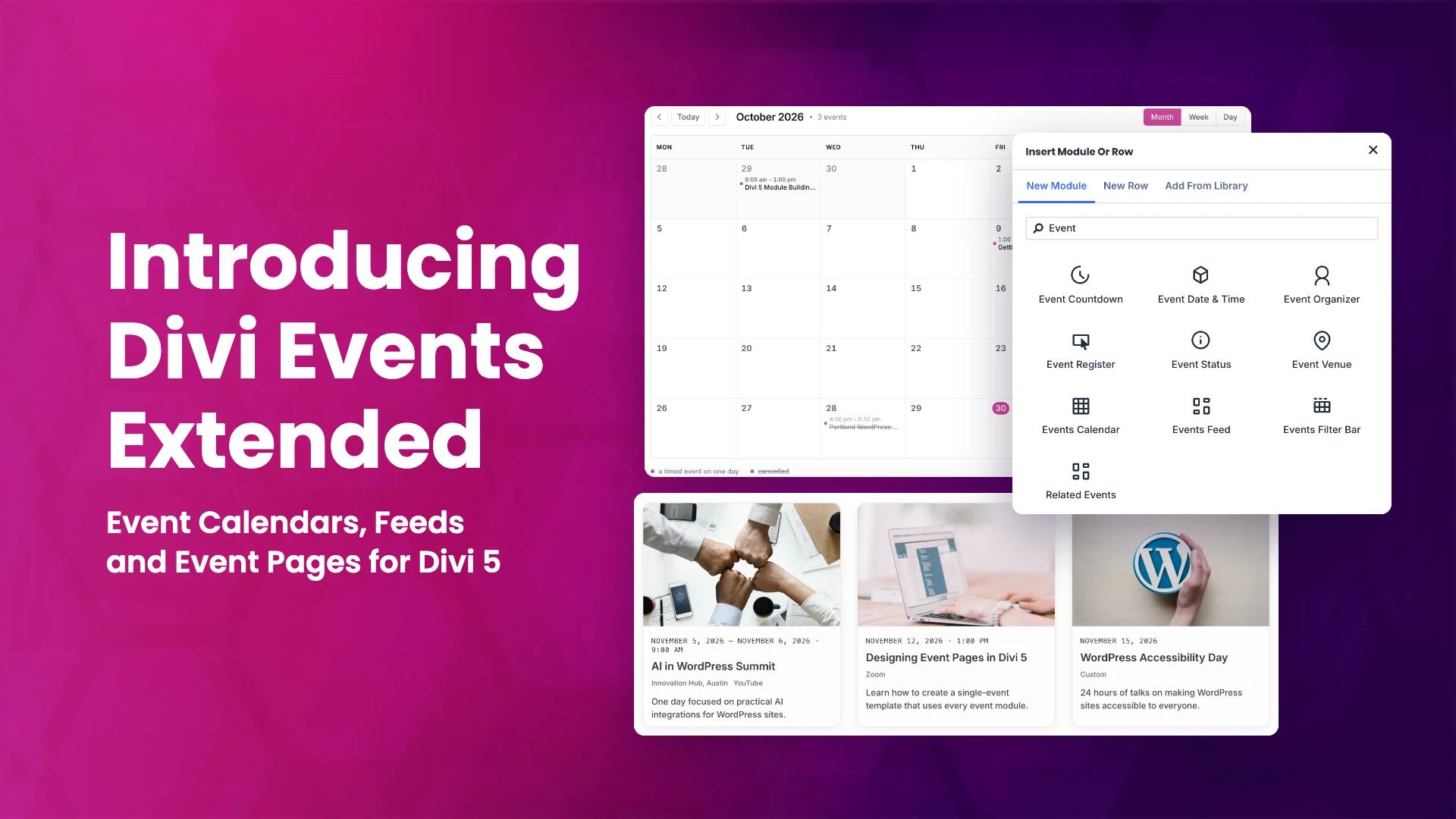
Divi Events Extended is here. It is a new plugin for Divi 5 that adds eleven event modules to the Divi builder: a calendar, an events feed, a filter bar, countdowns, add to calendar and register buttons, related events, and four modules for the details of a single event. Version 1.0.0 is available on Divi Extended and is now approved and listed on the Elegant Themes Marketplace.
Below is a walk through of each module, what it does for an events site, and how to get it. For the full feature list, see the Divi Events Extended product page.
Where your events come from
Divi Events Extended can show events from two sources. The first is its own built-in events, with Events, Venues and Organizers menus in your dashboard, where each event carries its start and end, timezone, status, attendance, ticket link, price and capacity. The second is The Events Calendar: the modules read events you already keep there and never write to them. Both can run side by side. You set a default source under Divi Extended > Divi Events Extended, and each module can override it with its own Event Source setting.
Events Calendar
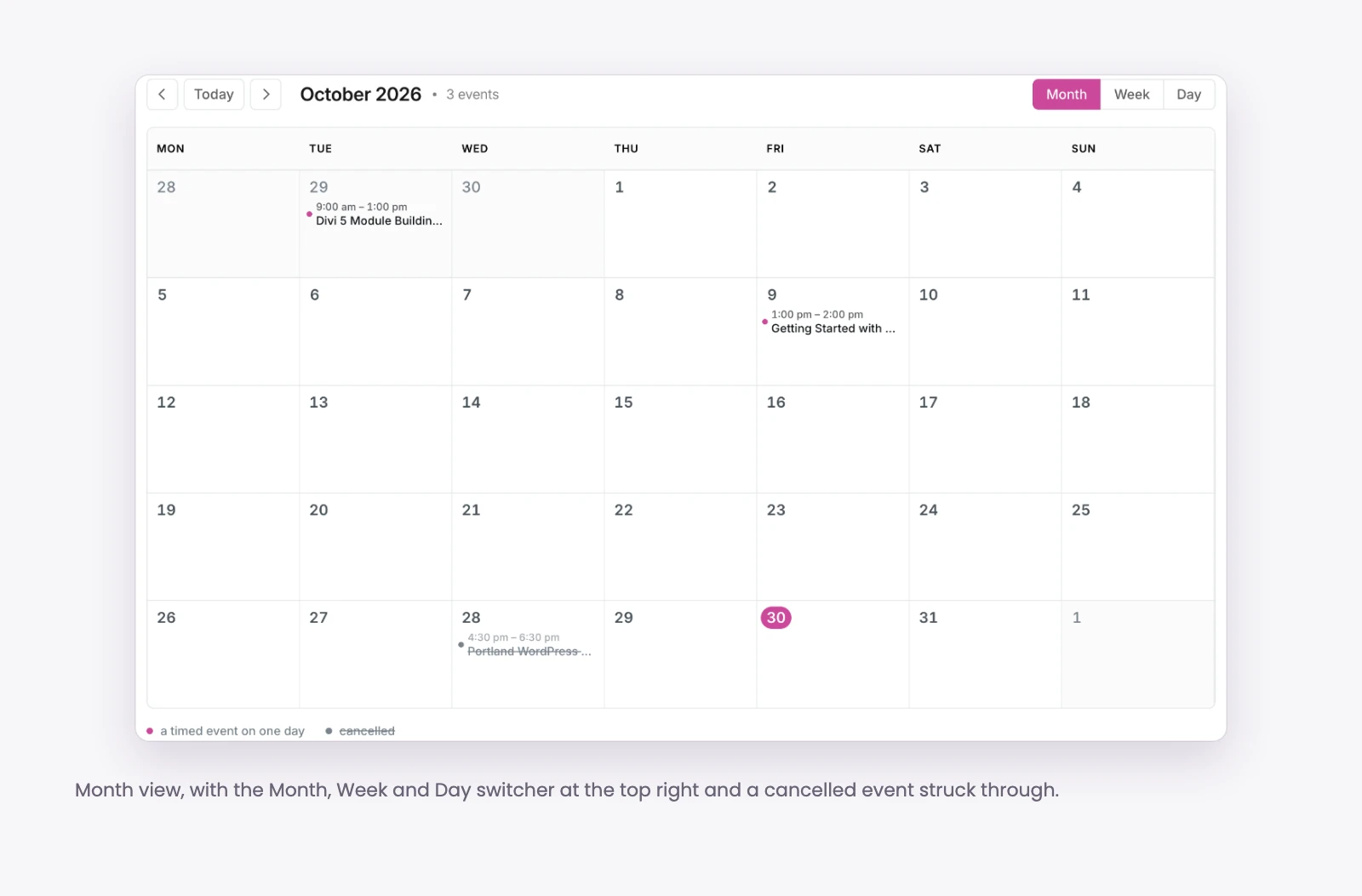
The Events Calendar module shows your events in month, week, day and agenda views. You choose which views to offer and which one opens first, and the chosen view stays in the page address, so a visitor can share or bookmark it. The calendar is rendered on the server and every control is a real link, so it keeps working behind page caching.
What it gives your site:
- A full calendar page without a separate calendar plugin or shortcode.
- Control over how entries read: full time, start time or title only, entries per day, the day the week starts on, and cell and hour heights.
- Filtering by category, tag, event type, venue or organizer, plus an optional legend.
Use cases: a club or venue calendar page, a monthly class schedule, or an agenda view of the next few weeks on a homepage.
Events Feed
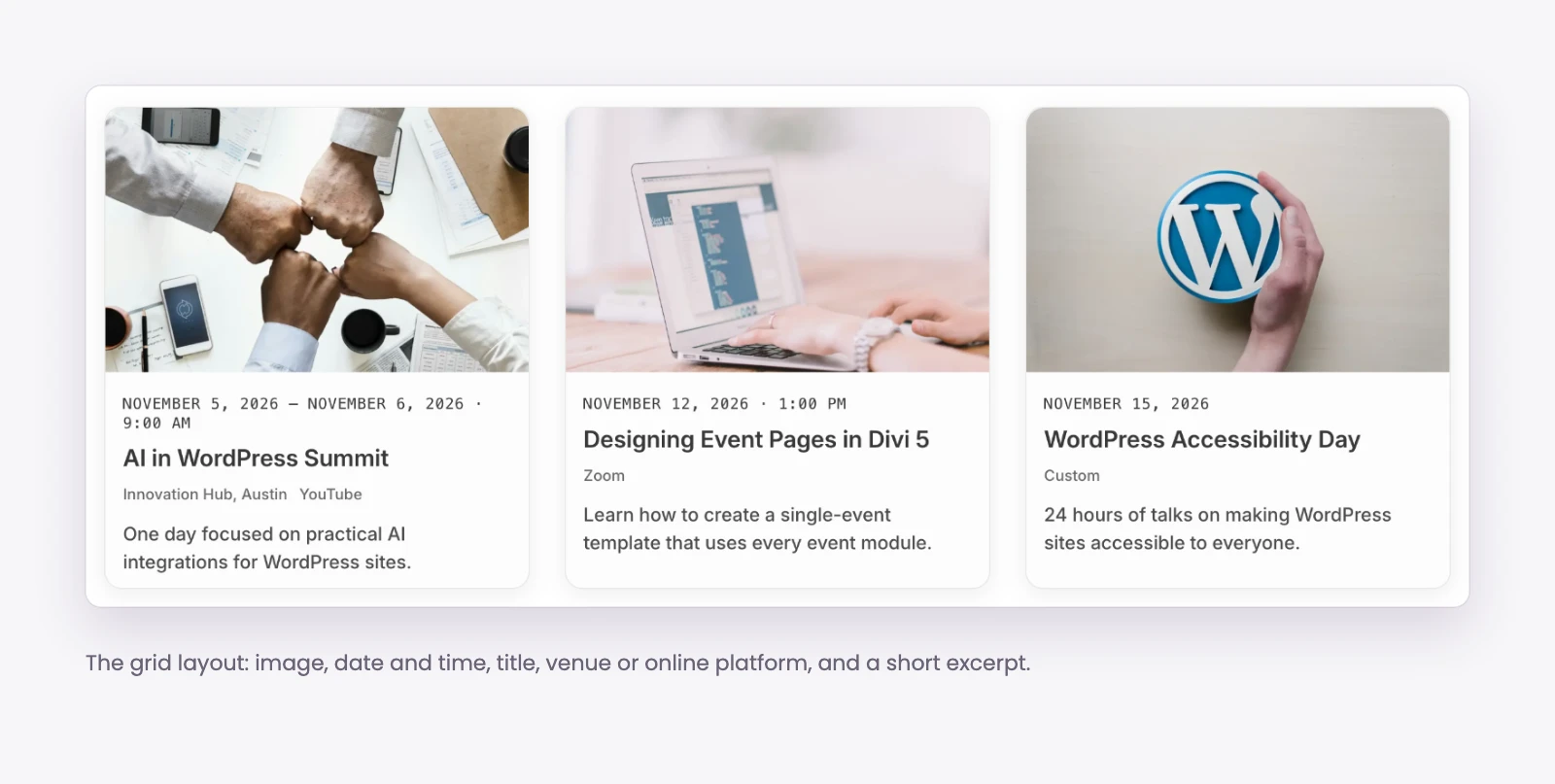
The Events Feed module lists events as a card grid, a list or a compact list. It can show upcoming events, events happening now, past events or all events, with each card showing the image, date and time, venue and excerpt you choose.
What it gives your site:
- Up to four columns, a choice of image ratios, and Divi’s own design controls on the event card.
- Repeating events shown as every date or once, ordered by start date or title.
- Pagination by page numbers, a load more button or infinite scroll.
Use cases: an upcoming events section on a homepage, a past events archive, or a list of workshops on a services page.
Events Filter Bar
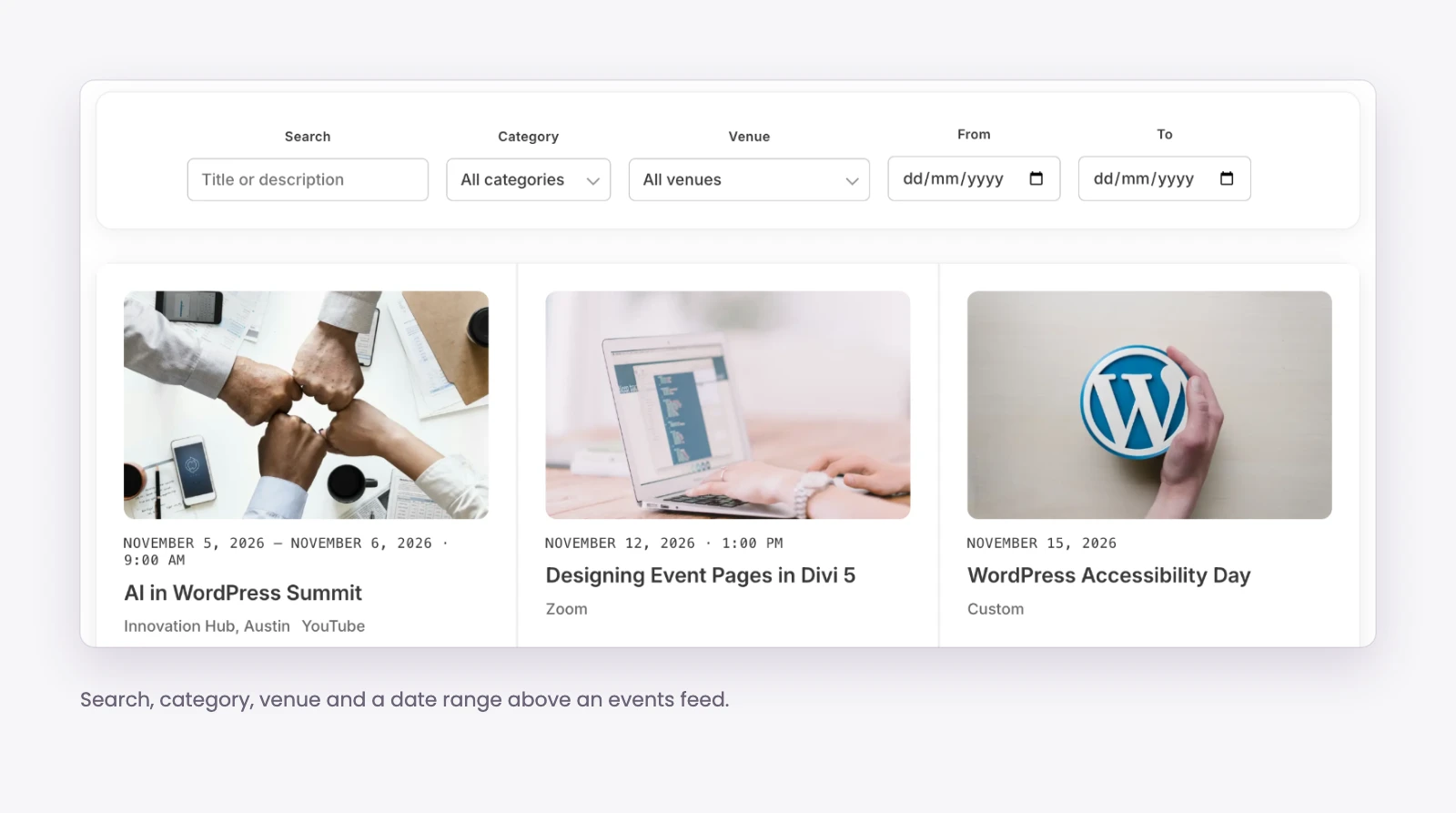
The Events Filter Bar lets visitors narrow events by search, category, tag, event type, venue, organizer, attendance, price and date range. You link it to a feed or a calendar on the same page, lay it out inline or stacked, and choose whether to show the filters a visitor has applied.
What it gives your site:
- Visitors find the right event on a busy calendar without scrolling through all of it.
- It is a real form, so it still works with JavaScript turned off.
Use cases: a conference or festival program, a training catalog filtered by topic and venue, or free versus paid events.
Event Countdown
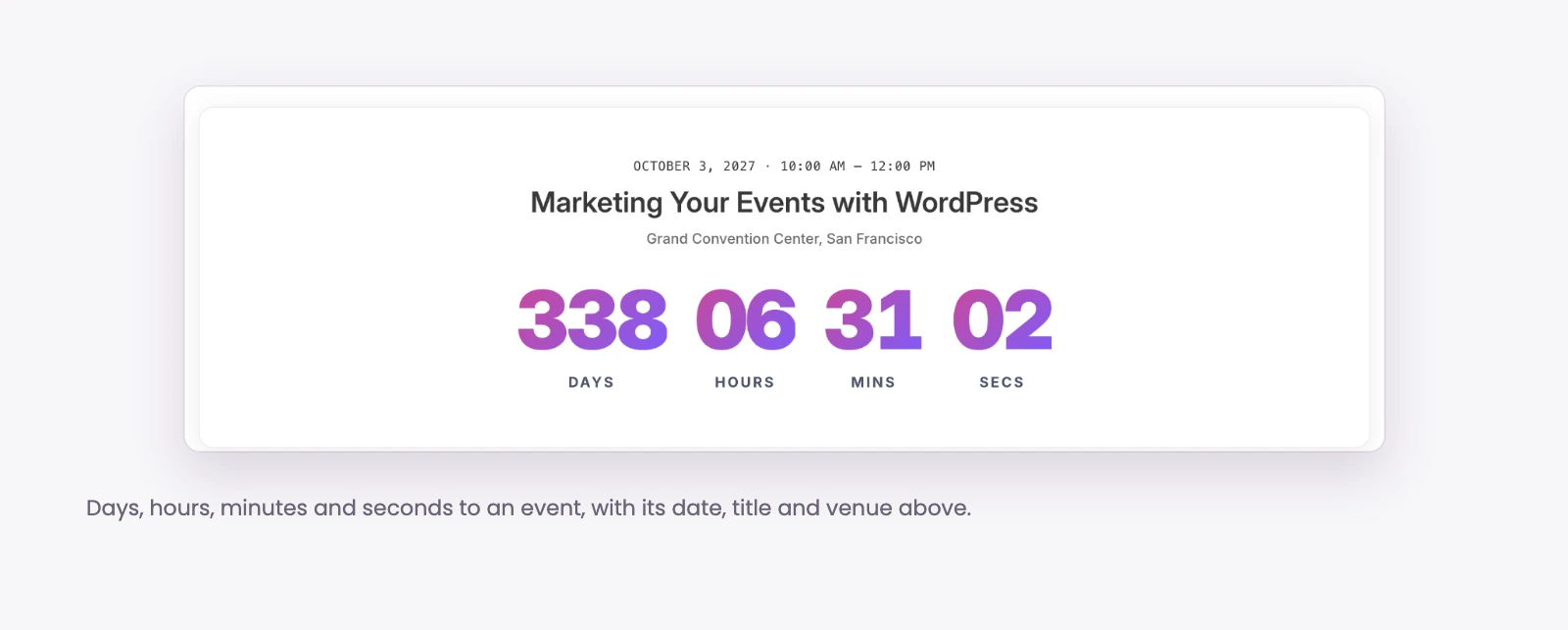
The Event Countdown module counts down to the start or end of an event. It can follow the current event, the next upcoming event, or a specific event you pick.
What it gives your site:
- Days, hours, minutes and seconds, each one optional.
- A choice of what happens when the time is up: hide the module, show a message, or stay at zero.
Use cases: a countdown to the next meetup that moves on by itself, or to the start of a single event.
Add to Calendar
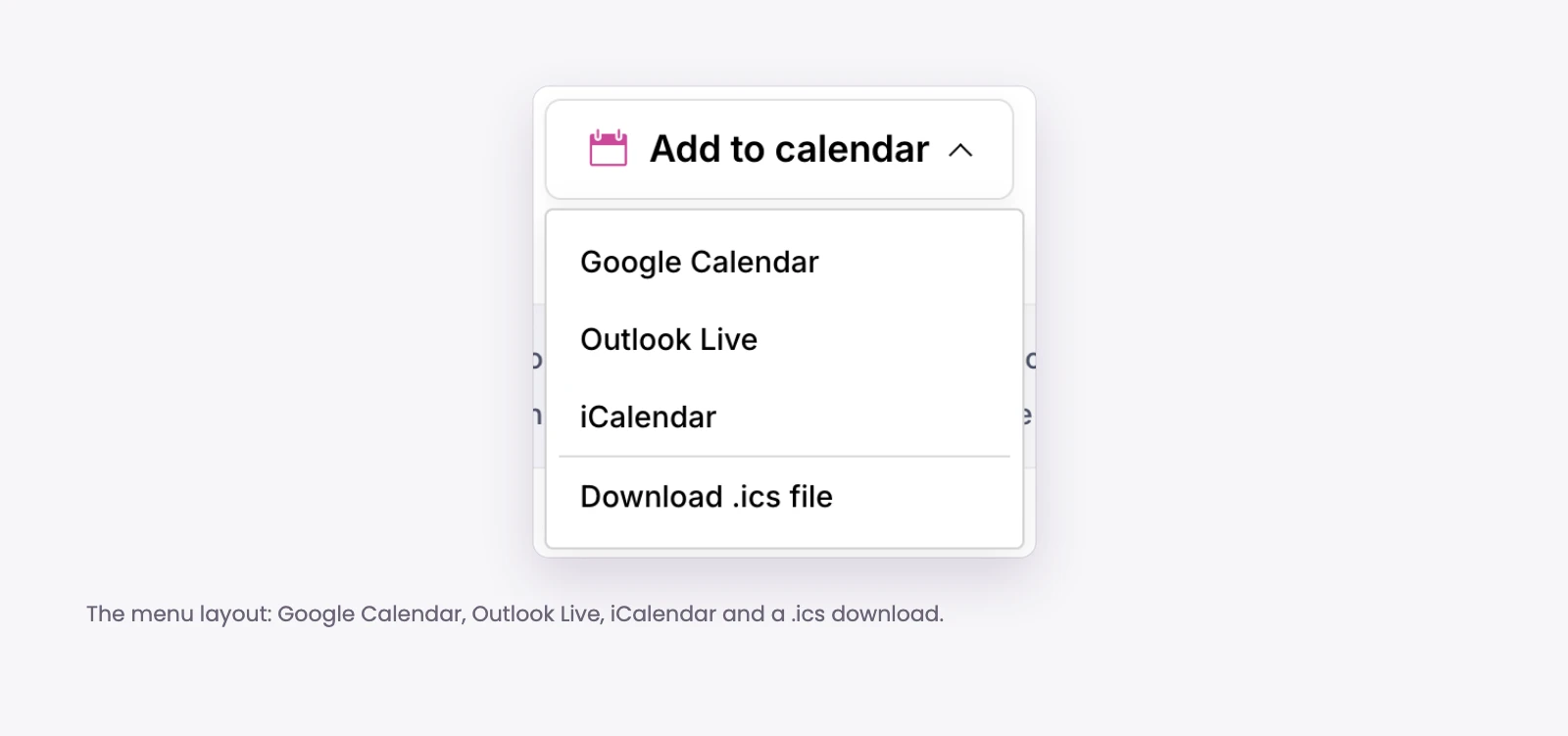
The Add to Calendar module gives visitors a way to save an event to their own calendar: Google Calendar, Outlook Live, iCalendar, or a downloaded .ics file.
What it gives your site:
- Three layouts: a menu, an inline row or plain links.
- The date lands in the visitor’s own calendar, so fewer people miss it.
Use cases: the action area of a single event page, or under each event in a short upcoming list.
Event Register

The Event Register module turns the event’s ticket or registration link into a button. It can show the price on, beside or below the button, and show capacity beside or below it.
What it gives your site:
- A clear next step on every event page, using the link you already have for tickets or sign ups.
- Price and remaining capacity shown right where the visitor decides.
Use cases: paid workshops sold through an outside ticketing service.
Related Events
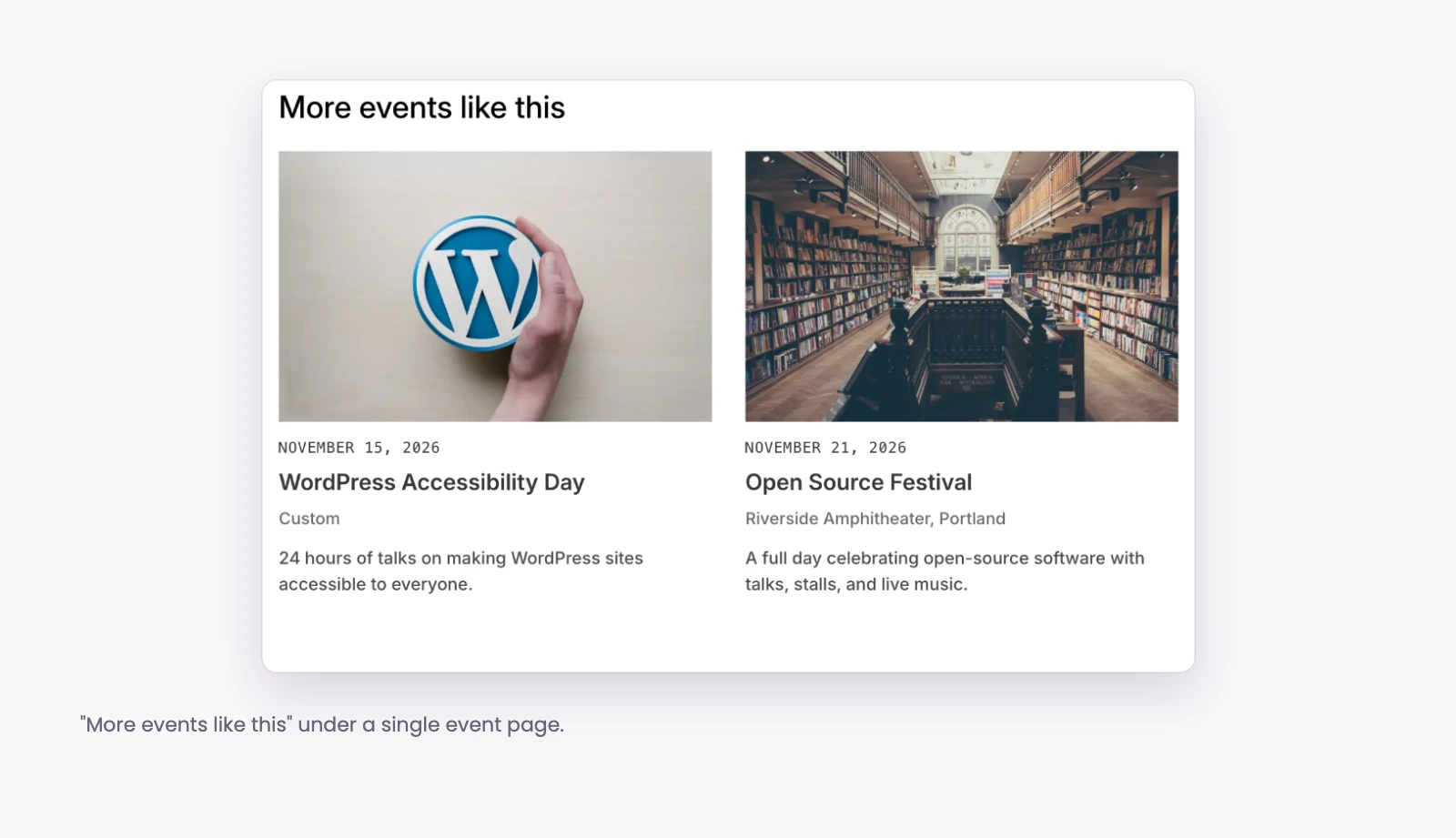
The Related Events module shows other events that share something with the current one: the same venue, category, tag, event type or organizer. You can match any of these or all of them, and it uses the same layout and detail options as the feed.
What it gives your site:
- Visitors move from one event to the next instead of leaving.
- An optional heading and an empty message for events with nothing related.
Use cases: more events at this venue, or more classes with this instructor.
Event Date and Time, Venue, Organizer and Status
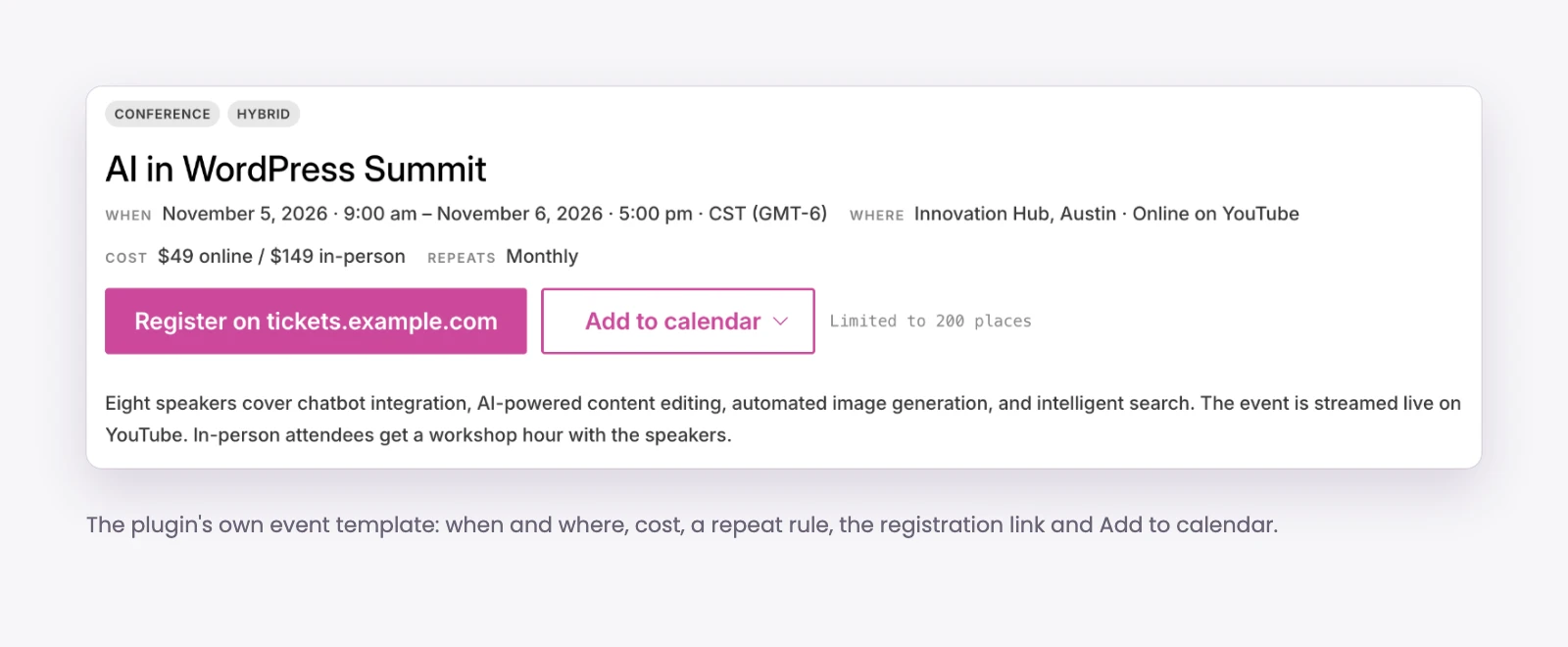
Four smaller modules show the details of one event, so you can build your own event layouts. Each can follow the current event, the next upcoming event or a specific event.
- Event Date and Time: stacked or on one line, with optional end time and timezone.
- Event Venue: address on separate lines or one line, a link to the venue page, and optional phone number and website.
- Event Organizer: the organizer details for the event.
- Event Status: shows whether an event is scheduled, cancelled, postponed, moved online or rescheduled.
Use cases: a custom single event template in the Theme Builder, or an event highlight section on a landing page.
Built in from the start
You do not have to design anything before your first event shows up. On activation, the plugin renders nine templates: the single event, venue and organizer pages, their archives, and the category, tag and type archives. When you assign a Theme Builder template, it takes over, and every event field is available in Divi’s dynamic content in the Theme Builder and the Loop Builder.
- Repeating events: built-in events repeat daily, weekly, monthly or yearly, end after a number of dates or on a date, and can skip dates. Each date is its own entry.
- Timezones: times are stored as an exact moment and shown in the event’s own timezone, including across daylight saving changes.
- Calendar feeds: .ics subscription feeds for the whole calendar, a category, a venue or an organizer, plus a file for each event.
- Search markup: one schema.org Event per event page.
- Moving in and out: CSV import and export, and a one-way migration from The Events Calendar into built-in events.
- Nothing loaded from elsewhere: no web fonts, icon sets or JavaScript libraries, and no requests to servers other than your own.
What you need
- WordPress 6.7.2 or later and PHP 7.4 or later.
- Divi 5.0 or later with the Divi theme. If Divi 5 is missing, the plugin tells you instead of failing quietly.
- The Events Calendar only if you want to use it as a source. It is optional.
Pricing and where to get it
- On Divi Extended: $49 a year or $119 lifetime, both for unlimited websites. See the product page.
- On the Elegant Themes Marketplace: $49.
- Divi Extended lifetime members get Divi Events Extended included at no extra cost. Log in to your Divi Extended account and download it from there.
How to install
- Download the plugin zip from your Divi Extended account or from the Elegant Themes Marketplace.
- In your WordPress dashboard, go to Plugins > Add New > Upload Plugin, choose the zip and activate it.
- Go to Divi Extended > Divi Events Extended and pick your event source.
- Add your events, then open a page in the Divi builder and add the Events Calendar or Events Feed module.
Divi Events Extended brings calendars, event lists and event pages into the Divi 5 builder, from your own events or the ones you already keep. See the modules in action on the Divi Events Extended product page.

0 Comments