
Featured On

Explore the Feature of Divi WooCommerce Extended Plugin Live!
Divi WooCommerce Extended
Divi WooCommerce Extended: Complete Divi WooCommerce Plugin
Using the Divi WooCommerce Extended plugin, you can create a fully functioning and exceptional Divi store quickly and efficiently. It offers plenty of easy and inventive Divi modules that provide you the ability to brilliantly construct your Divi eCommerce store to your desire. With the Divi shop modules provided in this plugin, you will get the ability to maximize the Divi store’s use — for example, showing the WooCommerce product carousel; managing the checkout process using WooCommerce checkout manager, and performance using the extra choices and functions.
Built-In, Not Bundled. No Third-Party Plugins Needed.
Most Divi WooCommerce setups require 5-10 separate plugins: one for the wishlist, one for the mini cart, another for the quick view, another for ajax search, more for product carousels, more for checkout customization. Each plugin is its own license, its own update cycle, its own potential conflict.
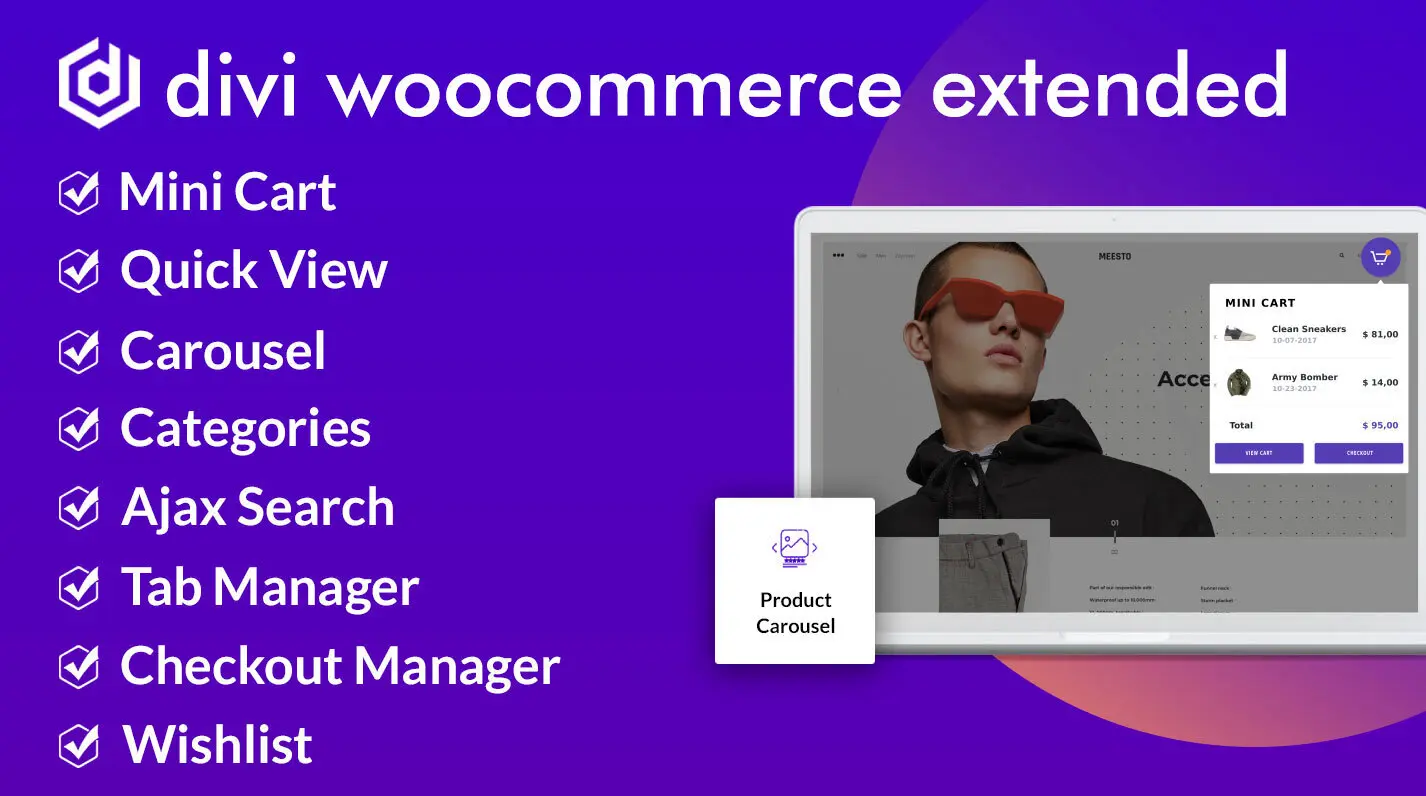
Divi WooCommerce Extended replaces all of them with one plugin. Wishlist, Mini Cart, Quick View, Ajax Search, Product Carousel, Product Gallery, Product Accordion, Categories Module, Categories Accordion, Brands Grid, Recently Viewed Products, Tab Manager, Checkout Manager, Library Shortcode, Product Badges, Recently Purchased Popup, and Pre-built Cart and Checkout Layouts, all built into one plugin for Divi.
Pricing math: Buying 8 separate WooCommerce plugins typically costs $200-400 per year for one site, multiplied by every client site you build. Divi WooCommerce Extended: $99 per year for unlimited sites.
Compatible with both Divi 4 and Divi 5. No legacy mode. Divi WooCommerce Extended is built for the new Divi 5 architecture from day one.
| Feature | Divi WooCommerce Extended | Buying Separately |
|---|---|---|
| Wishlist | Built-in | $50–100/year |
| Mini Cart | Built-in | $20–40/year |
| Quick View | Built-in | $50–70/year |
| Ajax Search | Built-in | $30–60/year |
| Product Carousel | Built-in | $25–50/year |
| Tab Manager | Built-in | $39–69/year |
| Checkout Manager | Built-in | $39–79/year |
| Product Categories Carousel | Built-in | $29–49/year |
| Products Accordion | Built-in | $29–59/year |
| Product Gallery | Built-in | $39–79/year |
| Products Ticker | Built-in | $19–49/year |
| Brands Carousel | Built-in | $29–69/year |
| Total Annual (1 Site) | $99 | $348–743/year |
| Total Annual (10 Client Sites) | $99 | $3,480–7,430/year |
| Total Annual (Unlimited Sites) | $99 | Pay per site (No unlimited license) |
Use Cases
Divi WooCommerce Extended adapts to different store types and works with both Divi 4 and Divi 5 across all use cases.
Fashion and apparel stores: Product Gallery for multiple views per product. Variation-aware Quick View. Wishlist for collection saving. Mini Cart for one-page browsing.
B2B and wholesale stores: Checkout Manager for VAT numbers and PO fields. Tab Manager for spec sheets and bulk pricing tabs. Ajax Search for fast SKU lookup.
Digital download stores: Tab Manager for documentation, license terms, and changelogs. Checkout Manager to remove unnecessary shipping fields. Library Shortcode for embedding product details across pages.
Subscription stores: Pre-built Cart and Checkout layouts compatible with WooCommerce Subscriptions. Tab Manager for renewal terms and FAQ.
Restaurant and food delivery: Categories module for menu sections. Tab Manager for ingredients and allergens. Product Carousel for featured dishes. Checkout Manager for delivery time slots.
Multi-product stores: Wishlist Manager for cross-product saves. Products Accordion for compact category browsing. Ajax Search for fast navigation.
Multi-brand retailers: Brands Grid for a shop-by-brand page. Recently Viewed Products in the sidebar so comparison shoppers find their way back. Recently Purchased Popup for live proof that orders are coming in.
Department stores and marketplaces: Categories Accordion for a department strip on the landing page. Categories module and Products Accordion for the deeper levels.
Divi WooCommerce Wishlist Module
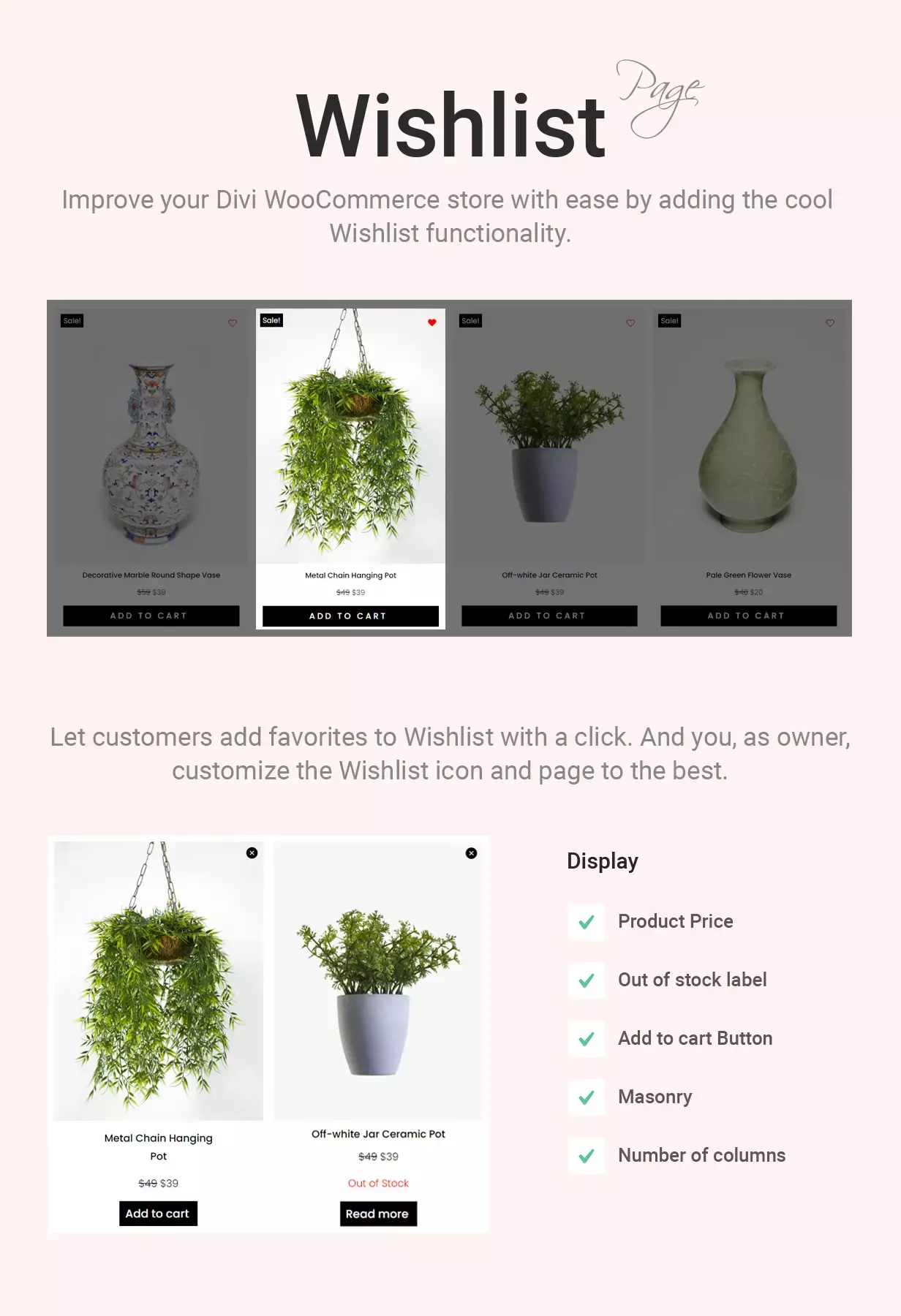
Add wishlist functionality to your Divi WooCommerce store. Customers click “Add to Wishlist” on product pages and loops to save items for later. Display saved items via the Wishlist module on any page.
- Change Wishlist Button/Icon to Icon, Text or Text and Icon.
- Create a Wishlist Page Using Wishlist Module.
- Enable Wishlist for Logged-In Users Only.
- Change Wishlist Icon Position.
- Use Custom Text for Button and Notifications.
- Display popular products (wishlisted products) in the plugin panel.
- Remove from Wishlist on second click.
It may also be considered as a WooCommerce wishlist plugin, giving you the ease of creating wishlists with ease on your store.
Divi Mini Cart Module
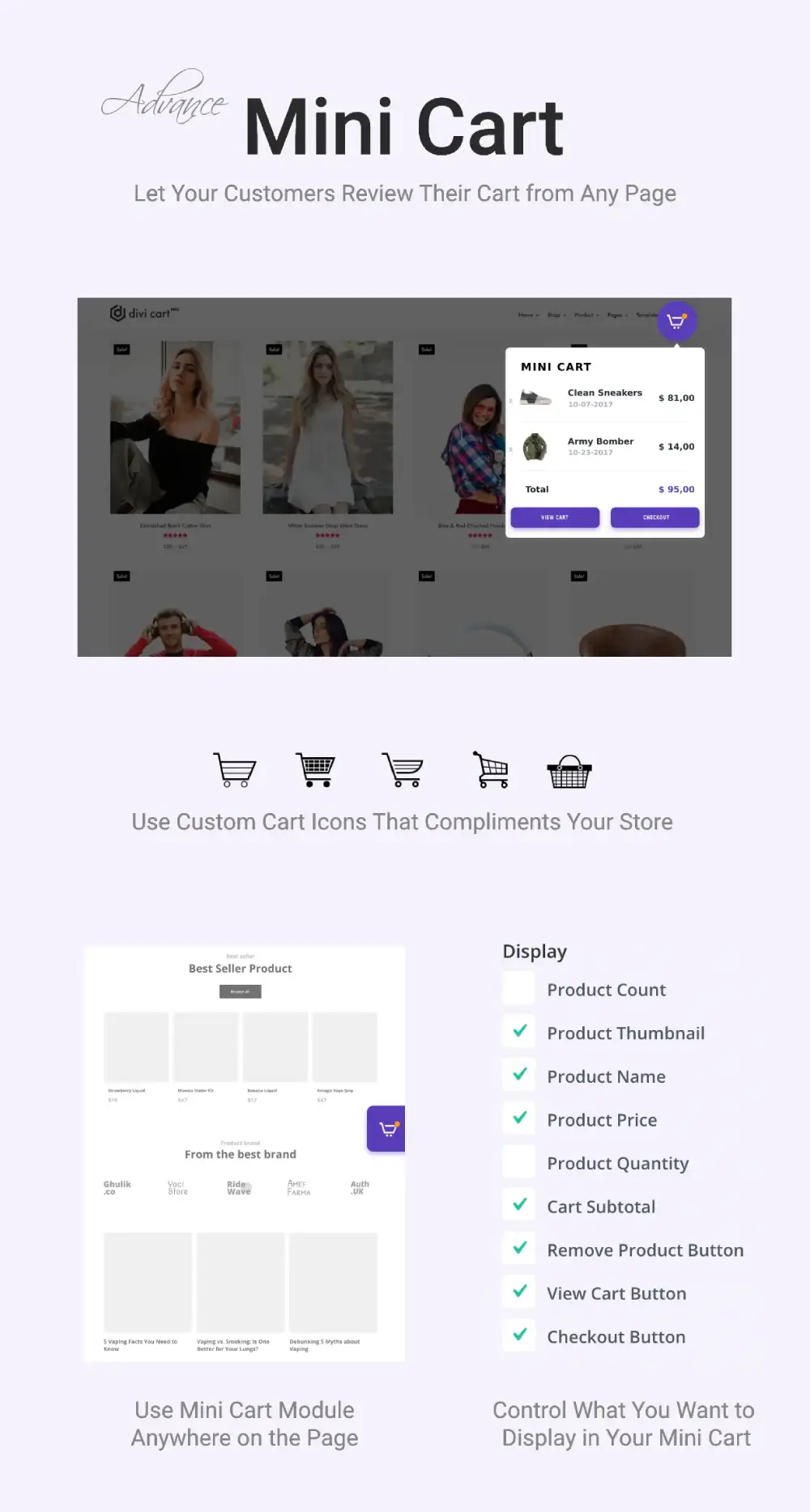
Add a Divi mini cart to your menu or any page on the store. Customers review cart contents, see cart count, remove items, and proceed to checkout without leaving the page they’re on. Works with both Divi 4 and Divi 5.
- Custom Icons for Mini Cart
- On click triggers for Mini Cart view
- 9 elements to display in Mini Cart, including Checkout Button, Subtotal, Product Count and many more.
Divi WooCommerce Products Module
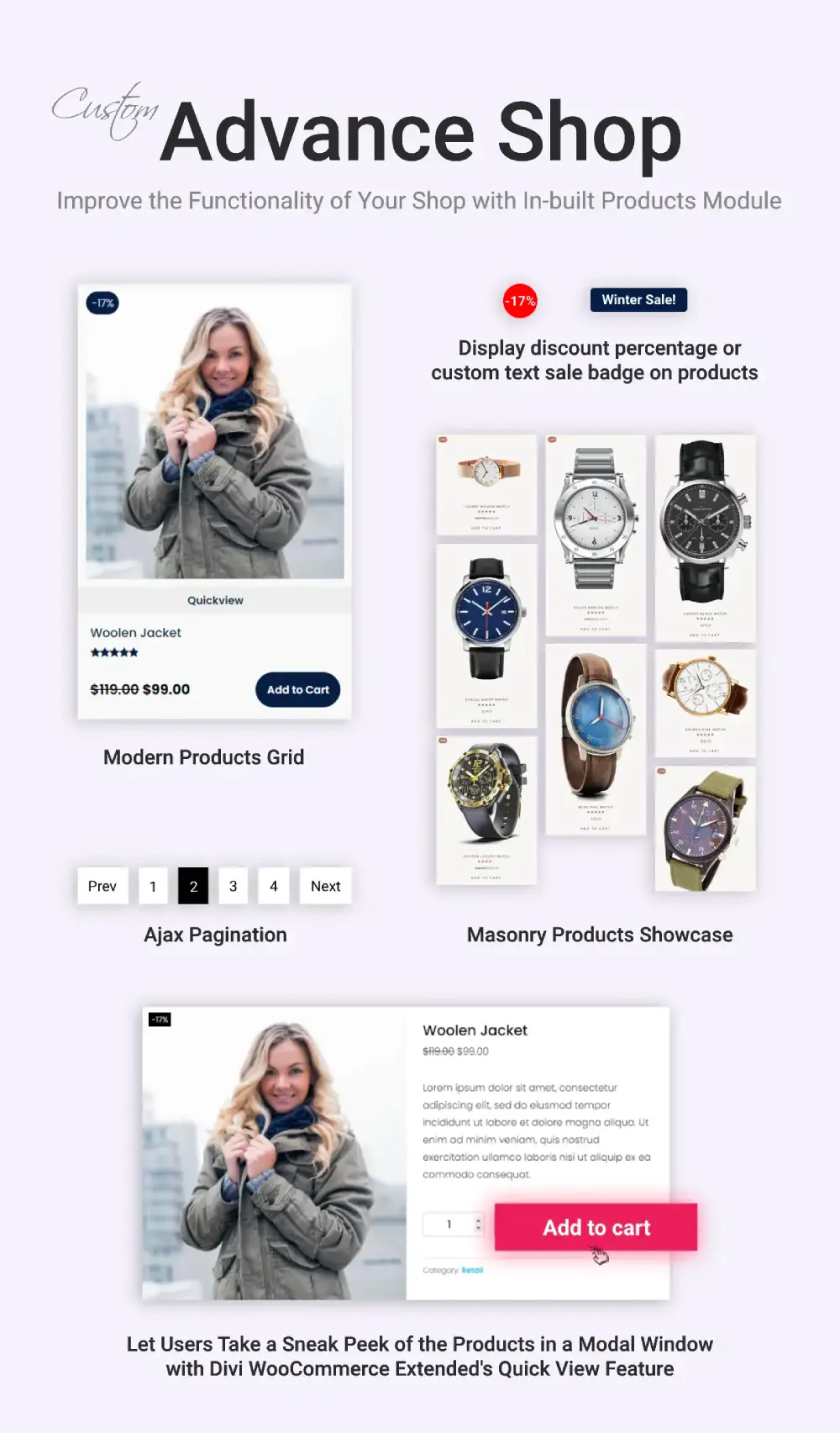
Display WooCommerce products in customizable grid or masonry layouts. Up to 6 columns, configurable spacing, custom sale badges, hover effects, and Quick View. Filter by category and tag.
- Concealing Out Of Stock products
- Regular and Sale Price Customization
- Pagination for product display
- Custom sale badges
- Custom product thumbnails
- Highly customizable quickview
- Quickview auto-updates images on switching product variations.
- Title linking to the product page in the quickview
- Adjustable column spacing
- Up to 6 columns for product display
- Masonry and Grid layout for products
- Featured product display
- Category filter control
Divi WooCommerce Product Carousel Module
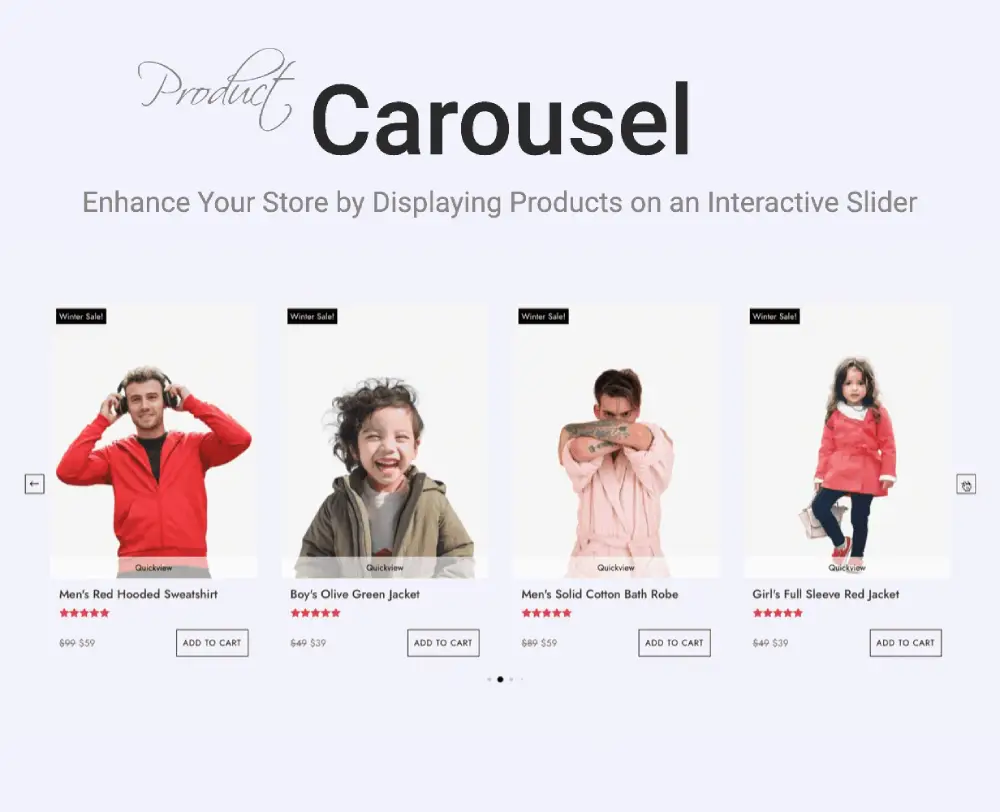
Display WooCommerce products in a slider on Divi 4 or Divi 5 with Slide, Cube, Flip, or Cover Flow effects. Configurable pagination styles, arrow placement in 8 positions, and Quick View support.
- Quickview option for products in the WooCommerce product slider.
- Different sliding effects for carousel like Slide, Cube, Flip, and Cover flow.
- Multiple styles for Pagination indicator such as dots, rounded line and many more.
- 8 different locations to place the Slider Arrows at.
Divi WooCommerce Ajax Search Module
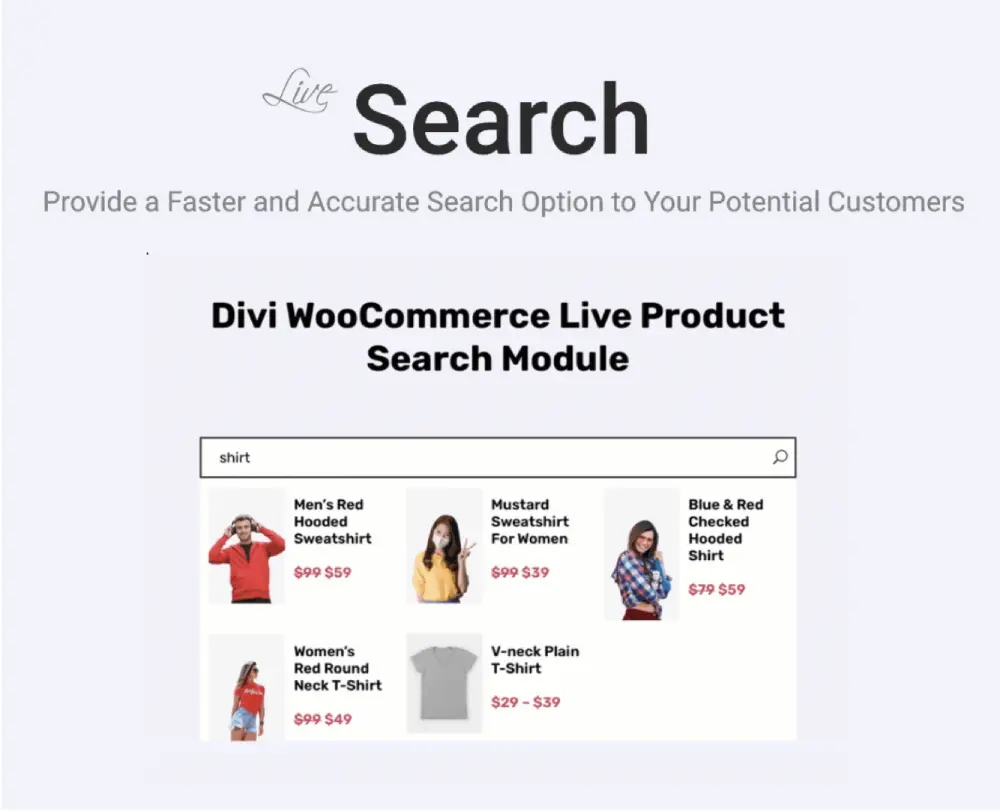
Live search for WooCommerce products on Divi 4 and Divi 5 sites alike. As customers type, results appear instantly with product images, titles, prices, and “See All Results” link. Configurable across product title, content, categories, tags, and SKUs.
- 3 layouts to create variations.
- Customizing the look and feel of search results.
- Upto 5 columns for search results display.
- Sort products in multiple ways.
- Display pagination for easy findings.
- Enable scrollbar.
- Link Target for opening search results.
- Show the “See All Results” text with linking.
- Customize the featured images of the products.
Divi WooCommerce Categories Module
Display WooCommerce product categories on any page. Choose layouts, columns (up to 10), and styling. Masonry layout supported.
- Masonry layout.
- Displaying content and zoom effect on hover.
- Upto 10 number of columns.
- Order of categories by name, slug, term ID and more.
- Two different layouts to showcase categories.

Divi WooCommerce Products Accordion Module
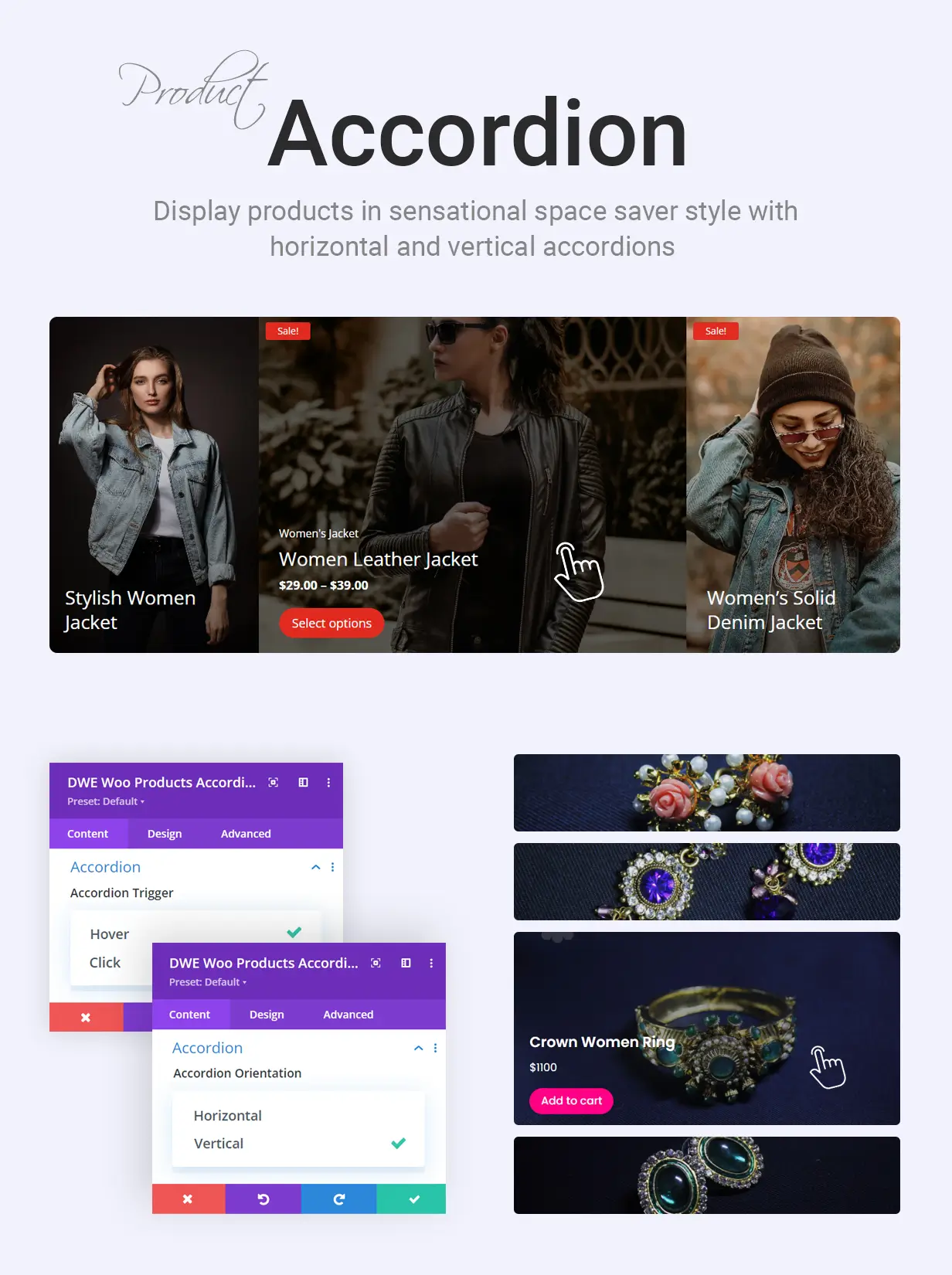
Display products in expandable accordions on click or hover. Choose between vertical and horizontal orientation. Show featured, on-sale, best-selling, or top-rated products.
It enables you to:
- Show different products (Default, Featured, On-sale, Bestselling and Top-rated)
- Hide Out of Stock products and offset products
- Display different elements (Cat, Title, Description, Rating, Price, Add to Cart button, and Sale badge)
- Use different layouts for sale badge
- Enable accordion on click or hover
- Use vertical or horizontal accordions
- Use different content alignments
- Customize both active and normal accordion
- Use dark or light text theme
Divi WooCommerce Product Gallery Module
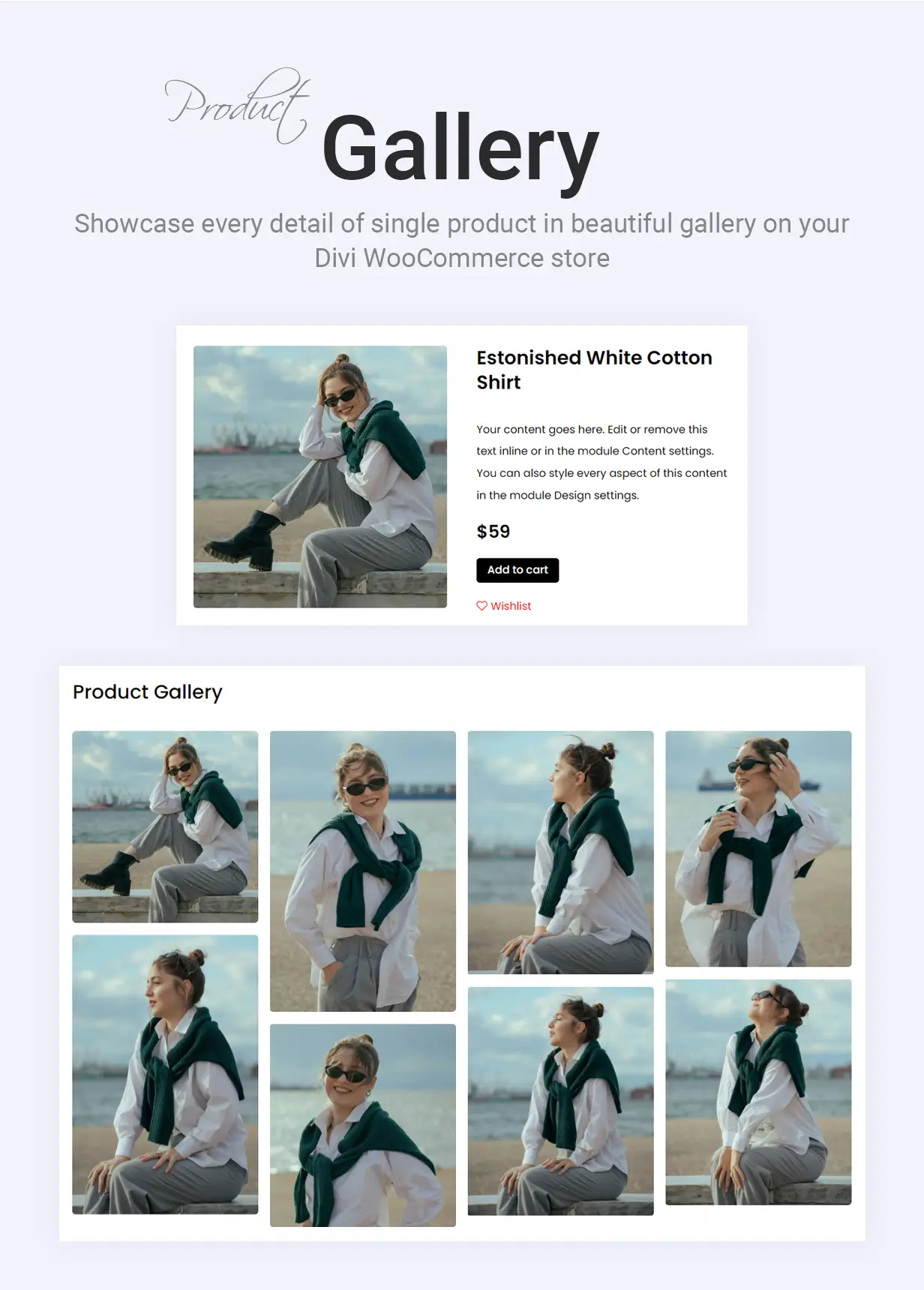
Create product galleries on single product pages, shop pages, or custom pages. Up to 10 columns, lightbox, overlay, masonry layout, and styling controls.
- Show gallery on a single product page
- Use the latest products, product albums and other specific products
- Show different elements
- Enable lightbox and overlay
- Use multiple columns up to 10
- Apply custom spacing
- Style gallery items
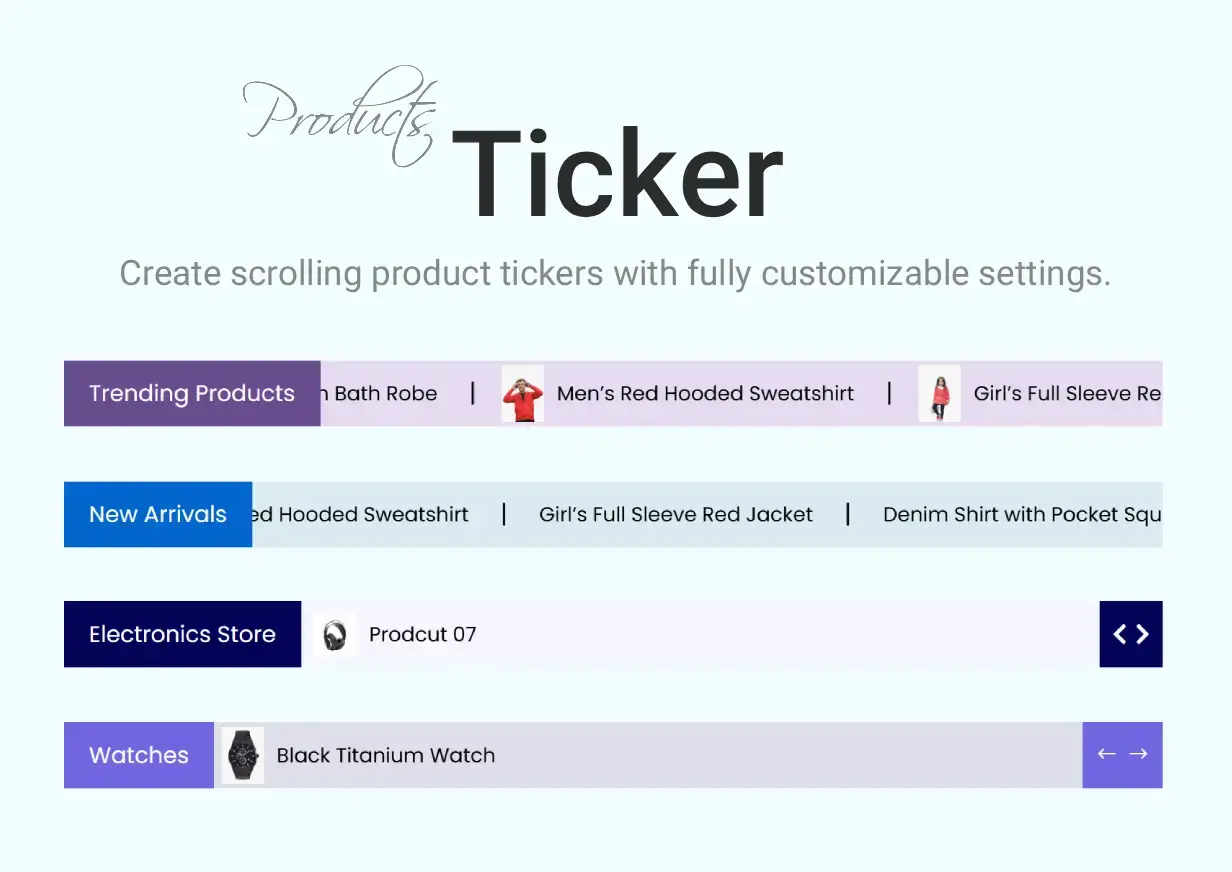
WooCommerce Products Ticker
Highlight your WooCommerce products in an eye-catching ticker that scrolls across the screen like a news feed. Add a custom label such as Trending Products, and choose between a continuous scrolling animation or slide/fade transitions that rotate products one at a time. Filter products by category, limit the number of items displayed, hide out-of-stock products, and optionally show product thumbnails. Customize separators, ticker colors, navigation controls, and overall styling to match your store.
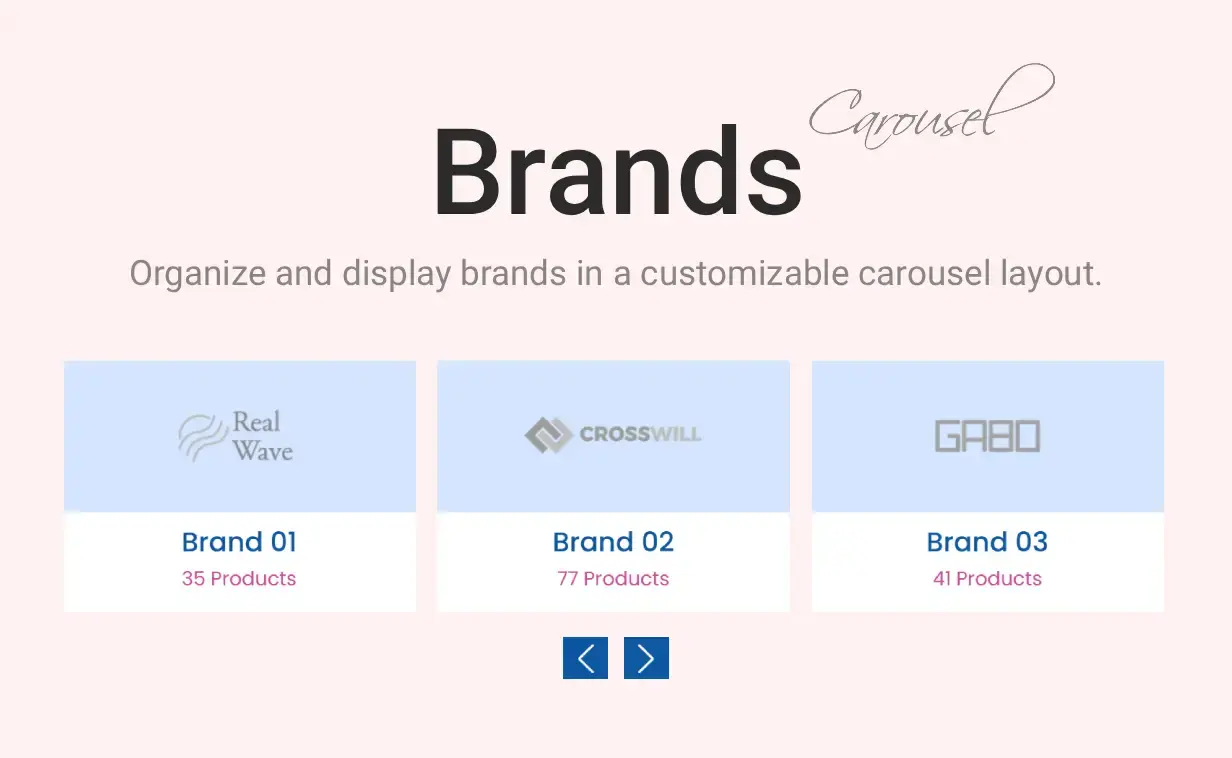
WooCommerce Brands Carousel
Showcase your product brands in a responsive carousel designed to increase brand visibility and trust. Each slide can display the brand logo, brand name, and total number of products associated with the brand. Configure autoplay, infinite looping, navigation arrows, and pagination dots. Easily include or exclude specific brands, hide brands without products, control sorting options, and customize logo dimensions, card styles, and colors.
WooCommerce Product Categories Carousel
Display your WooCommerce product categories in a dynamic, auto-playing carousel layout. Each category card can feature the category image, title, description, and product count, with optional hover effects to reveal additional details. Control the number of visible categories, select specific categories to display, define sorting preferences, and customize card appearance with your own colors, borders, shadows, and styling options.

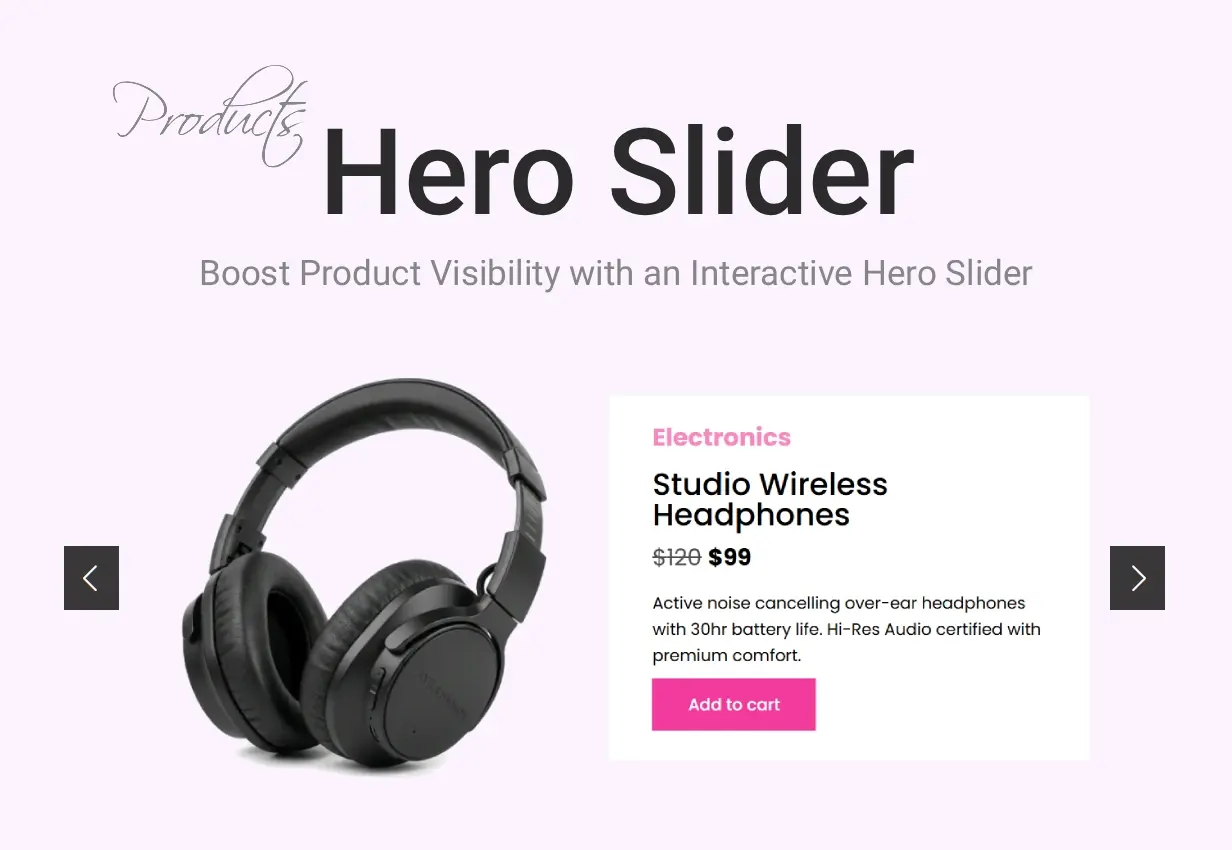
Woo Products Hero Slider
Turn your products into a full-width storefront hero. One rotating banner where every slide is a product shoppers can buy.
The Woo Products Hero Slider builds a full-width, auto-rotating hero from your WooCommerce catalog. Each slide is a real product, with its image, title, price, and a shop button, so the most important spot on your page sells for you.
- Build slides straight from your store: on sale, featured, latest, best selling, top rated, a category, or a hand-picked set of products.
- One slide per product, with the product image, title, price, and call to action pulled in automatically.
- Autoplay with speed and pause-on-hover control, plus arrow and dot navigation.
- Full Divi 5 design control over the overlay, text, buttons, and spacing, so it matches your theme.
- Responsive out of the box, so the hero looks right on every screen.
Homepage hero, category top banners, seasonal sale campaigns, and featured-collection showcases.
See it live on the demo, and get it with Divi WooCommerce Extended.
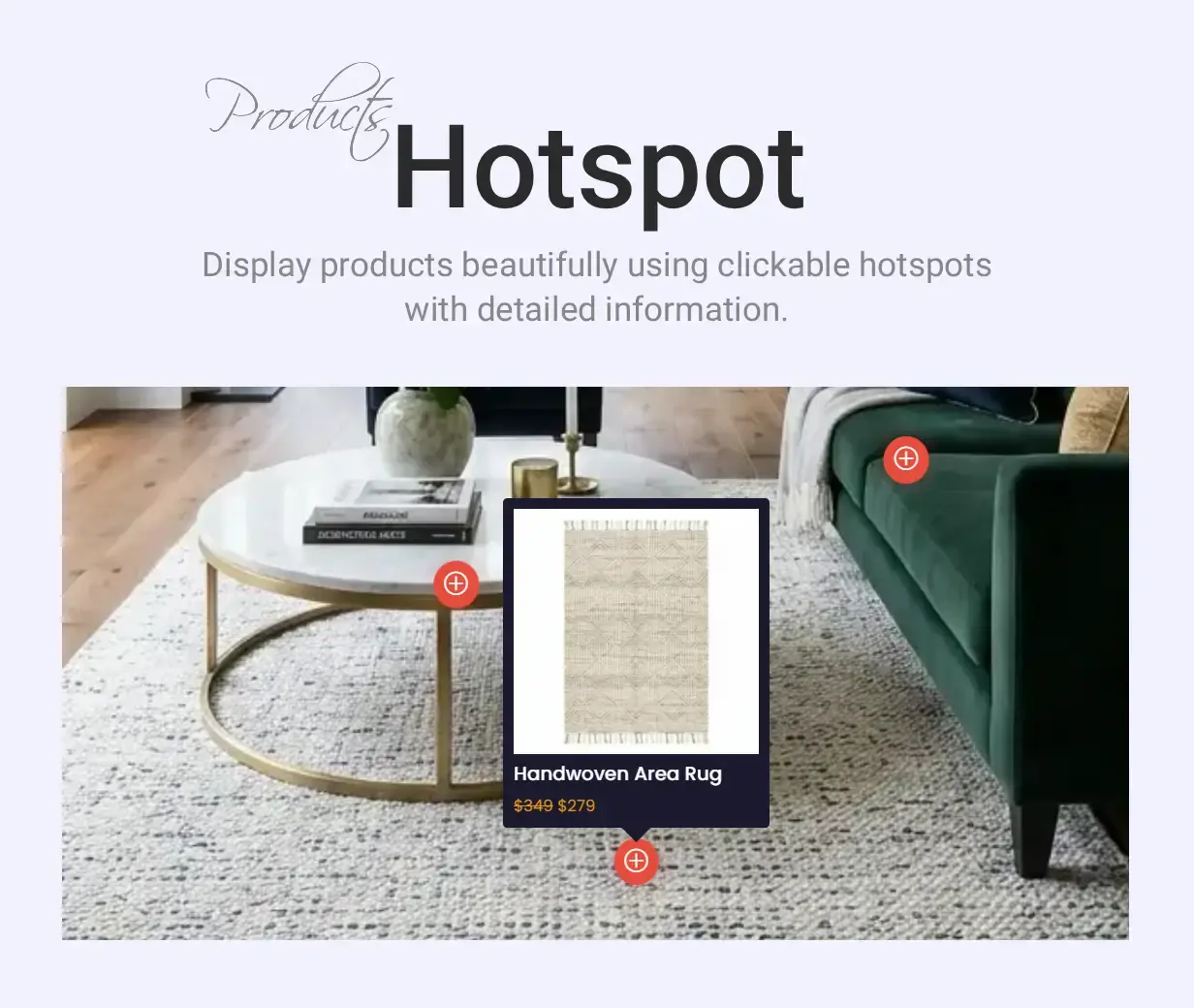
Woo Products Hotspot
Shop the look. Pin your products onto any image and let shoppers buy from the picture.
The Woo Products Hotspot module places clickable markers on an image and links each one to a WooCommerce product. A shopper taps a hotspot and sees the product, its price, and an add-to-cart button, right there on the image.
- Add as many hotspots as you like and position each one visually on the image.
- Link every hotspot to a product; the image, title, and price are pulled in automatically.
- Add to cart straight from the hotspot popup.
- Full Divi 5 control over the markers, popups, and animation.
- Fully responsive.
Shop-the-look and lookbook pages, room and interior scenes, outfit photos, and any lifestyle image where several products appear together.
See it live on the demo and get it with Divi WooCommerce Extended.
Categories Accordion: product categories that open on hover, with the category image behind them
Each product category becomes a panel in a row (or a column) of panels. Hover one and it widens to the size you set while the others shrink; switch the trigger to click for touch-first stores. Every panel carries the category image as its background, and the open panel shows the category name, how many products it holds (“12 Products”), the category description cut to the length you choose, and a Shop Now button that leads to the category archive. The image comes from the thumbnail set on the category in WooCommerce, with the WooCommerce placeholder when a category has none.
- Pick the categories to show or leave the field empty for all of them, set between 2 and 10 panels, order them by name, slug or ID in either direction, and hide empty categories.
- Hover or click trigger, horizontal or vertical orientation, and the open panel’s size from 1 to 10 relative to the others, so one wide hero panel or four near-equal ones are both one slider away.
- Choose which panel is open when the page loads (counting from 1), the spacing between panels, and the transition speed from 100 ms to 2 seconds.
- Decide what a closed panel still shows: the category name, the product count, both or neither. Content sits at the top, center or bottom of the panel, with horizontal alignment from the Text settings.
- Name, count, description and button each have their own typography, and the count has its own background color (a pill by default). Normal and open panels take separate overlay colors.
- Shows a message you write when no categories match. Divi 5 only.
Where to use it: a shop landing page that leads with four or five departments, a seasonal collection row, or a menu-style category strip on a food or fashion store.
See it live: https://diviwe.com/woocommerce-categories-accordion/

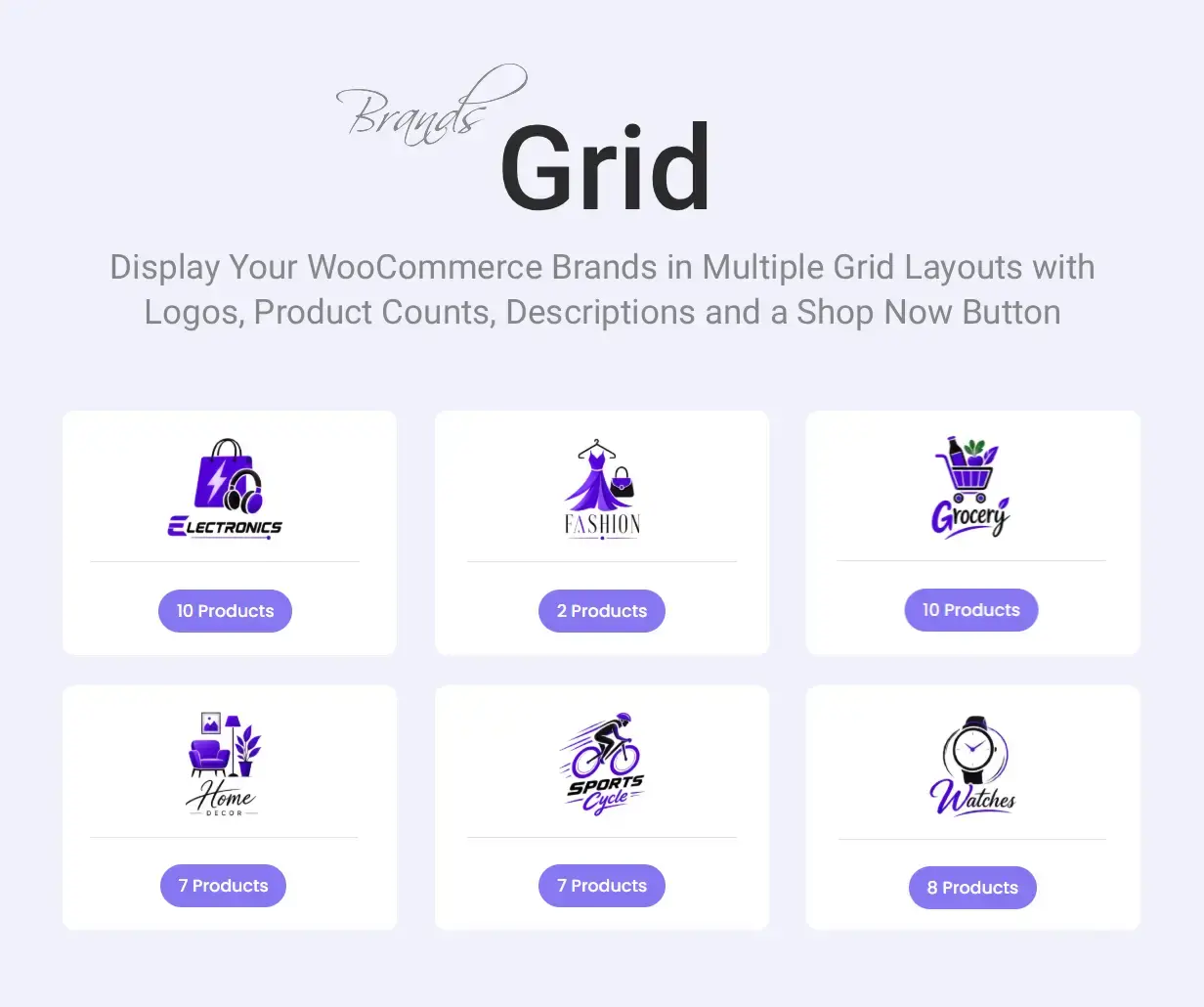
Brands Grid: a brand directory built from WooCommerce brands, in three card styles
WooCommerce stores brand terms on products (the Brands feature in WooCommerce), and the Brands Grid module lays those brands out as cards: the brand logo, the brand name, how many products carry it, and the brand description. The whole card links to the brand archive. Three layouts come with it: Layout 1 puts the name and the count on one row under the logo, Layout 2 shows the count as a tag above the name (or below it, one switch), and Layout 3 sets the logo in a circle with the text under it. The cards sit in a CSS grid, so columns stay even however long a name or description runs.
- Show every brand or pick the ones you want, cap the number (or show all), sort by name, slug, ID or product count, and hide brands with no products.
- Columns per row and the gap between them (0 to 100 px), both responsive, so a six-logo strip on desktop can become two columns on a phone.
- Logo size (WooCommerce thumbnail or single-product size) and width, with the logo, the name, the count, and the description each switchable. Description length is yours, 0 for the full text.
- An optional Shop Now button on the card, and a hover overlay that can carry the brand name, the count, the description and the button, with the button on the card, on the overlay only, or both. The overlay can show something the card hides.
- Name heading level (H1 to H6), count pill color, overlay colors and typography are set in the Design tab. Divi 5 only.
Where to use it: a “Shop by brand” page, a brand strip on the homepage, or a manufacturer directory for a parts or electronics store.
See it live: https://diviwe.com/woocommerce-brands-grid/
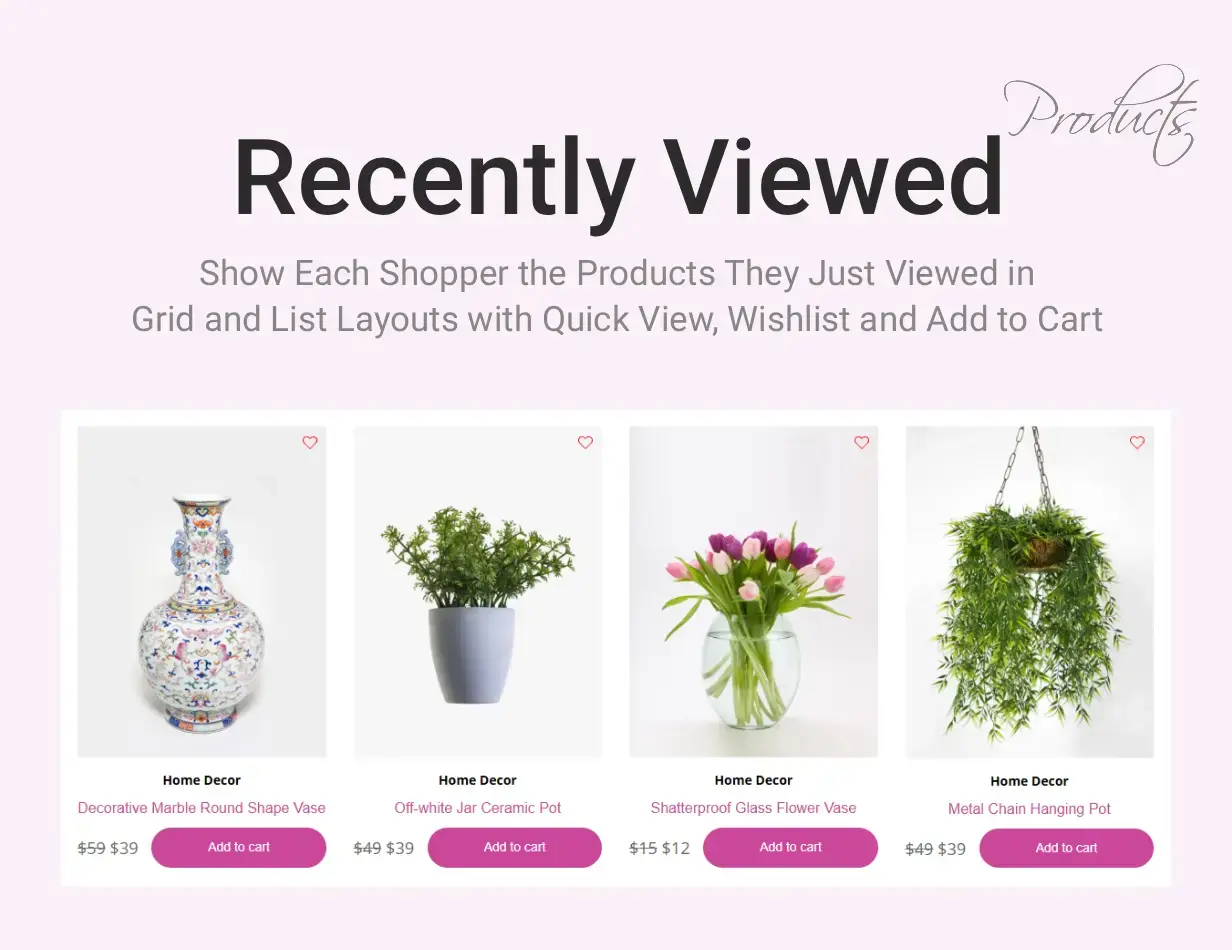
Recently viewed products, remembered in the browser and shown wherever you place the module
Switch on Recently Viewed Products in the plugin settings and every product page a visitor opens is noted in a cookie in their browser: nothing is written to your database, and the cookie is set by a small script rather than by the server, so cached product pages stay cached. You choose how long the list lives (1 to 365 days, 30 by default) and how many products it keeps (up to 50; the oldest drops off first). The module then shows that list on any page, in a sidebar, under a product, or on the cart page, in four layouts: a column grid, a grid with the price and the Add to Cart button side by side, a grid with the button over the bottom of the image and a Quickview link in its corner, and a compact row per product for sidebars.
- Number of products, order (most recently viewed first, oldest first, price low to high, price high to low), hide out-of-stock products or label them with your own text, and leave out the product the visitor is looking at.
- A loading method for cached sites: Standard renders the list with the page; AJAX fetches it after the page loads, so a page cache never serves one visitor’s history to another. Skeleton placeholders hold the space while it loads.
- A fallback for visitors with no history yet: show a message, or fill the module with recently added, featured, sale, best-selling or top-rated products instead. Leave the message empty and the module outputs nothing at all.
- Per product: thumbnail (with the Product Badges extension’s badges, an optional hover overlay and icon, and a sale badge as a label or a percentage such as “-20%”), title, categories, star rating, price, short description with a length limit, and an Add to Cart button that can appear on hover with separate button text for simple, variable, grouped, external and out-of-stock products.
- Quickview opens the product in a lightbox with its gallery, variations and Add to Cart button; the link can be text, an icon, or both, and the product title in the lightbox can link to the product page. A wishlist button from the Wishlist extension can sit on the image or beside the cart button.
- Heading text and level, columns (1 to 4), column and row spacing, and the thumbnail width for the row layout, all in the module. Divi 5 only.
Where to use it: a “Pick up where you left off” row on the homepage and the cart page, a sidebar on product pages, or an empty-cart page that shows the products the visitor was just comparing.
See it live: https://diviwe.com/woocommerce-recently-viewed-products/
15 Pre-Built Divi WooCommerce Layouts
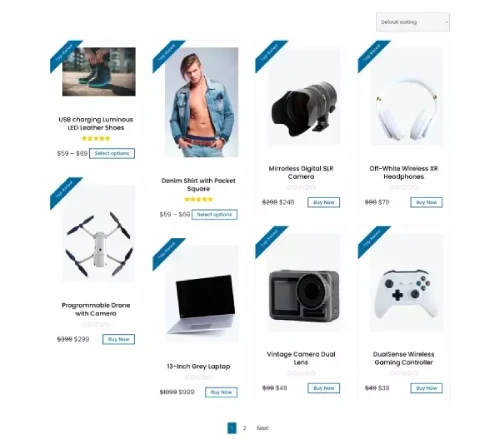
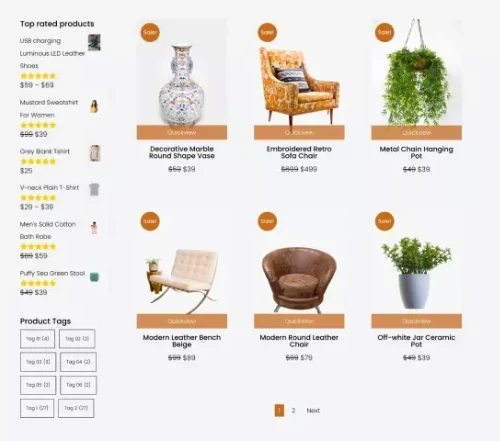
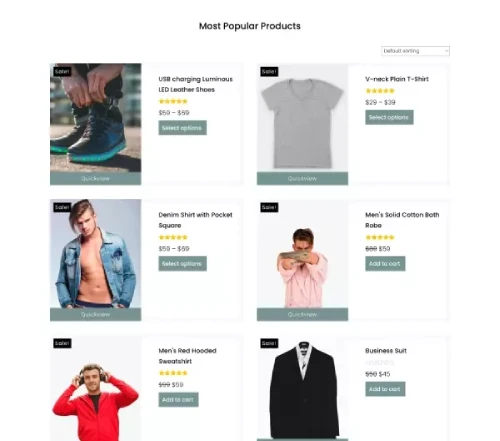
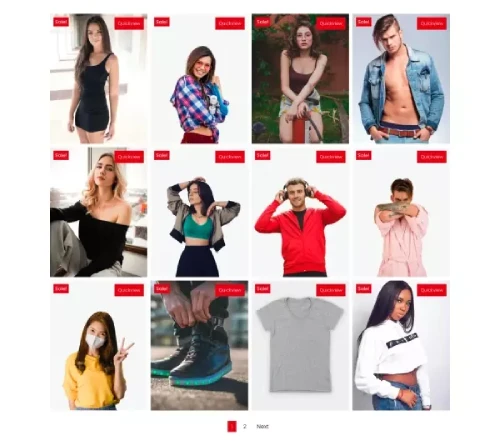
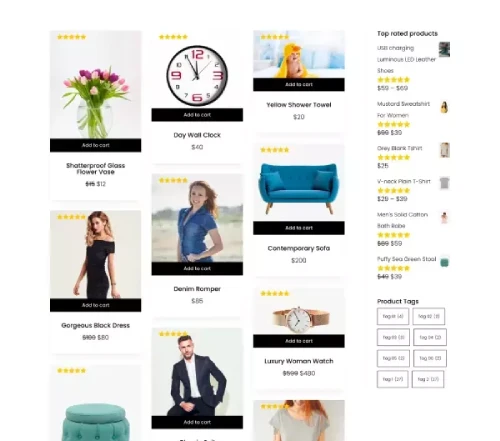
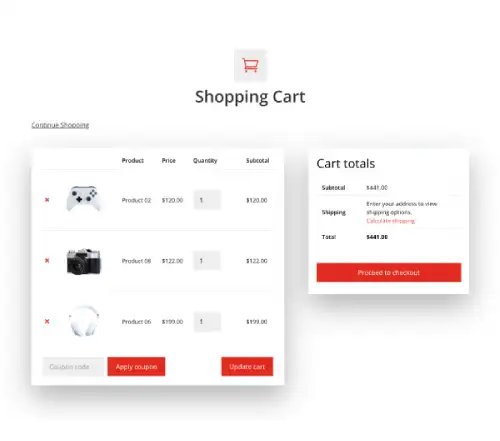
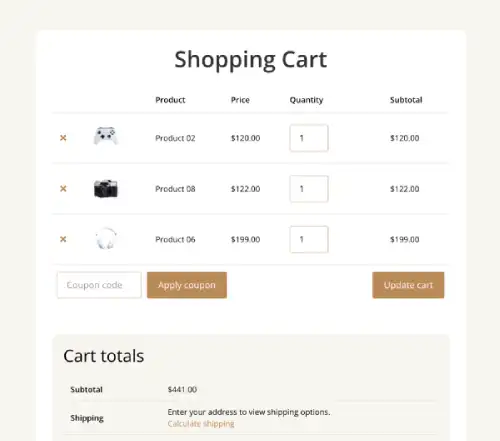
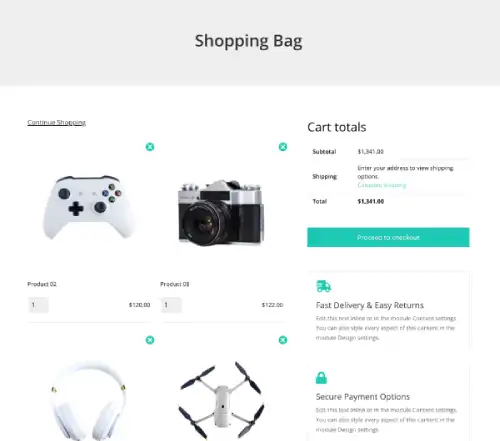
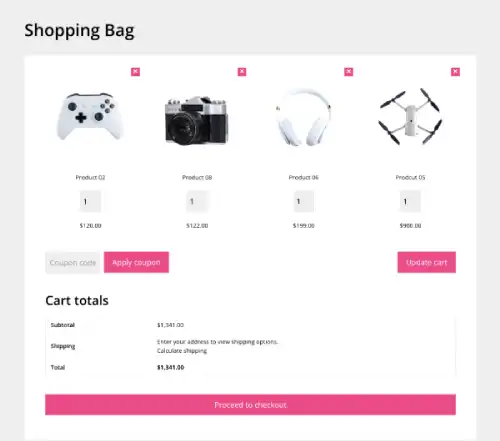
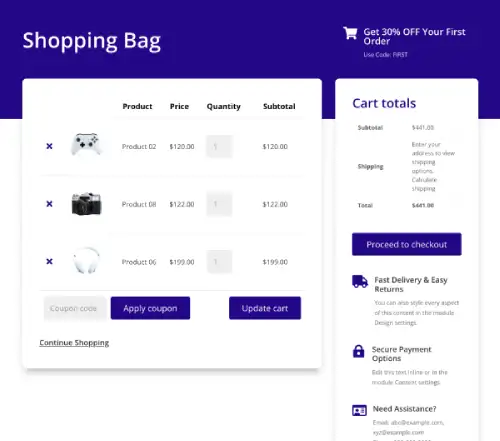
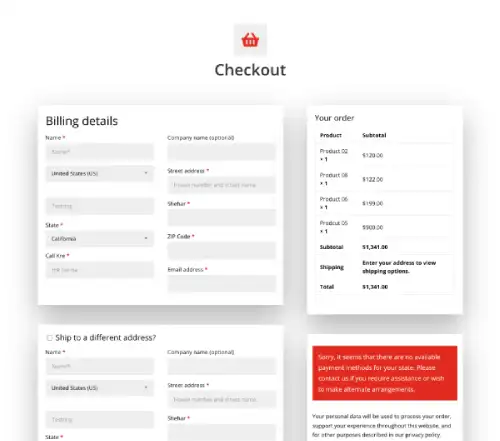
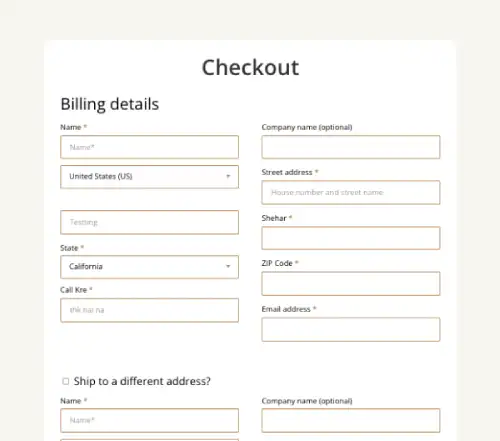
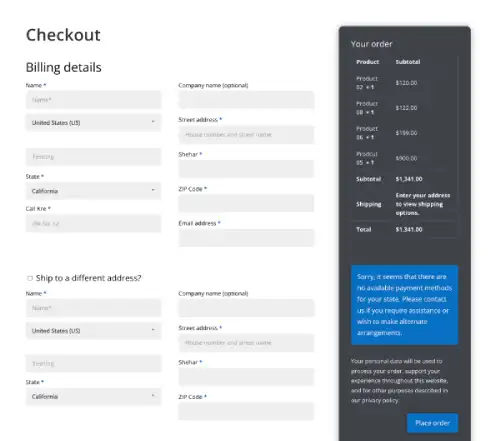
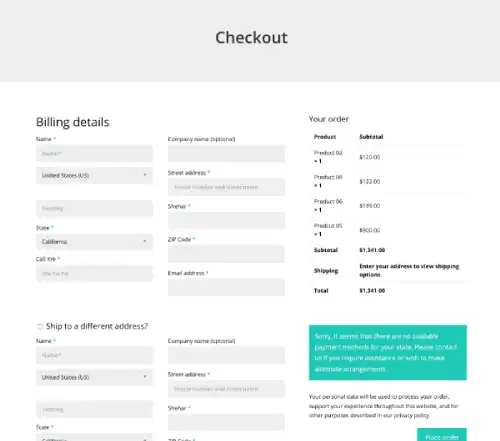
Divi WooCommerce Extended includes 15 pre-built layouts: 5 Shop page layouts, 5 Cart page layouts, and 5 Checkout page layouts. Import any layout directly from the plugin settings panel with one click. Each layout is fully editable in Divi Builder. Compatible with Divi 4 and Divi 5.
Shop Page Layouts
5 Divi WooCommerce Shop Page Layouts
Cart Page Layouts
5 Divi WooCommerce Cart Page Layouts
Checkout Page Layouts
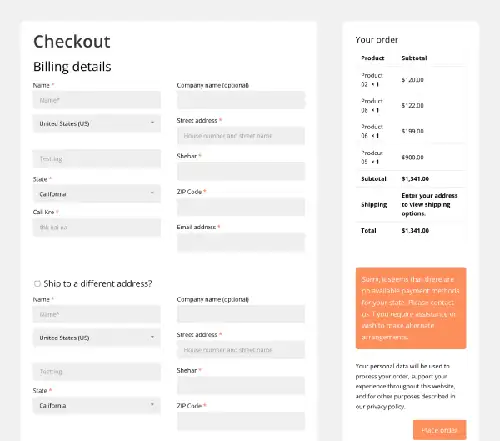
5 Divi WooCommerce Checkout Page Layouts
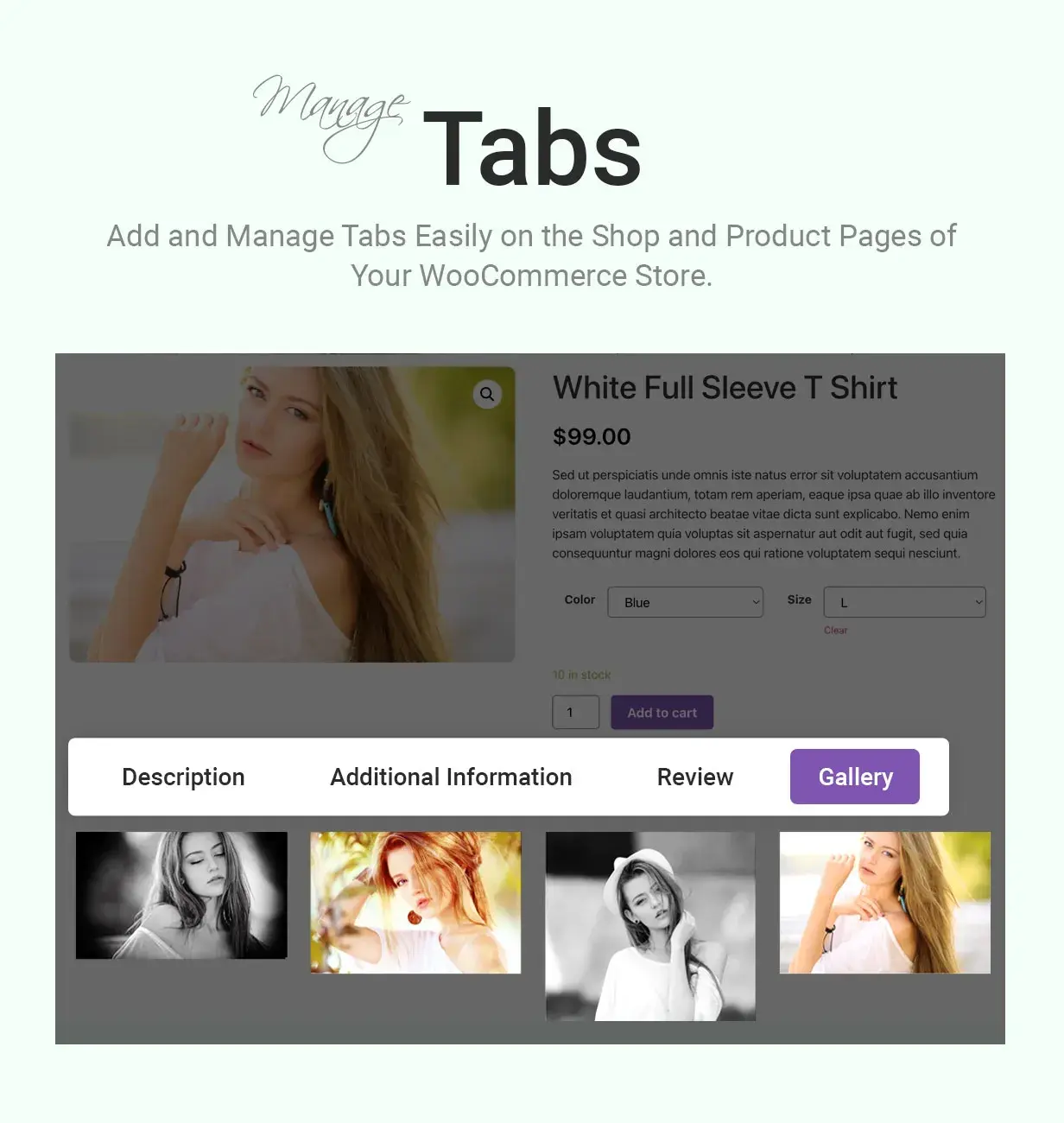
WooCommerce Tab Manager Extension
Add custom tabs to your WooCommerce product pages alongside the default Description, Additional Information, and Reviews tabs. Apply globally, by category, or per-product. Use for contact forms, documentation, maps, or any custom content.
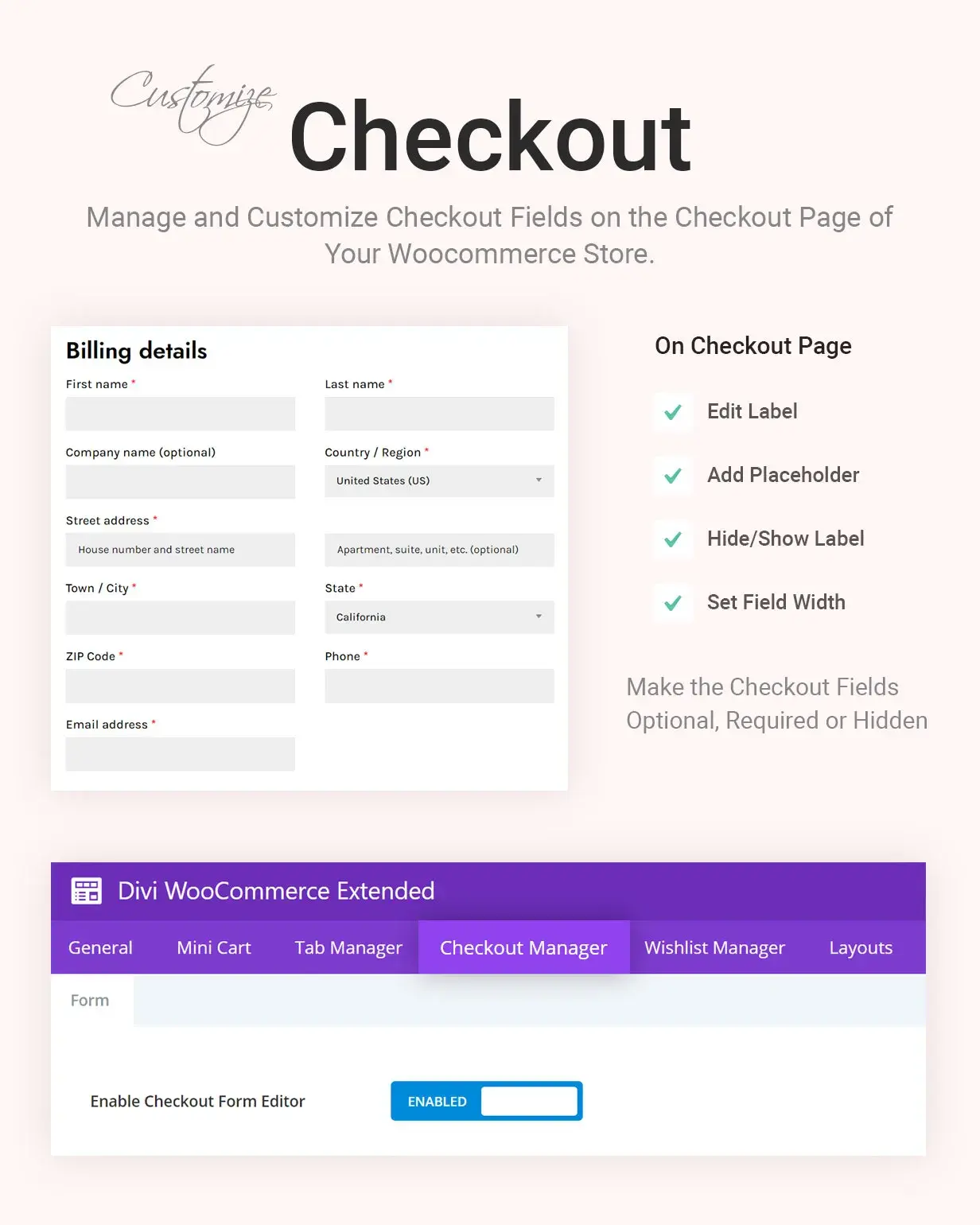
WooCommerce Checkout Manager Extension
Customize WooCommerce checkout fields. Disable fields, change field types, add custom labels, modify placeholders, and adjust field widths.
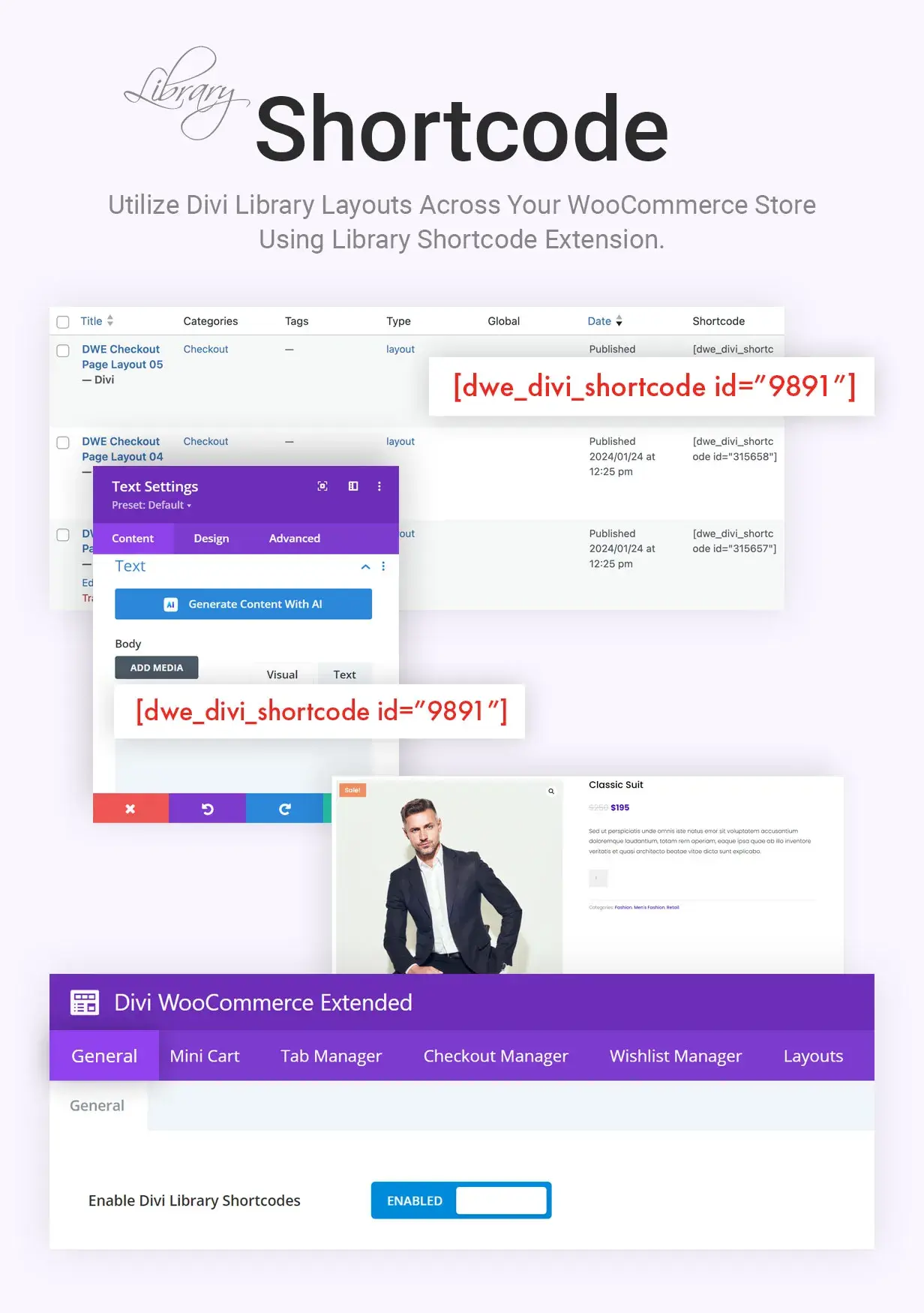
Divi Library Shortcode Extension
Generate shortcodes for Divi Library layouts. Paste into any WooCommerce page (shop, product, or custom) to embed designed sections without re-building them.
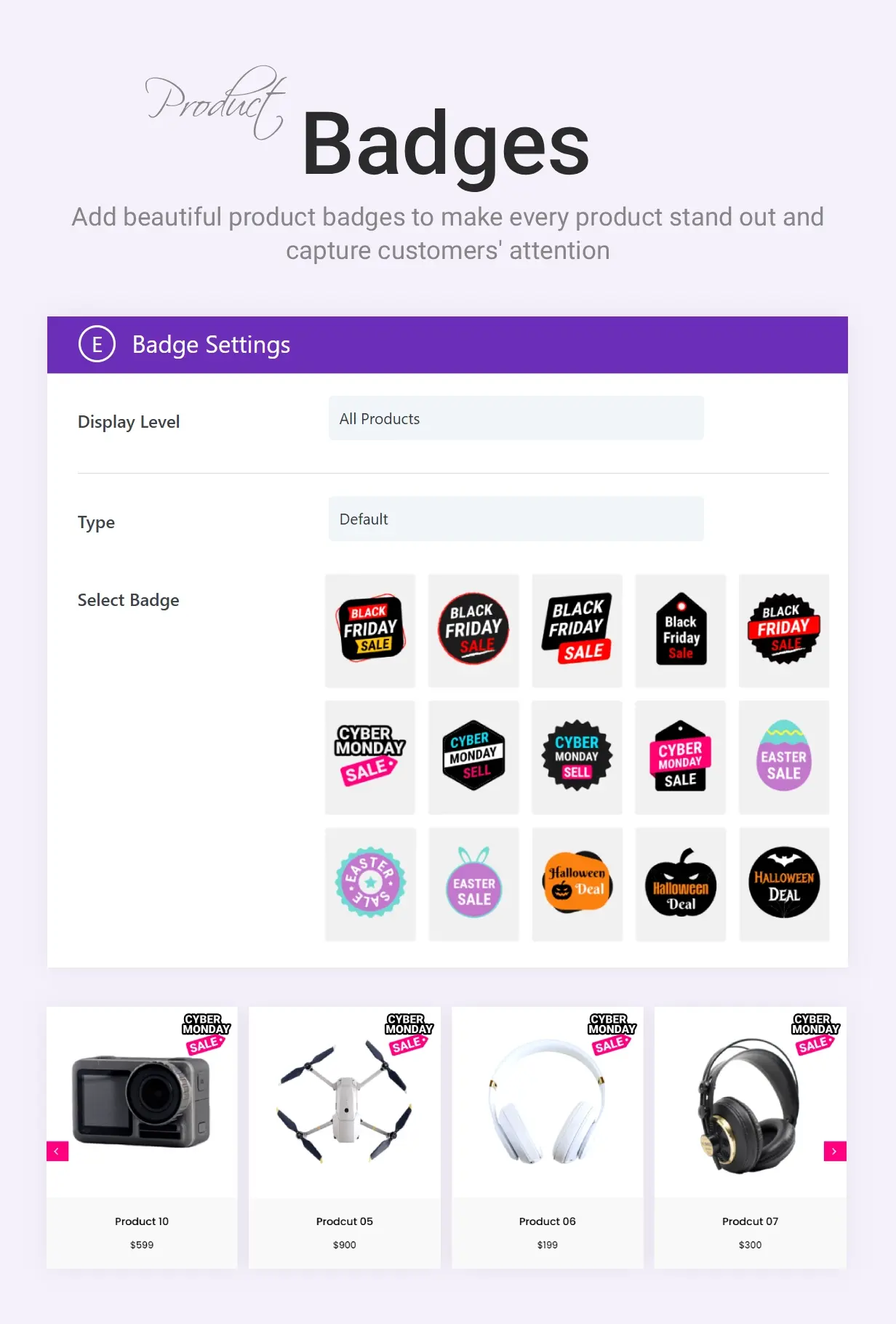
Product Badges
Ready-made sale badges for your WooCommerce products. No design work, no image editing.
Product Badges is a built-in badge library. Create a badge from the plugin, choose a ready-made design, and it appears over your product images across the shop, category, and product pages. Made for seasonal sales and limited-time deals.
Five preset badge sets, each with several styles to pick from:
- Black Friday Sale
- Easter Sale
- Halloween Deal
- Hot Deal
- Mega Offer
- Create a badge with a title, pick a design, and choose where it shows.
- Apply badges by product category, so a whole range gets the same badge at once.
- Schedule a badge with an active status and dates, so seasonal badges turn on and off on their own.
- Activate or deactivate any badge in one click from the Product Badges list.
- No image editing: the designs ship with the plugin as crisp graphics.
Black Friday and holiday sales, Easter and Halloween promotions, flash deals, and highlighting your hottest products.
See it live on the demo, and get it with Divi WooCommerce Extended.
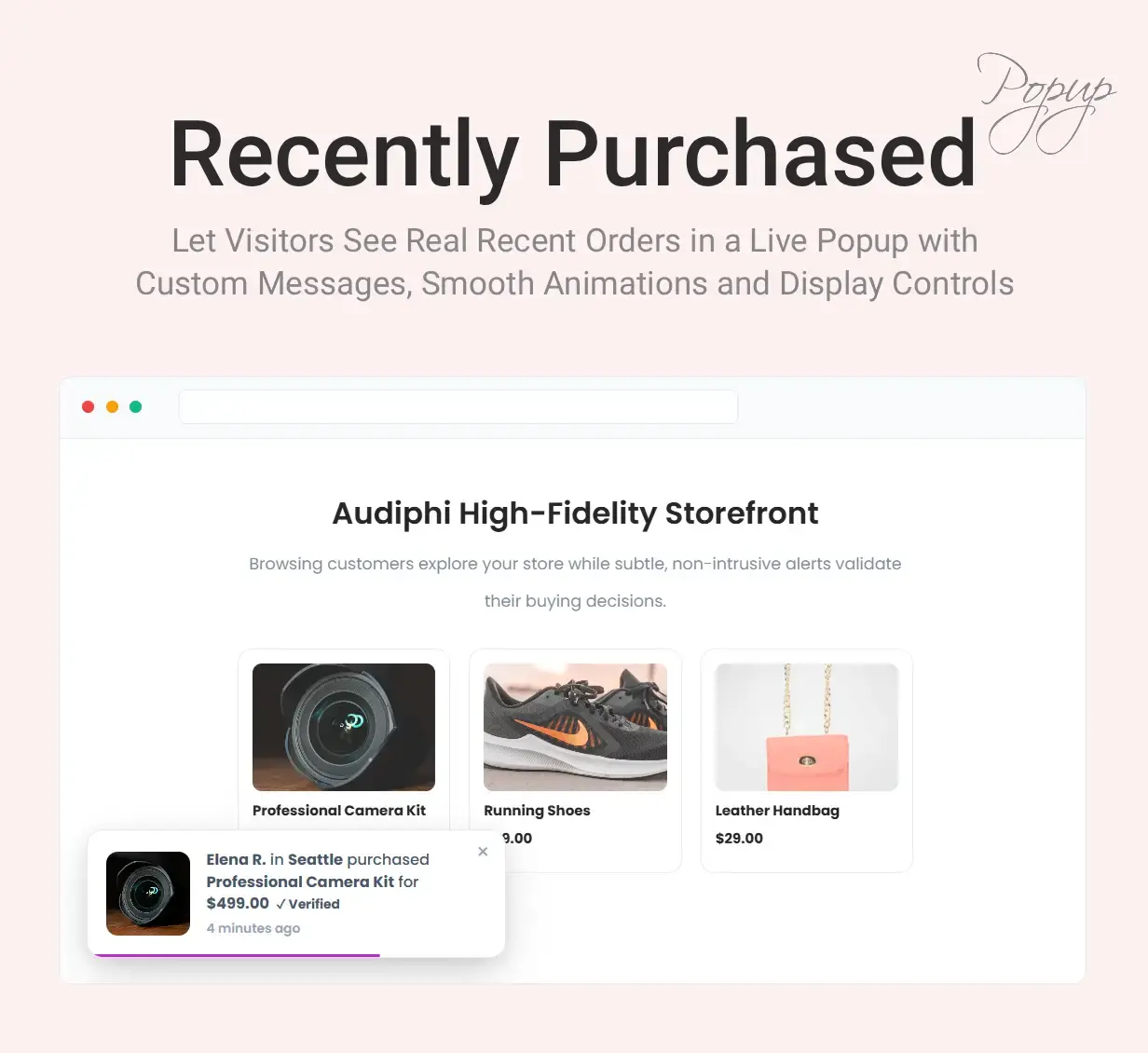
Recently Purchased Popup: a sales notification built from real orders, in your own words
Turn on the Recently Purchased Popup in the plugin settings and a small box appears in a corner of the store that says who bought what, and when: “Maria purchased Linen Shirt 37 mins ago”. Every notification comes from a real order on your store, with the statuses you allow (completed and processing by default, on hold if you want it), placed within the last 1 to 365 days, up to 50 at a time. Only the buyer’s first name is ever shown, with a word of your choosing (“Someone” by default) when an order has none, and the list is built on the server and cached for ten minutes, then rebuilt as soon as a new order comes in or an order changes status.
- The message is a template with placeholders for the customer name, the product name (linked to the product), the price, the quantity and the time since the purchase, and it accepts bold, italic, links and line breaks.
- One notification per product in an order, or only the first product of each order so every notification comes from a different buyer; newest first, or shuffled on every page load; repeat from the start or stop after the last one; and leave out products that are out of stock.
- Three layouts (image on the left, image on the right, or a card with a wide image on top), any of the four screen corners, a distance from the edge, a close button that keeps the popup closed for that page, and links that open in a new tab if you prefer.
- Ten entrance animations (fade, zoom, pop, two flips, rotate and four slides), a first delay of up to two minutes, a display time of 1 to 60 seconds, and a gap of 1 to 300 seconds between notifications. Hover pauses the timer and a progress bar, when shown, shrinks as the time runs out.
- Keep it off the cart, checkout and My Account pages (the first two by default), off any page or product by ID, off tablets or phones, and away from logged-in roles such as administrators and shop managers.
- Width, padding, border, radius, colors, type and the image size are set on a Style tab, and the data can load after the page (cache friendly, the default) or inline. A visitor who moves to another page carries on from the next notification rather than starting over. Works on Divi 4 and Divi 5 sites.
Where to use it: fashion, beauty and gadget stores where a steady run of orders is the best proof the store is alive, and launch days when the first purchases should be visible to the next visitor.
See it live: https://diviwe.com/recently-purchased-popup/
Built for Agencies and Multi-Site Owners
One license. Every site you build.
Most WooCommerce plugins charge per-site or per-domain. For agencies managing 10 client stores, that means $200 to $500 per plugin annually, multiplied by every plugin needed. A typical client store needs wishlist plus mini cart plus quick view plus ajax search plus checkout customization, which equals 5 plugins. At per-site pricing, that’s $1,500 to $3,000+ per year across 10 client sites.
Divi WooCommerce Extended is $99 per year. Use on unlimited client sites. Or $199 lifetime: buy once, use on every client site forever.
Future-proof. Works on every Divi 4 and Divi 5 site you build.
From Elicus, a WordPress company for over a decade and a top-selling author on the Elegant Themes Divi Marketplace. Our products power 300,000+ websites worldwide.
FAQs
Is Divi WooCommerce Extended compatible with Divi 5?
What modules and extensions are included in Divi WooCommerce Extended?
How many Divi WooCommerce layouts are included?
What features does Divi WooCommerce Extended offer?
- Wishlist functionality.
- Advanced mini cart feature.
- Ajax search module.
- Customizable product presentation including carousels and masonry layouts.
- Pre-built layouts for cart and checkout pages.
- Customizable checkout fields.
- WooCommerce Tab manager for additional product information tabs and more.


Challan –
It’s a great plugin and gives us most of the common Woocommerce features missing from Divi. Mini Cart, Add To Cart, Quick View, Products Carousel and more. There are some features missing, so be sure to make your feature requests 🙂
Julien –
Great plugin !! and the team behind is great 😉 They help me with a problem I try to resolve and the team make a specific dev for me, they are quick and very nice !! you can purchase the plugin without any hesitation Thank you again for you help !!
Hurri –
A great suite of Divi tools!
Everything seems to work well so I haven’t needed any support.
This woocommerce extension is great. Just gives me that bit of extra flexibility when building a e-commerce site.
Excellent plugins and great value!
Thanks