
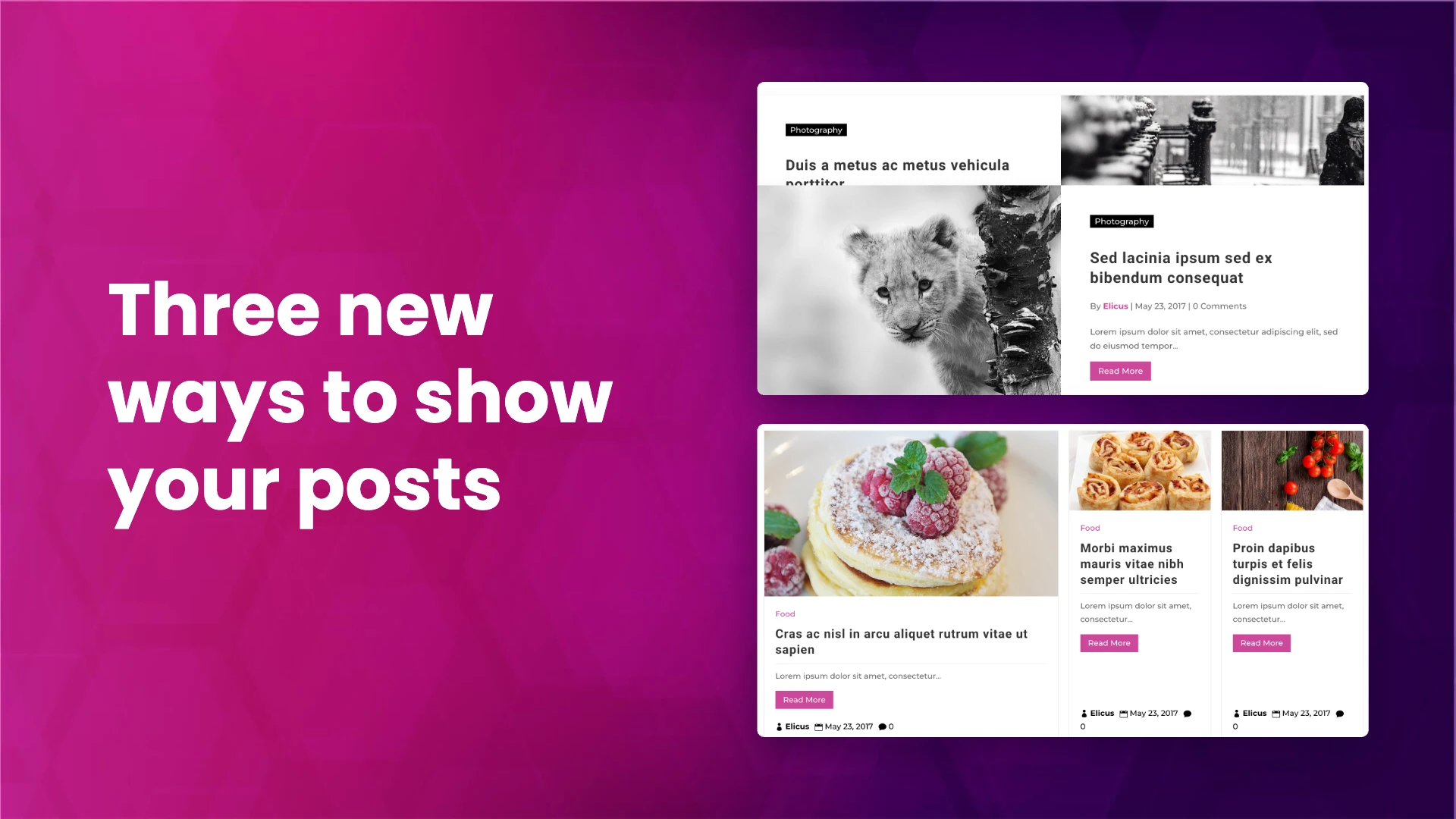
Divi Blog Extras has had two feature updates: 3.2.0 in July and 3.3.0 in October. Between them they add three post layouts for Divi 5 (Mosaic, Editorial Card and Stacked), author filters, tag selection in the widget and a set of Divi 5 builder fixes. This post covers what each layout does, every setting it adds, and when to use which.
All three layouts live inside the Divi Blog Extras module you already use. Open the module, go to Content > Layout, and you will now find 15 options: Grid Extended, Box Extended, Full Width, Block Extended, Full Width Background, Vertical Grid, Magazine Grid, Classic, List, Editorial Card, Mosaic, Stacked, Masonry, Slider and Timeline.
Stacked: posts that pin and stack as you scroll (3.3.0)
Stacked layout mid-scroll on a live page, the top card pinned under the site header and the next card sliding over it, the covered card slightly smaller. Alt text: Stacked post layout in Divi 5 with a pinned post card being covered by the next card as the page scrolls
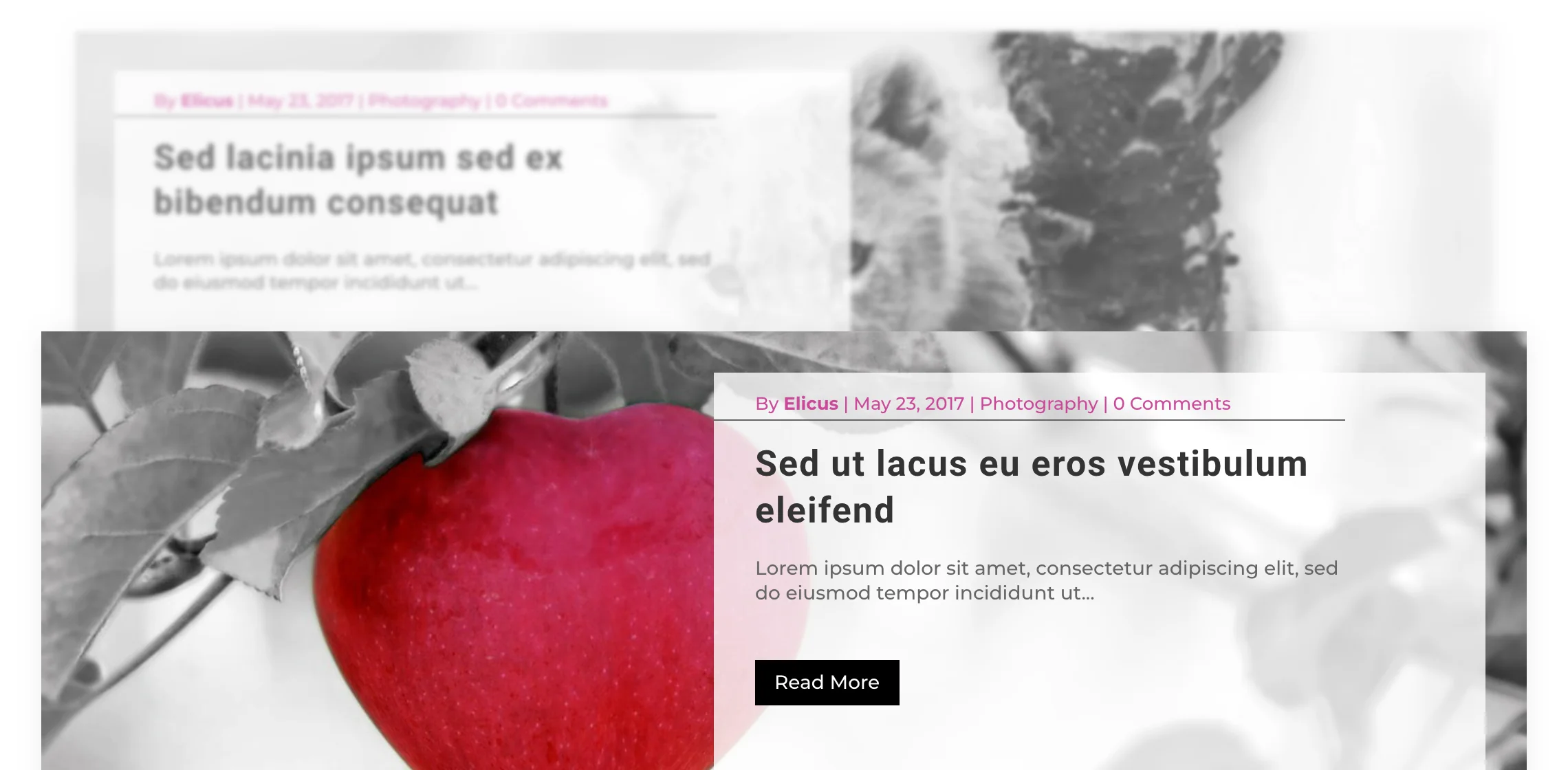
With Stacked, each post card sticks near the top of the screen as you scroll. The next card scrolls up and slides over it, then pins in the same spot, and so on down the list. It works well for a short list of posts you want people to read one by one: a featured series, a “start here” section, or the latest five stories.
The card inside the stack
Stacked Variant sets the card design used for each post. There are four:
- Grid Extended (the default), with the image in a 16:9 frame
- Full Width
- Full Width Background
- List: on phones the image moves on top in a 16:9 frame so the card stays readable
Where the cards pin
- Pinned Card Offset (0 to 200px, default 40px): the space between the top of the screen and the pinned card. You can set a different value for desktop, tablet and phone.
- Stack Offset (0 to 40px, default 0): each newer card pins this much lower than the one before, so the top edges of the covered cards stay visible. It stops growing after four cards, so a long list does not creep down the screen.
If your site has a fixed or sticky header, you do not need to add its height to the offset yourself. The script checks the WordPress admin bar, the classic Divi header and a Theme Builder header, and pins the cards below whichever is fixed.
What happens to the covered cards
Four settings control how a card looks once the next one has slid over it:
- Covered Card Scale (70 to 100%, default 94%): how far it shrinks. 100% turns shrinking off.
- Covered Card Tilt (0 to 10deg): how far it leans. Every other card leans the opposite way.
- Covered Card Fade (0 to 100%): how much it fades. Cards further down keep fading until they disappear, so they never show through.
- Covered Card Blur (0 to 20px): how much it blurs. Blur is costly to draw on large cards, so a few pixels is usually enough.
Start with the default scale, a little fade and no blur.
What still works
- Load More and numbered pagination: posts loaded with Load More join the same stack (the stack offset keeps counting from where the last batch stopped), and numbered pagination works too.
- Category filter: the filterable category bar works with Stacked.
- Post elements: the usual show or hide toggles for the featured image, excerpt, read more button, author, date, categories, comments and read time apply.
- Reduced motion: visitors whose device is set to reduce motion still get cards that pin and stack, but without the scale, tilt, fade and blur.
The Stacked stylesheet and script are small (about 1.7 KB of CSS and 5.5 KB of JavaScript, no jQuery) and are only loaded on pages where a Stacked module appears.
Mosaic: a post grid with featured cards (3.2.0)
Mosaic layout in three columns with a wide featured card spanning two columns, surrounded by standard cards. Alt text: Mosaic post grid in Divi 5 with one wide featured post card spanning two columns among standard cards
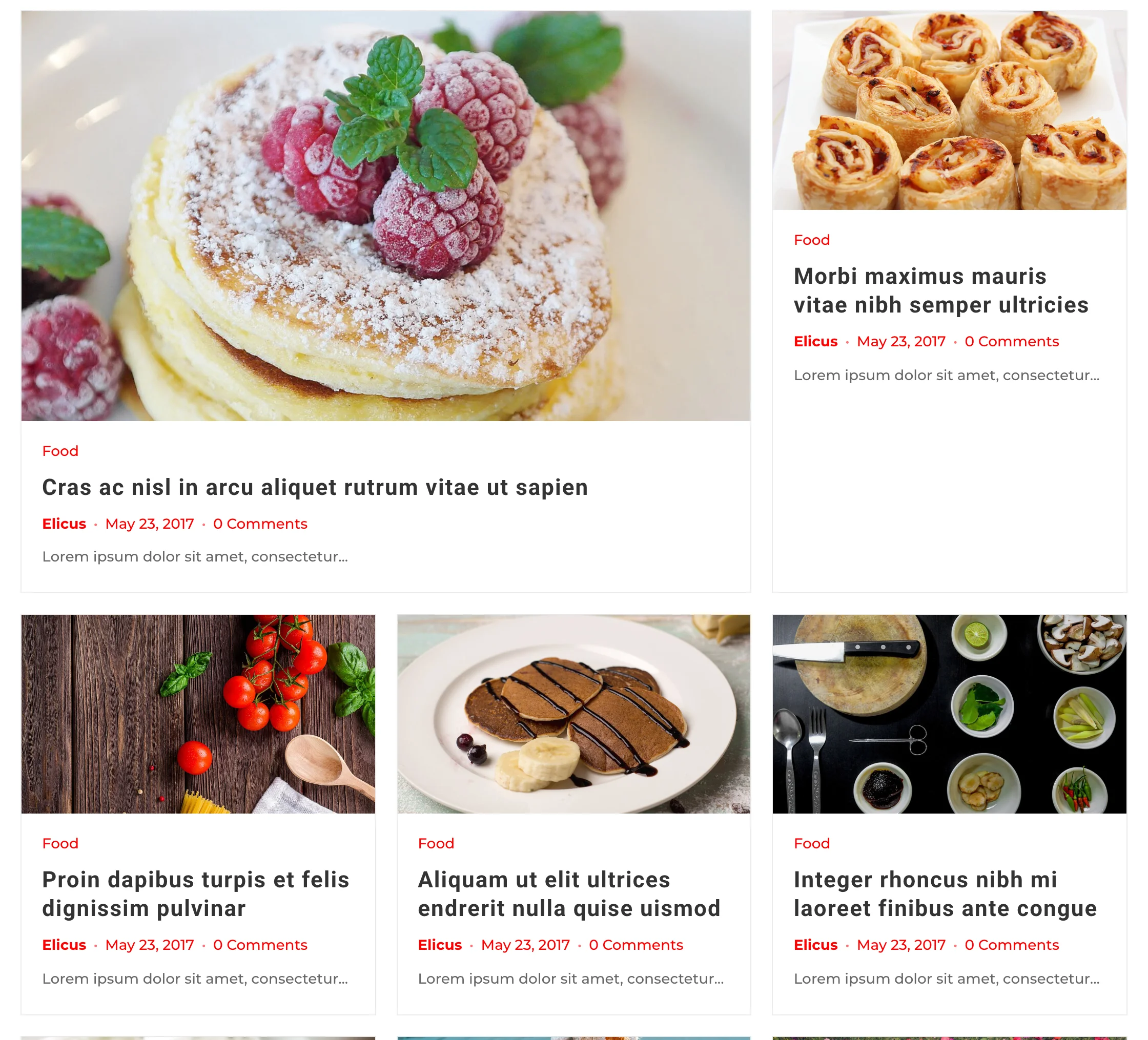
A standard grid gives every post the same box. Mosaic keeps the grid but promotes some posts to a wide “featured” card that spans two columns. The page gets a rhythm, and the eye has somewhere to land, without you building a separate featured section.
Mosaic adds three settings:
- Mosaic Variant: the card style used inside the grid. Choose Vertical Grid (the default), Magazine Grid or Editorial Card.
- Featured Density: how often a post becomes a wide featured card. Dense places one every row, Balanced (the default) leaves one normal row between, and Airy leaves two. The pattern stays gap-free at any column count, and you can set density per device.
- Featured Image Ratio: the shape of the featured card’s image: 1:1, 4:3, 3:2 or 16:9. Standard cards always use 16:9.
Number of Columns and spacing come from the usual column setting, and they are responsive too. When a device shows a single column, there is nothing to span, so every card is the same width.
One thing to know: which posts are featured depends on their position in the grid, not on the post itself. If you want a specific story in a wide card, order your query so it lands in that position (Include Posts, sticky posts or the post order setting).
Editorial Card: a news-site card (3.2.0)
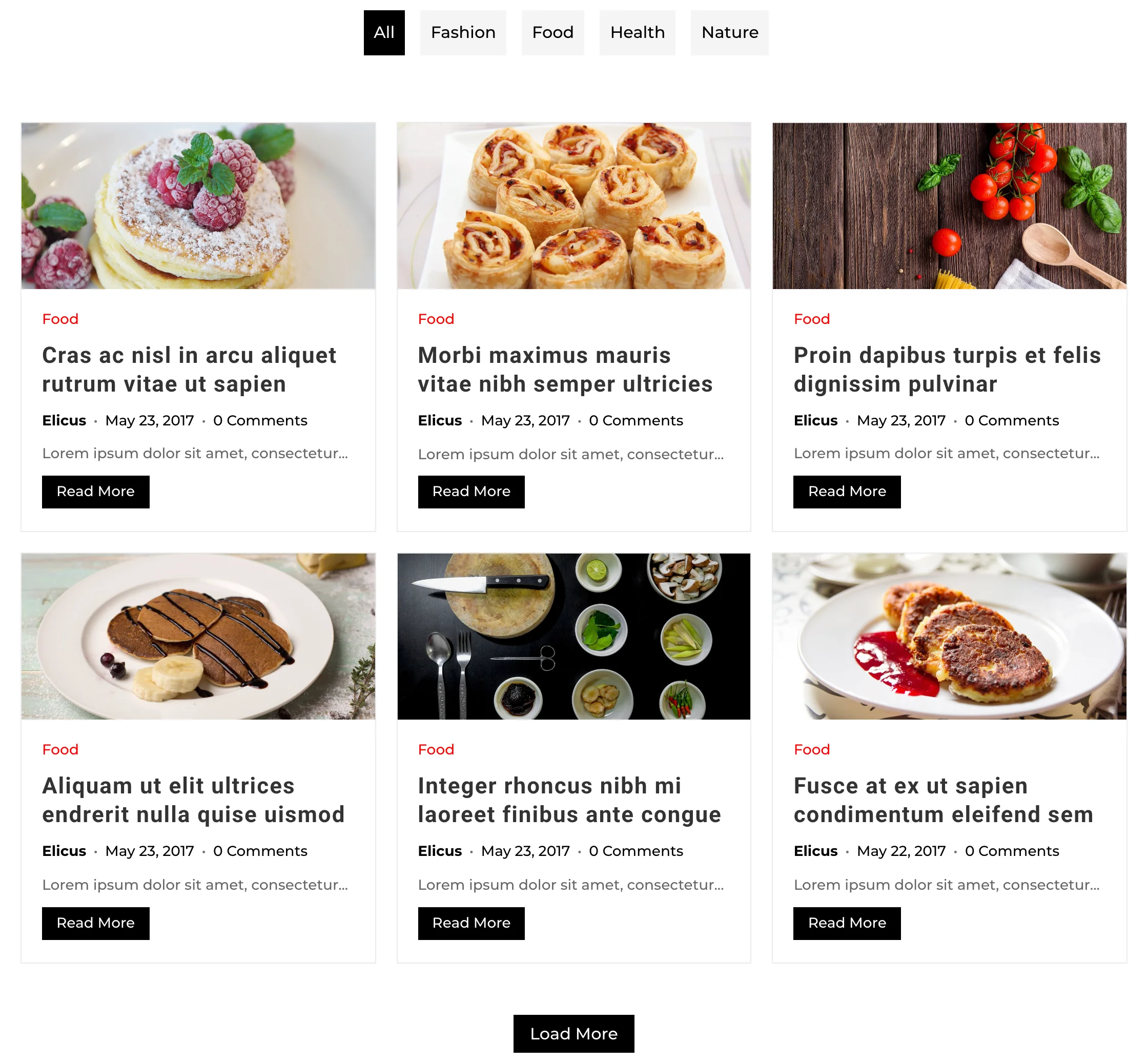
Editorial Card layout in a three-column grid: image, category, title, then author and date directly under the title, excerpt and read more. Alt text: Editorial Card post layout in Divi 5 with the author and date placed directly under each post title
Editorial Card is a uniform grid of article cards in a fixed order: image, category, title, meta, excerpt, read more. The difference from the other card layouts is where the meta goes. The author, date, comments and read time sit directly under the title, which is how most news and magazine sites set a story card, rather than at the bottom of the card.
You set the number of columns and the spacing like any other grid layout, and all the usual element toggles apply.
Editorial Card inside other layouts
Editorial Card is also available as a card style inside four of the arranging layouts:
| Layout | Setting | What you get |
|---|---|---|
| Masonry | Masonry Variant | Editorial cards in staggered columns, each as tall as its content |
| Slider | Slider Variant | Editorial cards in a slider |
| Timeline | Timeline Variant | Editorial cards along a horizontal or vertical timeline |
| Mosaic | Mosaic Variant | Editorial cards with wide featured cards mixed in |
One card design can then serve a slider, an archive and a category grid.
Show or hide posts from specific authors (3.3.0)
The module’s query settings now have two author fields:
- Include Authors: show posts only from the authors you tick. Leave all unchecked to show every author.
- Exclude Authors: hide posts from the authors you tick.
The lists only appear for post types that have authors. Useful for a page per writer or a feed without guest posts.
Tags in the Divi Blog Extras widget (3.3.0)
The Divi Blog Extras sidebar widget used to filter by category only. It now has tag selection too, for the post list and for each tab. A post shows if it is in any selected category or has any selected tag, the same way the module combines them by default.
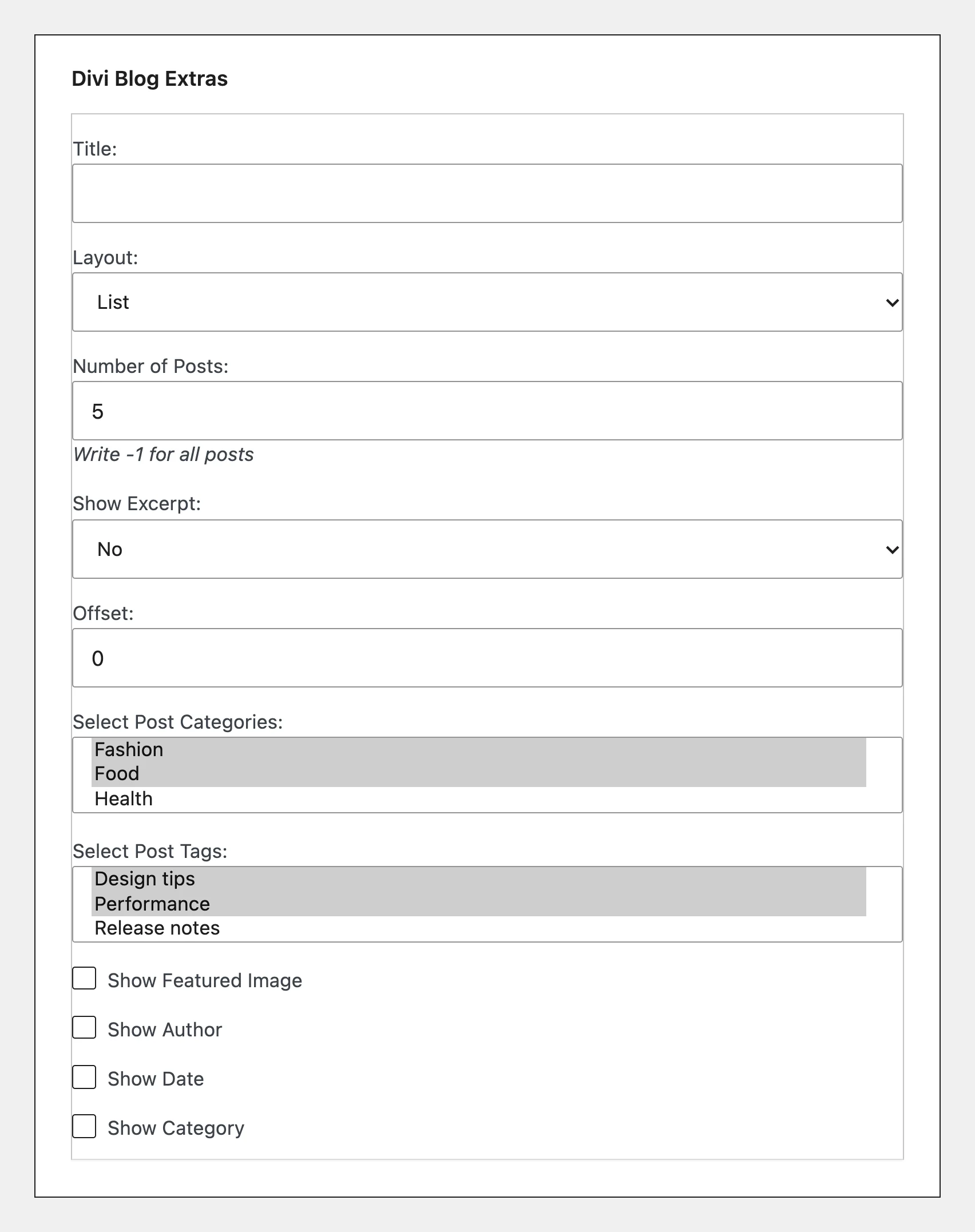
The Divi Blog Extras widget settings in Appearance > Widgets with categories and the new tag selection visible. Alt text: Divi Blog Extras widget settings showing category and tag selection for the post list
Fixes in 3.3.0
Most fixes are in the Divi 5 builder:
- Grid Extended, Full Width, Box Extended and Block Extended no longer fall back to their narrow column design when the module sits in a Block column inside a Flex or Grid row.
- The Read More button’s Button Module Alignment option works again, in every layout.
- Clicking a category in the category filter in the Visual Builder shows the posts instead of “0undefined”.
- The module no longer disappears and makes the page jump when you change a setting in the Visual Builder.
- The settings panel scrolls in the Visual Builder when Divi Smooth Scrolling is on.
- The Particle Background extension from Divi Plus now works on this module in Divi 5.
- The module stylesheet URL no longer contains a double slash, which some SEO audit tools flagged as an error.
- If you override layout templates in a child theme, the Overrides tab in the plugin settings now shows outdated templates again, compared against the Divi 5 or Divi 4 template depending on which Divi you run.
Which layout should you pick?
- A short list people should read in order (a series, “start here”, top stories): Stacked.
- A large archive or category page that needs some hierarchy: Mosaic, with Balanced or Airy density.
- A news or magazine site that wants a consistent story card everywhere: Editorial Card, then reuse it as the variant in Slider, Timeline and Mosaic.
- A long chronological archive: Timeline with the Editorial Card variant.
You can see each one live on the demo site: Stacked, Mosaic and Editorial Card.
How to update
- From your WordPress dashboard: with an active license, the update shows under Plugins like any other plugin.
- From your Divi Extended account: download the latest version and upload it.
- From the Elegant Themes Marketplace: if you bought Divi Blog Extras there, update it from the marketplace.
Take a backup first and clear your caches afterwards, so the new styles and scripts load.
FAQ
Do I need Divi 5 for the new layouts?
Yes. Stacked, Mosaic and Editorial Card, the Editorial Card variants and the author filters are Divi 5 only. On Divi 4 the module keeps the layouts it had before. Tag selection in the widget works with either.
Will updating change my existing blog pages?
No. The new layouts only apply when you choose them. Existing modules keep their layout and settings.
Does the Stacked layout work with Load More and pagination?
Yes. Posts added with Load More join the same stack, and numbered pagination and the category filter work too.
Can I choose which posts get the wide card in Mosaic?
Not per post. The wide cards follow a pattern set by Featured Density and the column count, so the post order decides which posts land in them.
What happens for visitors who prefer reduced motion?
With Stacked, cards still pin and stack, but the scale, tilt, fade and blur effects are switched off for them.
Which versions do I need?
Mosaic and Editorial Card need 3.2.0 or later. Stacked, the author filters and widget tags need 3.3.0 or later.
If you do not use Divi Blog Extras yet, the Divi Blog Extras product page lists every layout and setting.








0 Comments