
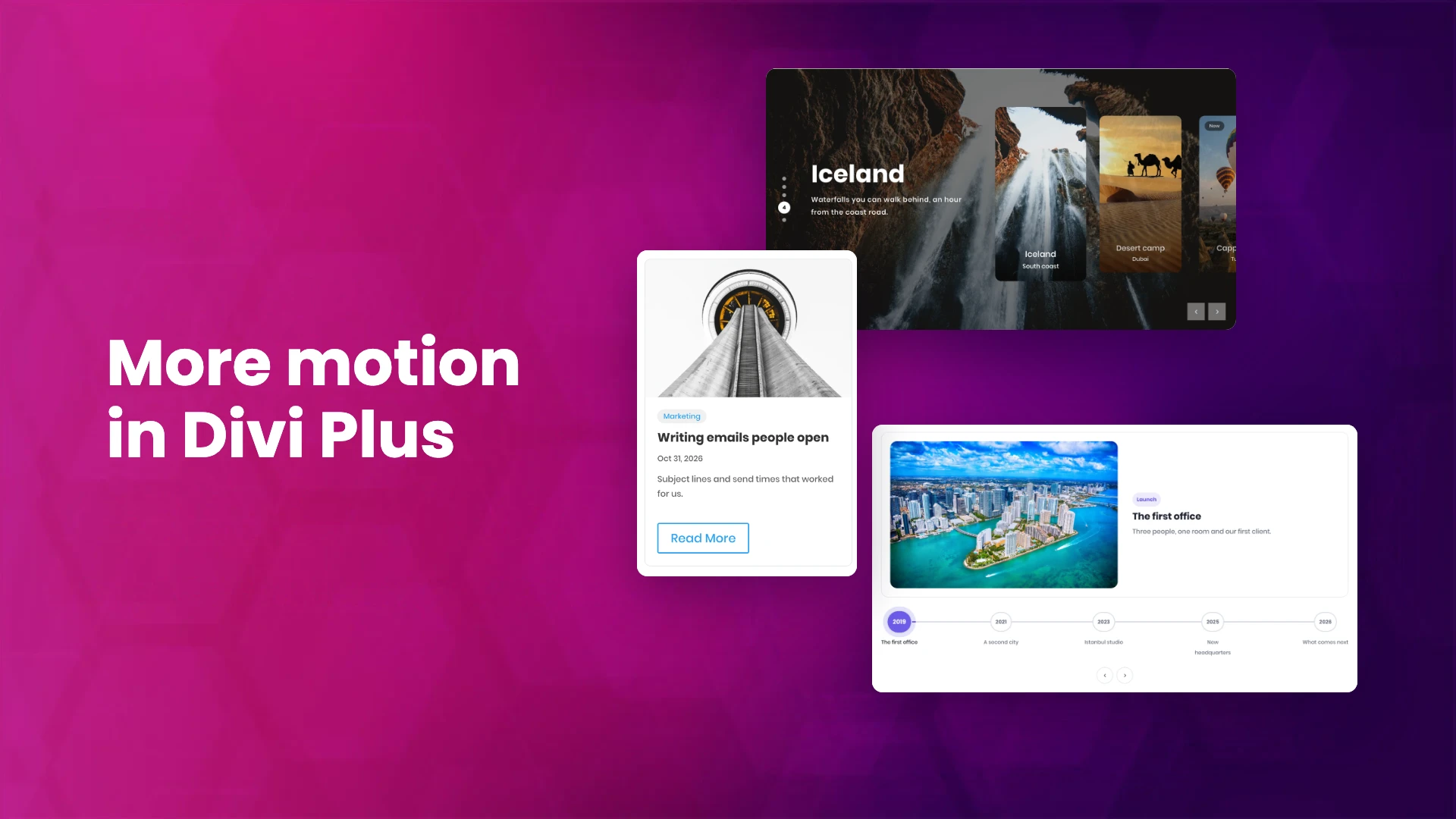
Divi Plus 2.6.0 adds three new modules and a new extension for Divi 5: Advanced Carousel, Timeline Slider, Filterable CPT Grid and Motion Elements. It also lets an FAQ answer come from a saved Divi Library layout, and every module script and stylesheet now loads minified. Here is what each one does and where it fits on a real site.
Advanced Carousel
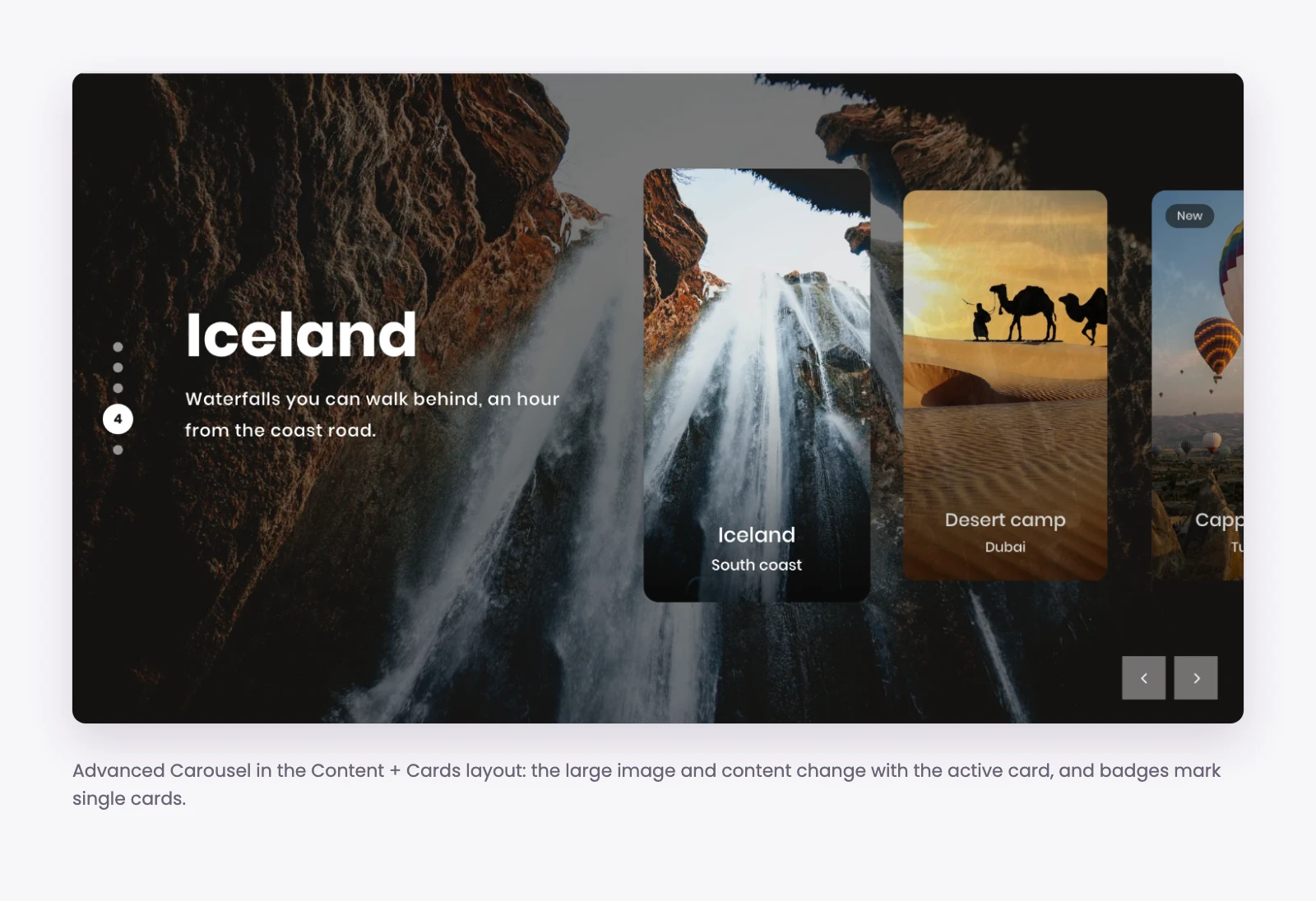
Advanced Carousel is a slider with a large image and a row of cards that work together. As visitors move through the cards, the main image and the content area change with them, so one module can carry a featured product range, a set of destinations or a list of services.
It comes with three layouts:
- Content + Cards: a content area on one side and a row of cards on the other. You choose whether the content sits on the left or the right.
- Centered Focus: the active card sits in the middle of the row.
- Full Slide: the whole slide moves as one.
In every layout, the large image or slide changes with a Fade, Slide, Zoom, Cube or Flip transition.
The cards can be flat or set to Coverflow, where the side cards turn and fall back by an angle and depth you set. Cards Per View accepts half steps such as 2.5, so the next card peeks in from the edge and visitors can see there is more. With flat cards, you can also shrink and fade the inactive ones. You can add a short badge to any card (New, Featured), show a strip of thumbnails below the slider, and let the background follow the active slide.
In the Content + Cards and Centered Focus layouts, direction can be set per device. A common setup is vertical on desktop and horizontal on phones, so swiping through the carousel does not fight with scrolling the page.
Timeline Slider
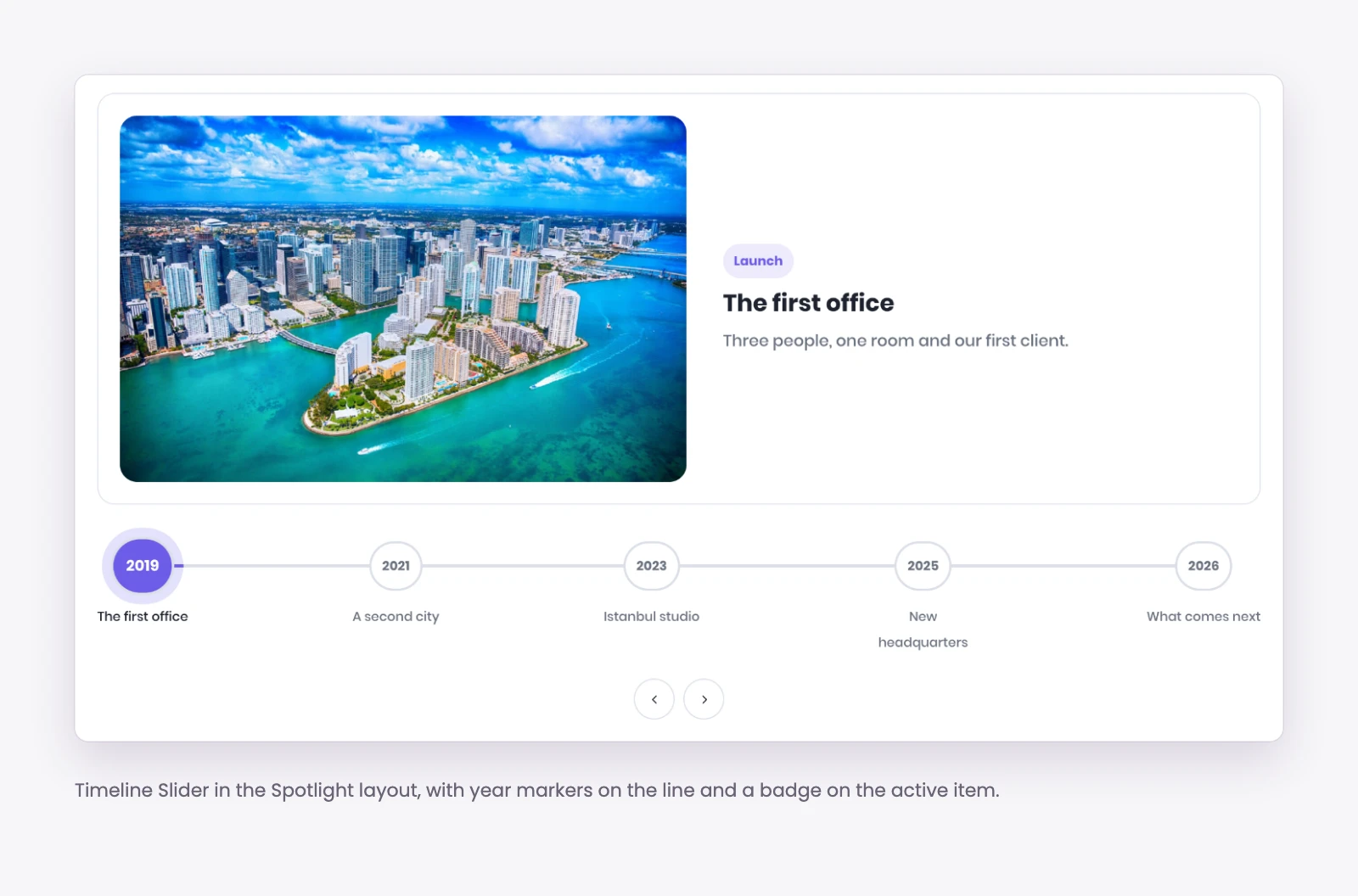
Timeline Slider tells a story one step at a time. Each item has a year or date, a title, a description, an image, an optional badge and an optional button. Visitors move along the timeline and one item is shown in full at a time, which suits a company history, a product roadmap or the steps of a project.
There are three layouts: Spotlight, Deck and Expanding Rail, which runs vertically. The markers on the line can show the year, an icon, a number, an image thumbnail, a dot or a diamond, and each item can override the marker type of the timeline. In Spotlight and Deck, markers can shrink and fade the further they are from the active one. In every layout, the active marker can pulse.
When an item becomes active, its image, badge, title, text and button animate in one after another. You pick from 12 animations, such as Fade Up, Blur In, Elastic Pop, Wipe Reveal and Curtain Reveal, and set the delay between elements.
Visitors can move through the timeline with the arrows, the keyboard arrow keys, a swipe or drag, or the mouse wheel. Autoplay can show a progress bar of the time left on each item, and you can choose which item is active when the page loads.
Filterable CPT Grid
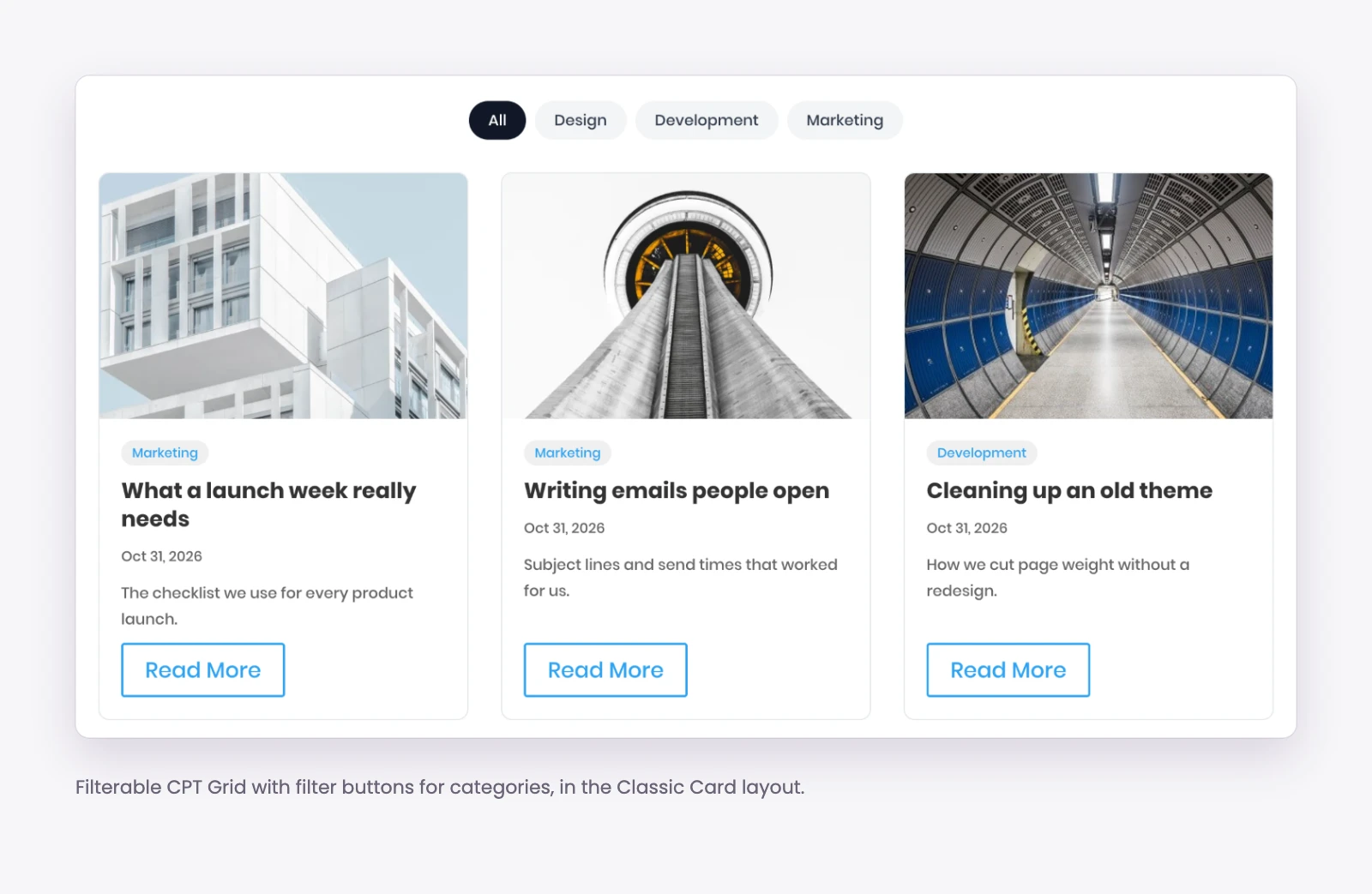
Filterable CPT Grid shows posts from any post type in a grid that visitors can filter. Point it at your blog posts, projects, team members or any custom post type, and pick how visitors narrow it down:
- Filter buttons: a row of buttons for one taxonomy, such as categories or tags. Child terms can open in their own row when a parent is clicked.
- Search form: a search box plus one dropdown for each taxonomy you choose. Results update as the visitor types, from the third character.
The grid has four layouts (Classic Card, Overlay, Side List and Featured First Post), with masonry, equal height, and a choice of what each card shows: image, title, terms, date, author, excerpt and a read more button. More posts load without a page reload, through numbered pages, a Load More button or infinite scroll. The filter can stay pinned to the top of the screen while visitors scroll through a long grid, and you can turn that off on phones.
For Theme Builder templates, it can leave out the post being viewed, which makes it a quick way to build a related posts section.
Motion Elements extension
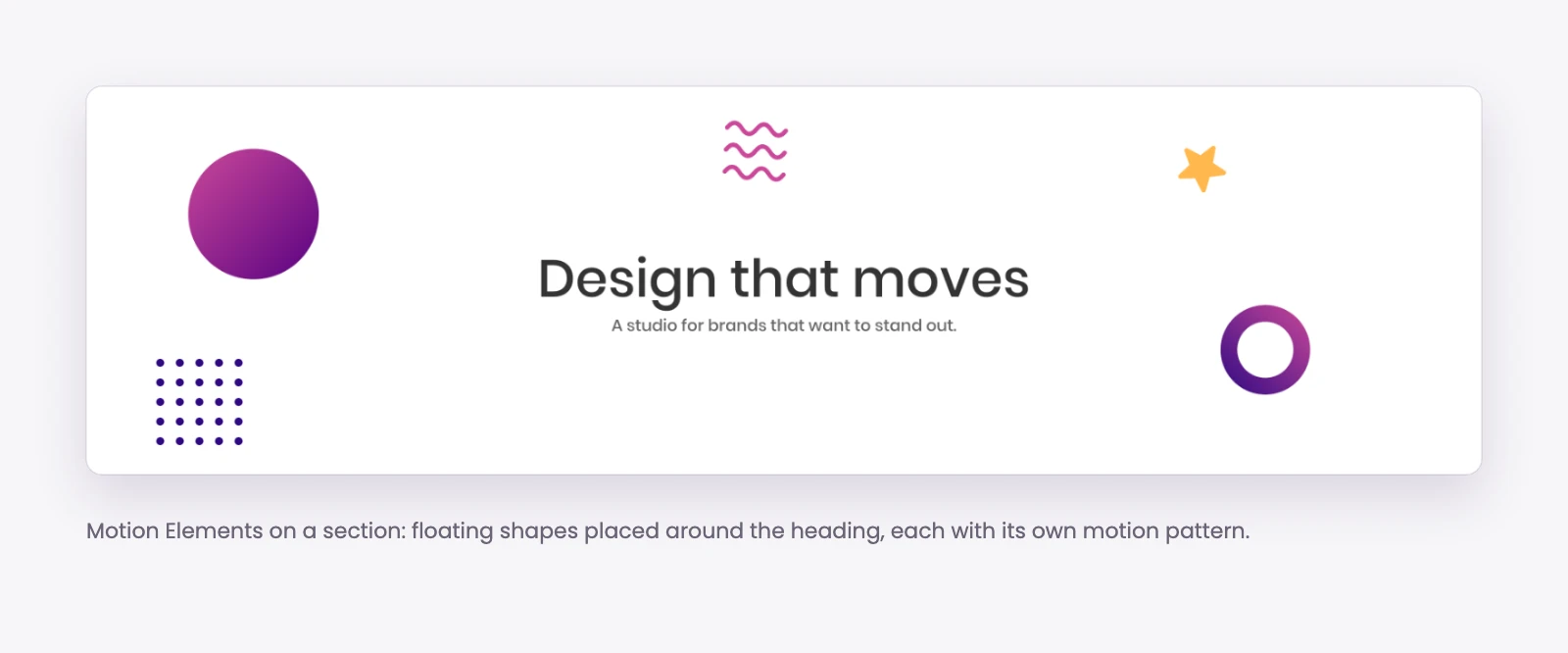
Motion Elements floats decorative images, icons and shapes over a section, row, column or module. Turn it on in the Divi Plus settings and choose the builder areas where you want it. Each of those elements then gets a Motion Elements group in its Advanced tab. Turn on Enable Motion Elements in that group to start adding elements.
You can add up to 30 elements to one host. Each is an image, an icon or one of 13 shapes, from circles and rings to blobs, stars, a dot grid and a squiggle, filled with a color or a gradient. You place each element by percentage across and down the host, set its size, and use Stack Order to decide whether it sits behind or in front of the content. Position and size can change for tablet and phone.
Then pick how it moves. There are 10 motion patterns, including Bob, Sway, Orbit, Pendulum, Spin and Drift, plus scale breathing and 3D tilt. Cursor parallax shifts the elements as the pointer moves over the host, and scroll parallax moves them as the page scrolls, each element by its own depth. You can hide single elements on tablet or phone, or use Disable Motion On to hide all of them on chosen devices.
Saved layouts as FAQ answers
The FAQ Page Schema module can now use a saved Divi Library layout as an answer, instead of plain text. Set the item’s Content Type to Library Layout and pick the layout. That lets an answer include images, buttons or a small table built in the Divi builder.
Faster loading and a fix
Module scripts and styles are now minified, so pages that use Divi Plus modules load less code. This release also fixes Masonry Gallery images overlapping in the Divi 5 builder after Enable Lightbox was toggled.
How to update
- From your WordPress dashboard: with an active license, the update shows under Plugins like any other plugin.
- From your Divi Extended account: download the latest version and upload it.
- From the Elegant Themes Marketplace: if you bought Divi Plus there, update it from the marketplace.
Take a backup first and clear your caches afterwards, so the new scripts and styles load.
FAQ
Do the new modules work with Divi 4?
No. Advanced Carousel, Timeline Slider, Filterable CPT Grid, Motion Elements and the library layout option for FAQ answers are for Divi 5 only.
Where do I turn on Motion Elements?
In the Divi Plus settings, under extensions. Choose sections, rows, columns or modules, then open the Advanced tab of that element in the builder and turn on Enable Motion Elements in the Motion Elements group.
Which post types can Filterable CPT Grid show?
Any public post type on your site, including custom post types from other plugins. Media attachments and Divi Library items are left out. Visitors filter by that post type’s own taxonomies.
Can the Advanced Carousel run vertically?
Yes, in the Content + Cards and Centered Focus layouts. Direction can be horizontal or vertical, and you can set it for each device. Full Slide always runs horizontally.
Will updating change my existing pages?
Your existing pages keep their content and settings. The new modules and the extension only appear where you add them.
If you are not using Divi Plus yet, see everything it adds to Divi on the Divi Plus product page.







0 Comments