
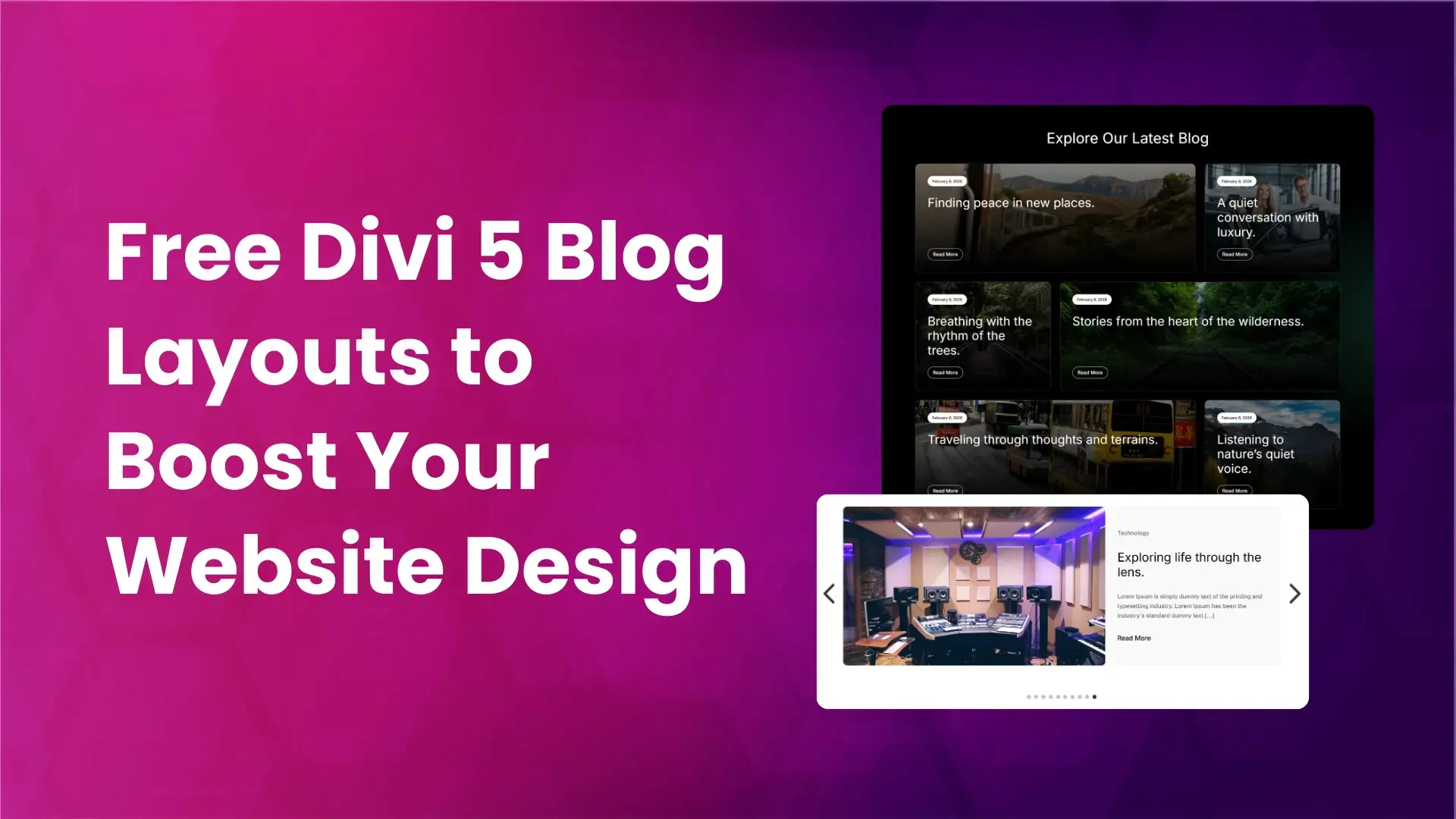
A blog section plays a key role in showcasing your latest posts, sharing updates, and keeping visitors engaged with fresh content. A well-designed blog section improves readability, highlights important posts, and enhances the overall user experience of your website.
To make this easier, we have created prebuilt blog section layouts for Divi 5 using modern Divi 5 features. These layouts are clean, flexible, and easy to customize. They are perfect for blogs, business websites, agencies, magazines, and content-driven sites.
Preview
Below is a preview of the free prebuilt blog section layouts for Divi 5.
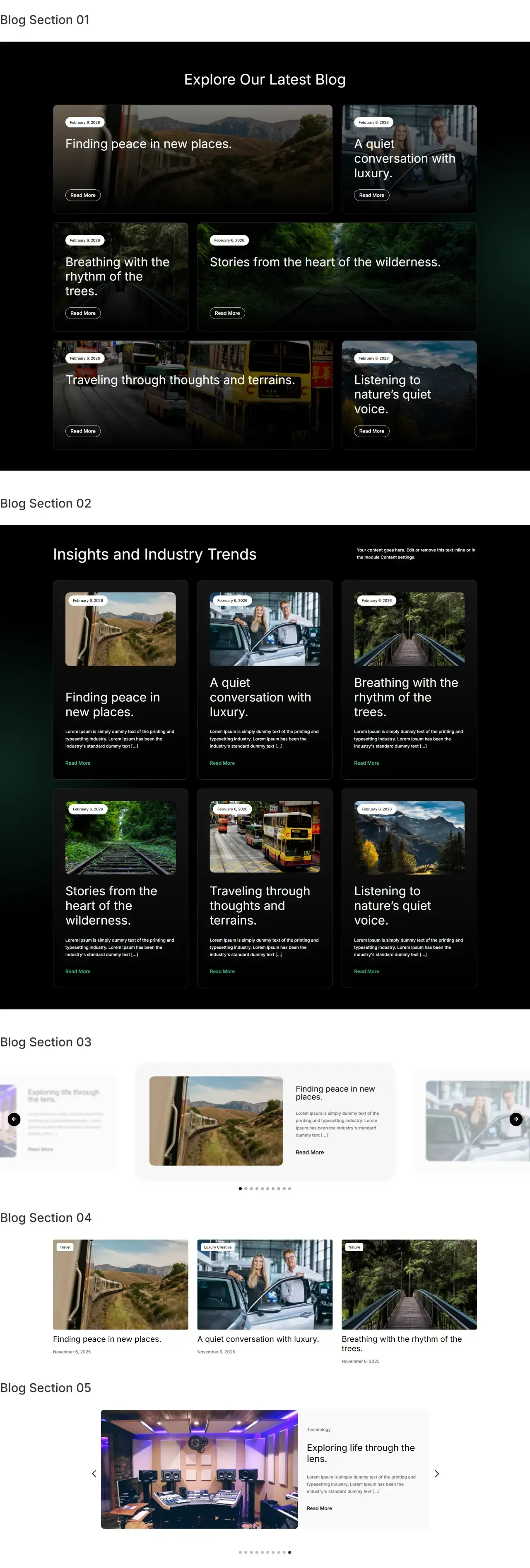
Download Prebuilt Blog Sections for Divi 5
After downloading the layout ZIP file and extracting it, you will find:
- Individual JSON files for each blog section layout
- A single JSON file that includes all blog section layouts
If you want to import all blog sections at once, simply use the combined JSON file. This will add all blog layouts to your Divi Library in one step.
How to Import Blog Sections into the Divi Library
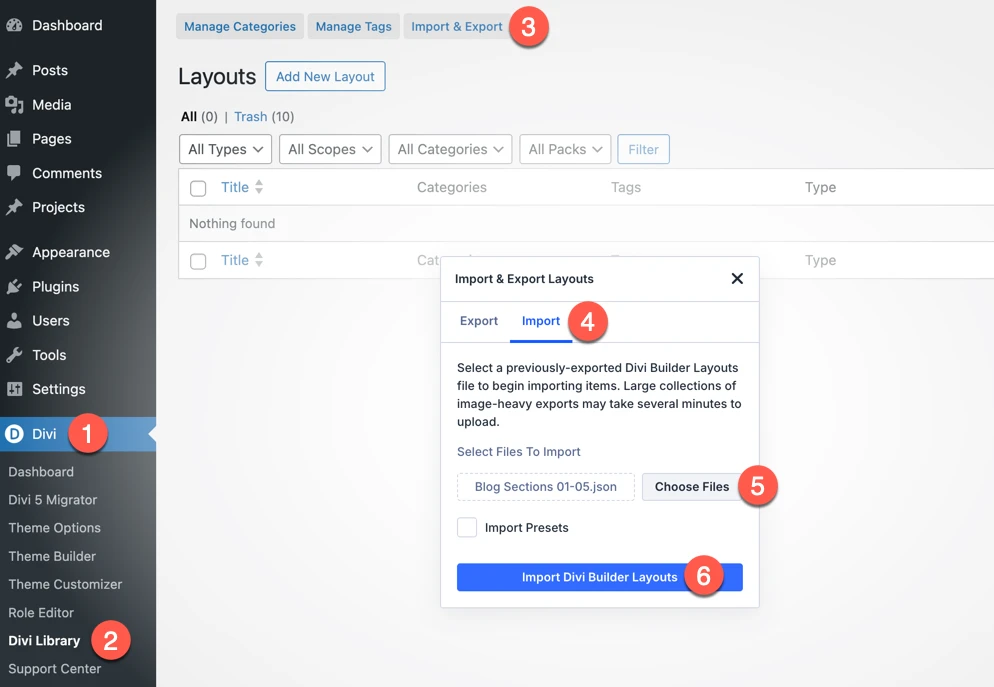
To use these blog layouts on your website, first import them into your Divi Library:
- Go to WordPress Admin Dashboard
- Navigate to Divi → Divi Library
- Click Import & Export
- Open the Import tab
- Click Choose Files and select the JSON file
- You can select a single blog layout
- Or choose the file that contains all blog sections
- Click Import Divi Builder Layouts
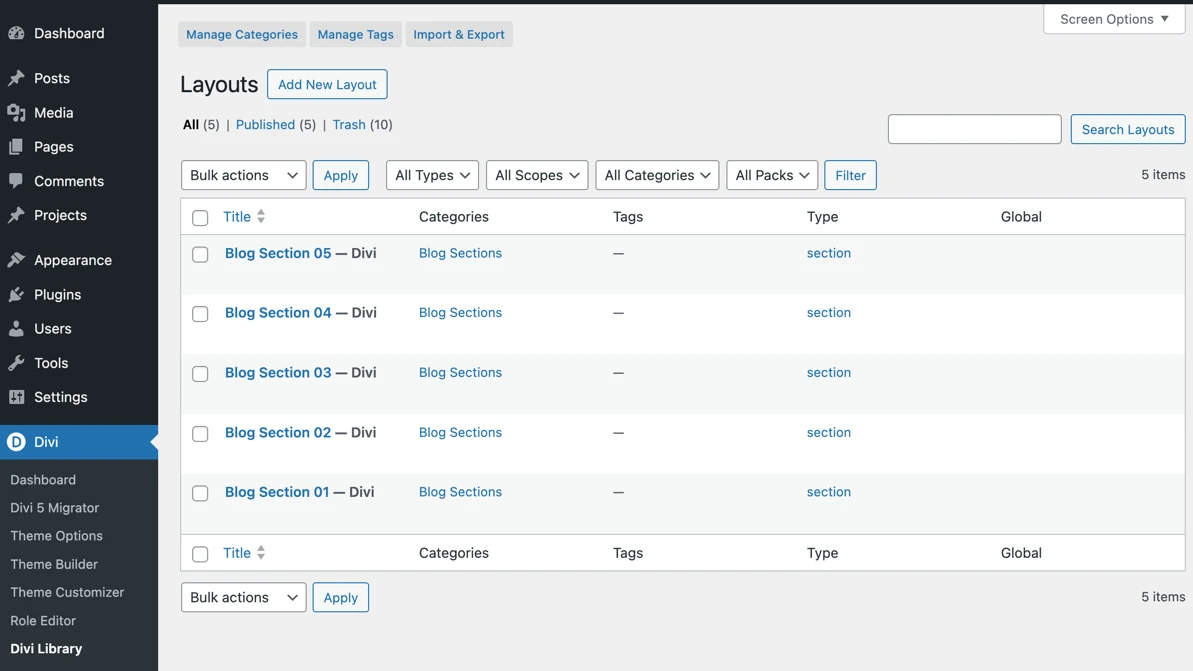
Once imported, the blog section layouts will be available in your Divi Library.
How to Add a Blog Section to a Page
After importing the layouts, follow these steps:
- Create a new page or edit an existing page
- Enable the Divi Visual Builder
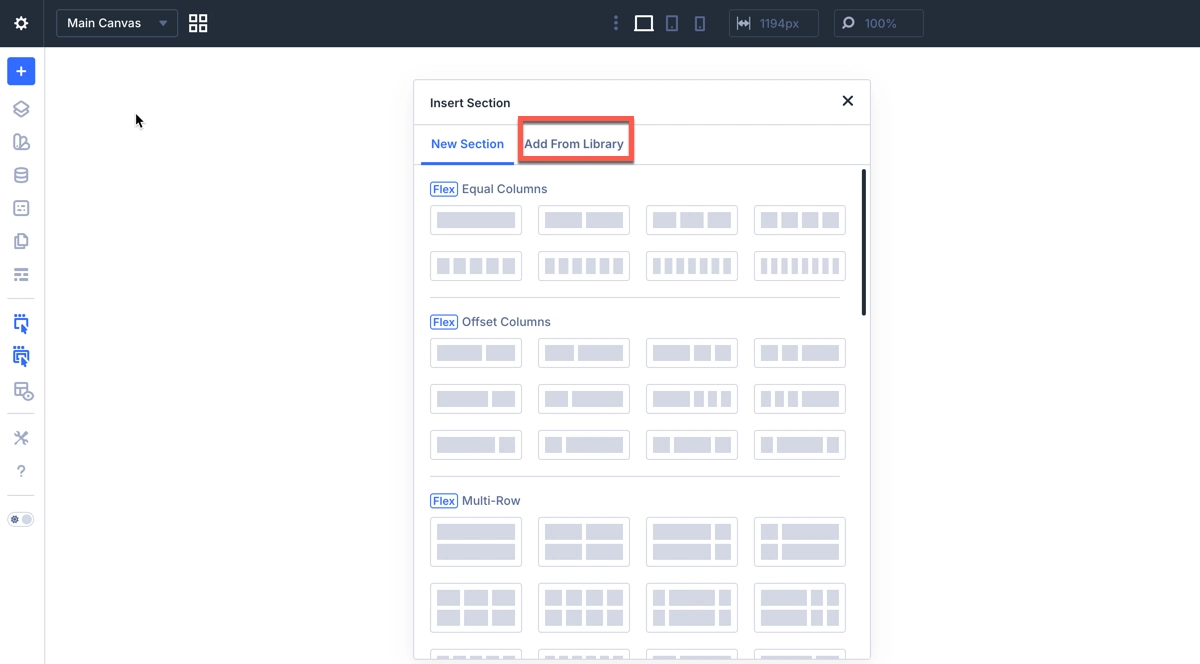
- Add a new section
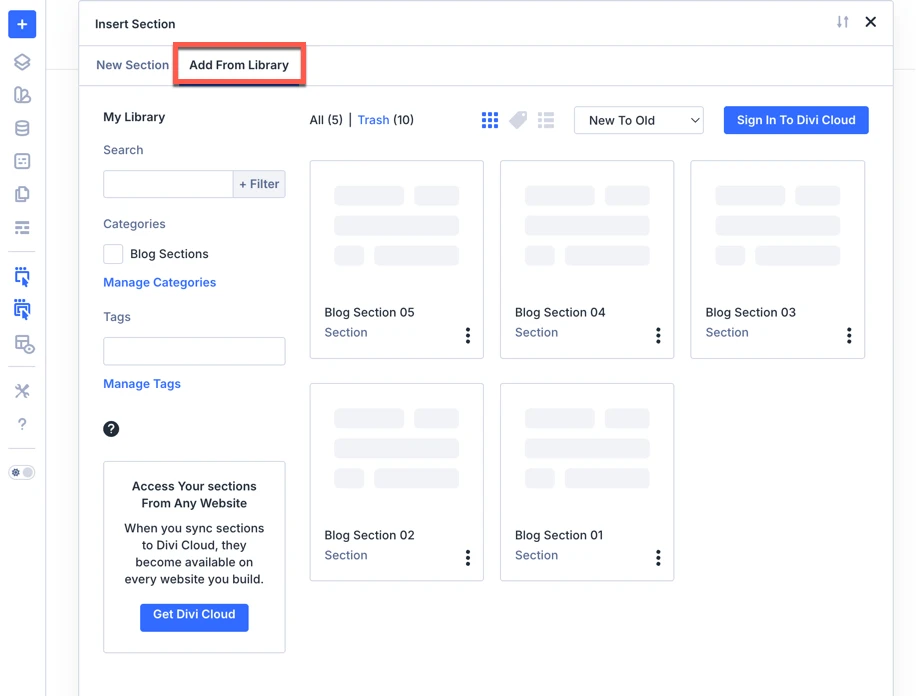
- Click Add From Library
- Select the appropriate category
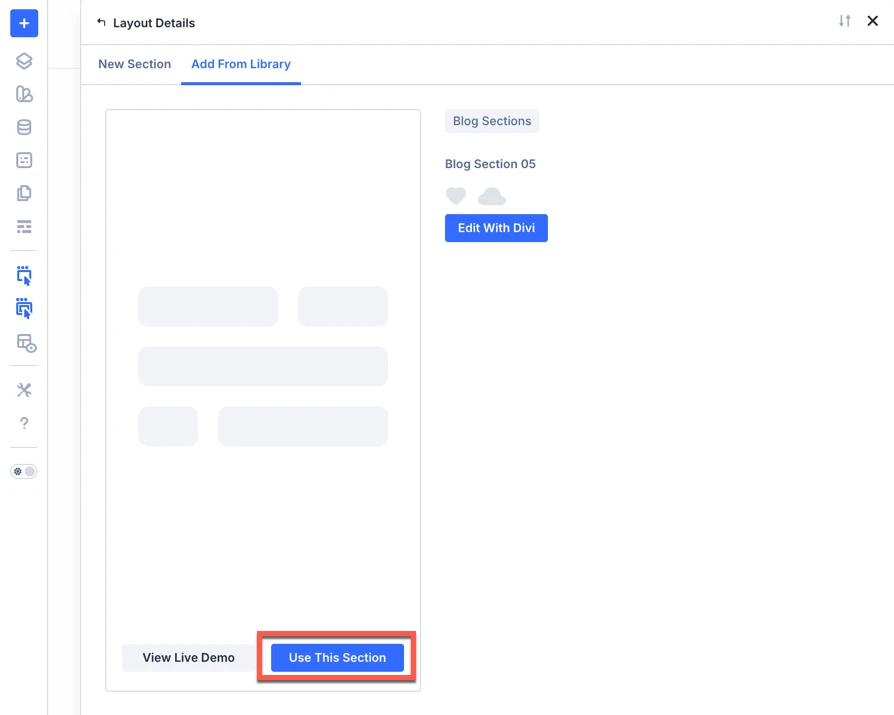
- Choose the blog section layout you want to use
Divi 5 Features Used in These Blog Sections
Loop Builder
We are using Divi 5’s Loop Builder to dynamically display blog posts. This allows the blog section to automatically pull post data like title, image, and content without manual setup, keeping everything updated in real time.
CSS Grid Layout
Our blog sections use Divi 5’s native CSS Grid layout, which provides precise control over rows, columns, spacing, and alignment. This two-dimensional grid system helps create clean, responsive, and well-structured blog layouts directly inside the Visual Builder.
Group Carousel Module
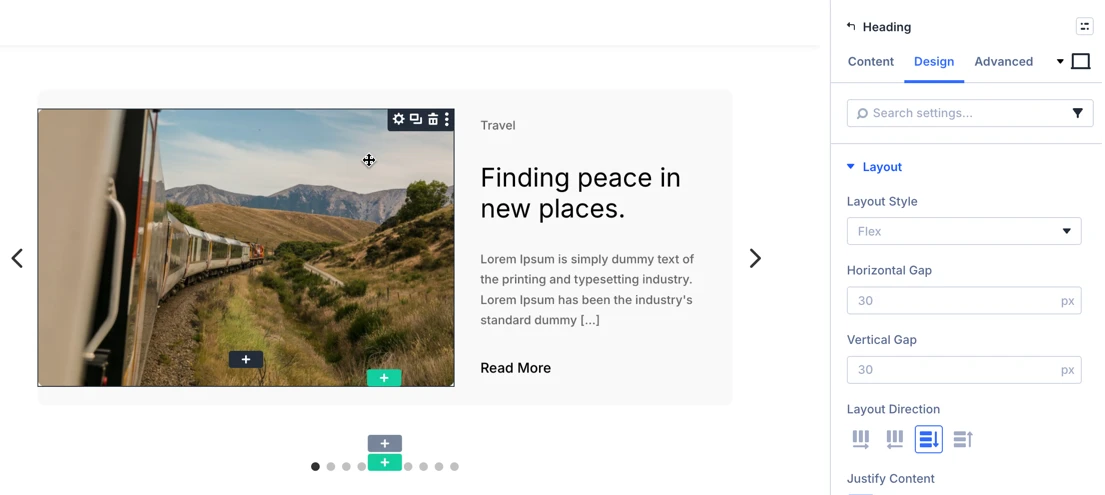
We use the Divi 5 Group Carousel module to display blog posts in a smooth, horizontal carousel. It groups blog elements together and allows users to browse multiple posts interactively without leaving the page.
Easy Customization in Divi 5
All blog section layouts can be easily customized using the Divi Visual Builder. You can change:
- Text and headings
- Images and featured thumbnails
- Colors, fonts, and spacing
- Number of posts and layout structure
The ZIP also includes free prebuilt Hero section layouts for Divi 5 , About Us section layouts for Divi 5 , Contact Us section layouts for Divi 5 and Testimonial section layouts for Divi 5. Download once and get all sections together.
Final Thoughts
A well-designed blog section helps improve engagement and keeps your content organized. With these prebuilt blog section layouts for Divi 5, you can quickly build professional blog sections using advanced features like Grid Layout, Loop, and Group Carousel, saving time while maintaining a modern design.



0 Comments