
Fully Compatible with Divi 5
Motion is the difference visitors can feel
Most Divi sites are built from the same modules, so they move the same way: content fades in, and that is the end of it. Divi Motion Extended gives you the layer that sits on top – Divi motion effects and Divi interaction patterns you see on hand-coded agency sites: text that reveals as you scroll, images that chase the cursor, cards that stack, glow, and drift.
There is nothing comparable on the Divi Marketplace. This is not another module pack with a different card design; it is a set of interaction systems – scroll-driven, hover-driven, and cursor-driven – built natively for the Divi Builder. You configure everything with regular Divi controls: pick an effect, set its speed and intensity, style the content with the standard design tabs, and preview it live in the builder.
It is built for designers and agencies who want client sites to feel custom-made, and for site owners who want the page itself to hold attention a little longer.
Text Reveal module
Text Reveal animates headlines and paragraphs into view one character, one word, or one line at a time. Choose from eight animation types: Fade, Move / Slide, Scale, Invert, 3D Spin / Flip, Skew, Blur, and Color.
Three triggers control when it plays:
- On Scroll ties the reveal to the scrollbar. You set a start and end position in the viewport, and the animation follows the visitor’s scrolling between them – scroll slowly and the text reveals slowly, scroll back up and it can rewind (Replay On Scroll Back is a toggle, so you can also let it stay finished after one pass).
- On Load plays the reveal as soon as the page opens – built for hero headlines.
- On Hover holds the effect until the pointer arrives.
You control duration, delay, the stagger between each character, word, or line, the speed curve (from constant speed to bounce and springy), and the animation intensity – how far the text moves, scales, or rotates. The Color type gets its own revealed text color, and the Blur type its own blur level. The text field supports Divi dynamic content, and styling uses Divi’s full font controls.
The text is rendered as real text on the page, not an image or canvas, so search engines and screen readers read it as written.
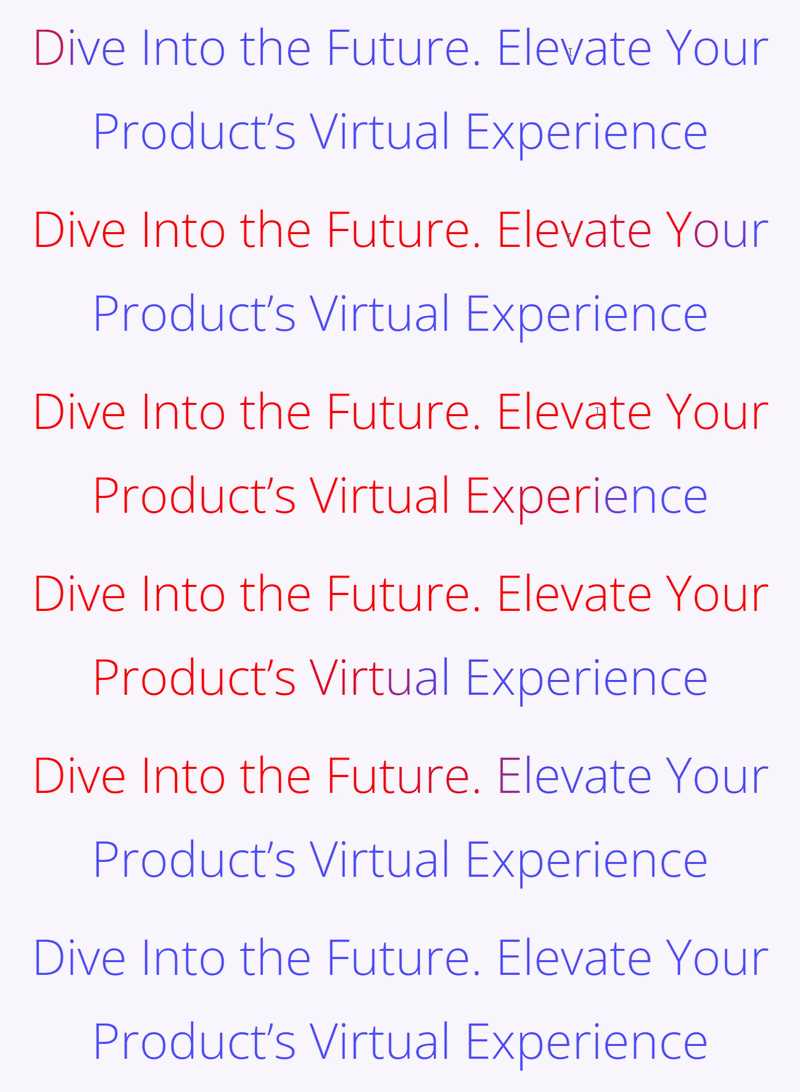
Image Reveal module
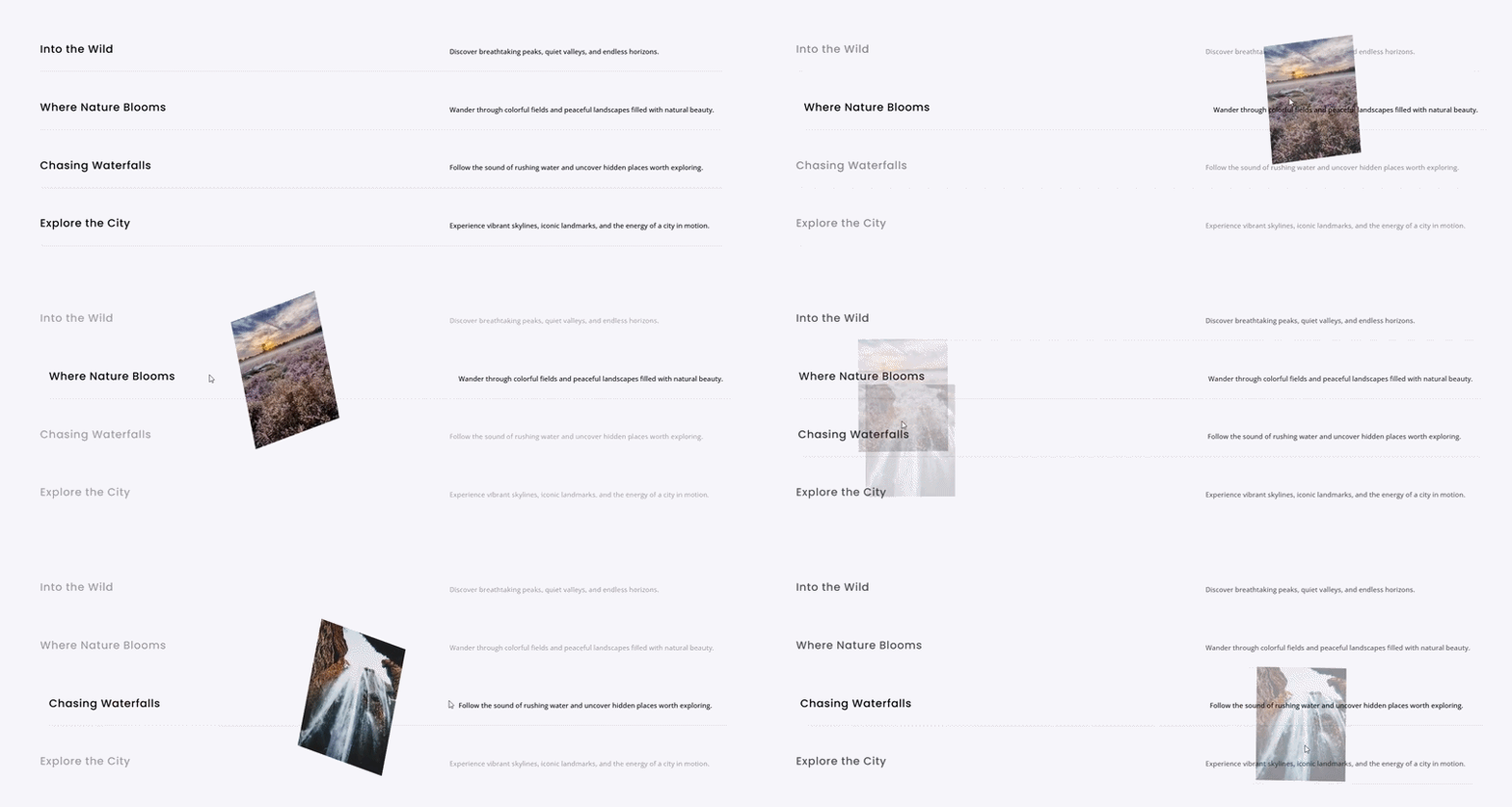
Image Reveal builds the hover list you have seen on portfolio and studio sites: a stack of rows – each with its own title, subtitle, description, icon, and button – where pointing at a row reveals its image.
Three display modes, set per device:
- Follow Cursor – the image tracks the pointer as it moves across the list, with an adjustable follow lag and optional cursor physics that let the image lean into the direction of travel and stretch as it chases the pointer.
- Fixed Frame – the image reveals in one place, left, center, or right of the list.
- Background Fill – the image becomes the background of the whole module, with an overlay color to keep text readable and an optional slow zoom while the row stays hovered.
Ten reveal effects control how each image appears: Fade and Scale, Wipe, Curtain, Circle Mask, Blinds, Zoom and Settle, 3D Flip, Blur In, Skew In, and Slide In, with direction, intensity, duration, and speed curve settings. The rows react too: dim, desaturate, or blur the rows you are not hovering, and let the active row slide across, draw an underline, ripple its letters, or grow.
Touch screens get their own behavior – reveal the image in the center, reveal on tap, or hide images entirely – so the module holds up where there is no pointer.
Scroll Stack Cards module
Scroll Stack Cards pins a series of cards to the screen and stacks them as the visitor scrolls – the pattern product pages use to walk through features, steps, or chapters one at a time.
Cards can stack downward into a pile or slide across the screen. Three stack styles decide what a covered card does: Stack keeps it full size behind the new card, Collapse shrinks it to its title, and Depth tilts it back so the pile reads as three-dimensional. From there you tune the pile: how much of each buried card stays peeking out, how much it shrinks, rotates, dims, or blurs as it is covered, and how far below the top of the screen the stack rests – useful for clearing a fixed header.
Motion smoothing lets the cards glide behind the scrollbar instead of locking to it, and an optional snap settles the view on one whole card at a time. Each card carries its own image, icon, subtitle, title, description, and button, with image position, size, and fit controlled on the parent. You choose which devices the stacking runs on; anywhere it is off, the cards simply appear one after another, which usually reads better on a small screen.

Spotlight Cards module
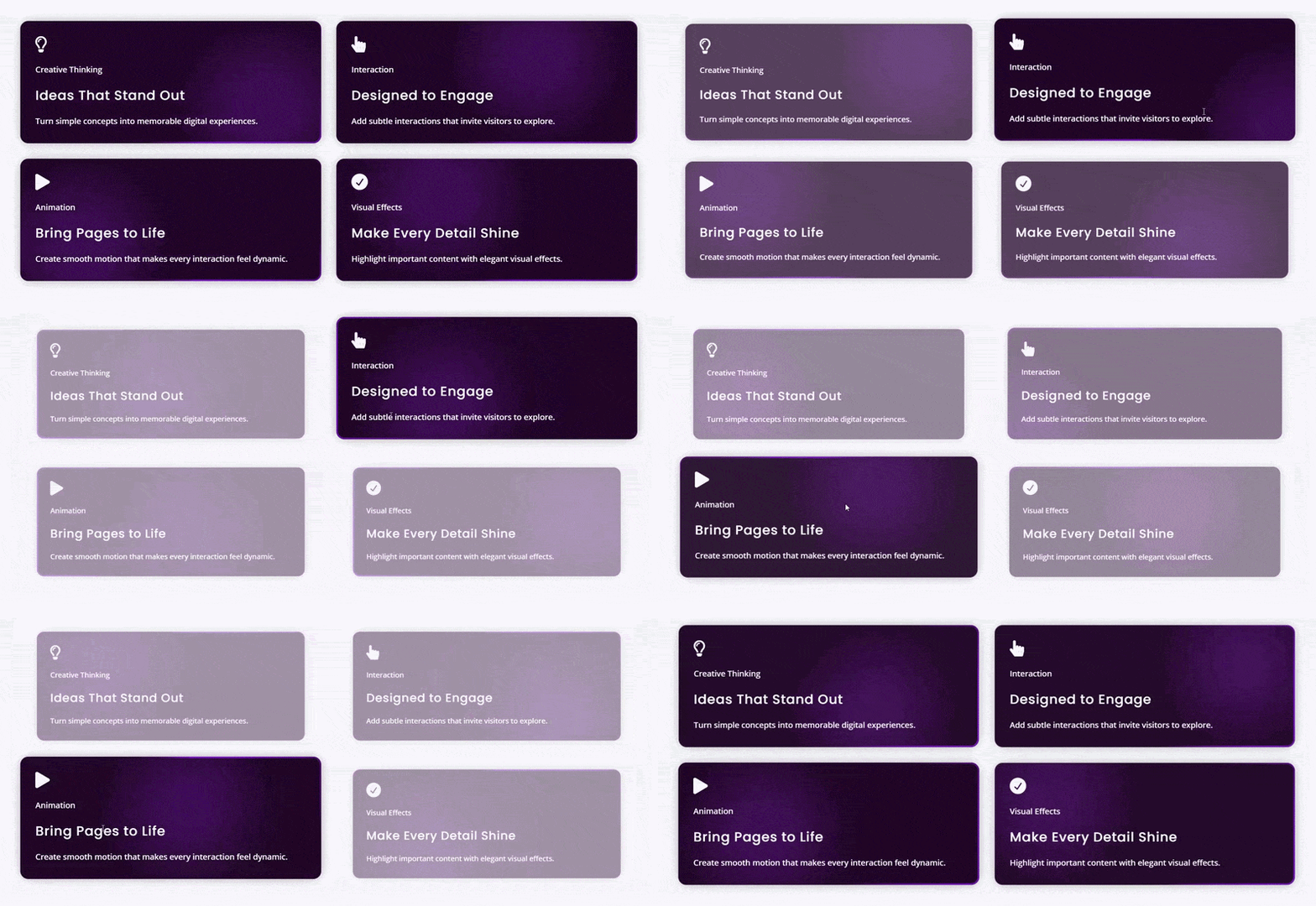
Spotlight Cards is a card grid where light follows the pointer. Five spotlight effects: Border Glow lights the edge nearest the cursor, Inner Glow lights the surface under it, Border + Inner Glow combines the two, Chasing Border sweeps a light around each card’s edge on its own, and Electric Border makes the edge crackle like a live current – the last two animate without needing a pointer at all.
The light itself is yours to design: one color or a blend of two, with glow size, edge light spread, brightness, lit edge thickness, and follow smoothing so the light trails the pointer naturally. Electric Border adds crackle amount and crackle detail controls. An idle mode keeps cards alive when nobody is pointing at them – the light drifts along a chosen path (circle, figure eight, left and right, up and down, diagonal) at its own speed.
A separate highlight system brings the hovered card forward: lift it off the page while the other cards fade, blur, or shrink back, so attention lands on one card at a time. Cards hold an icon, subtitle, title, description, image, and button, laid out in a grid with column and gap controls.
Parallax Cards module
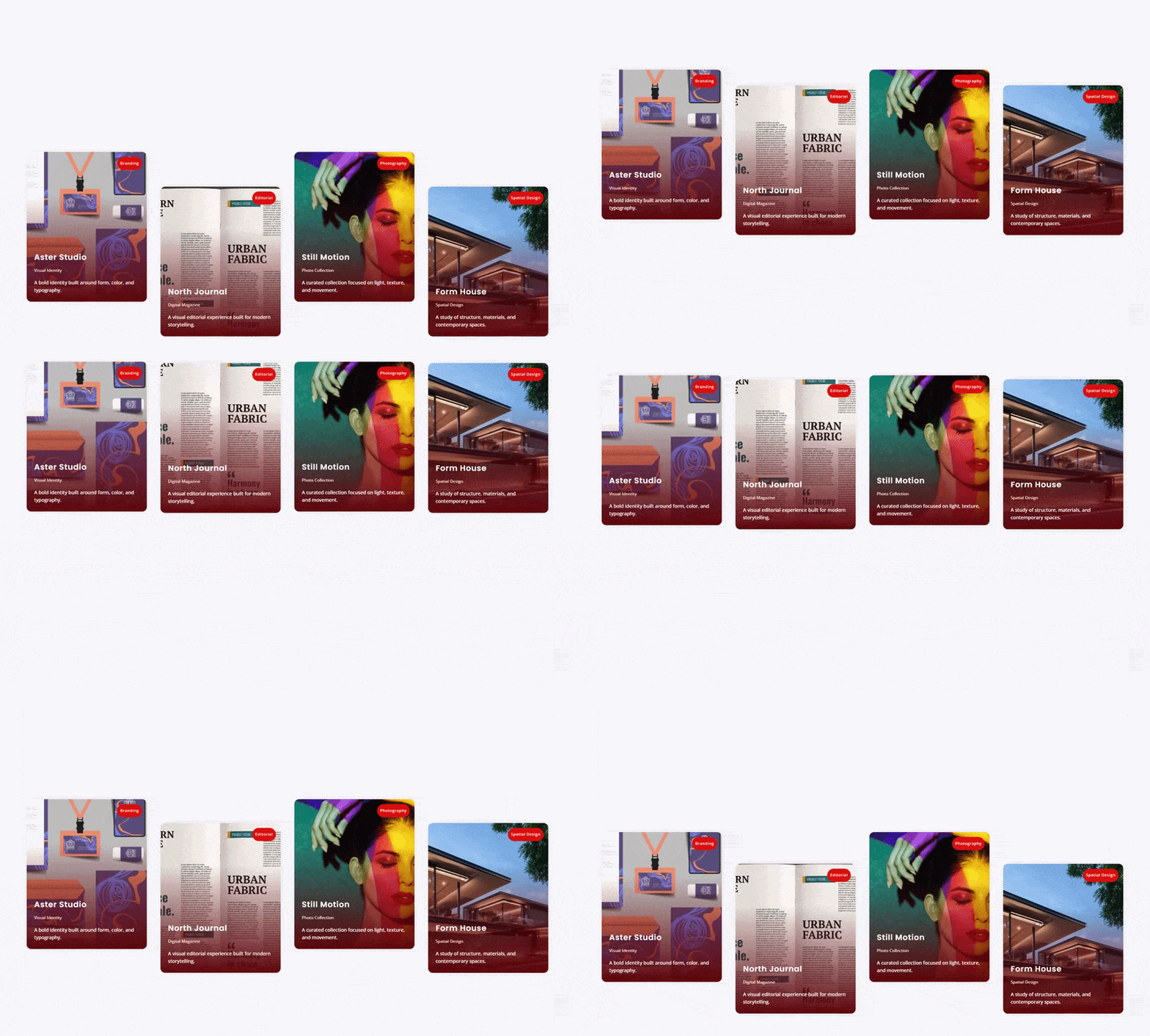
Parallax Cards is a card grid with scroll drift: columns move at different speeds as the page scrolls, so the grid breaks out of its straight rows and takes on the staggered, editorial look of a designed portfolio.
Two pattern systems shape the motion. Column offset patterns set the staircase – alternate, step down, step up, center out, or custom pixel offsets per column. Column speed patterns set the drift – a card slower than the page falls behind, a faster one pulls ahead, with presets or custom per-column speeds, a single intensity control to scale the whole effect, and an option to let rows overlap for a deliberately loose layout. Any single card can override its column’s speed.
Three card layouts: text overlaid on the image, text below it, or text in an offset panel overlapping the image’s bottom edge. The overlay layout can hide its text until hover – all of it, or everything except the title. Images get their own motion: a parallax slide or zoom inside the frame as the card travels, plus a separate hover effect (zoom, or grey to color). Each card carries a badge for its image corner, a subtitle, a title, a meta list of short facts with a configurable separator – built for lines like 3 Beds, 2 Baths, 1,450 sqft – body text, and a button. Image shape presets (square, landscape, widescreen, portrait) keep every card in the grid the same height.
Two extensions for the modules Divi already has
Divi Motion Extended also extends Divi’s own elements, so interaction is not limited to the five new modules.
Image Trail for Sections, Rows, and Columns
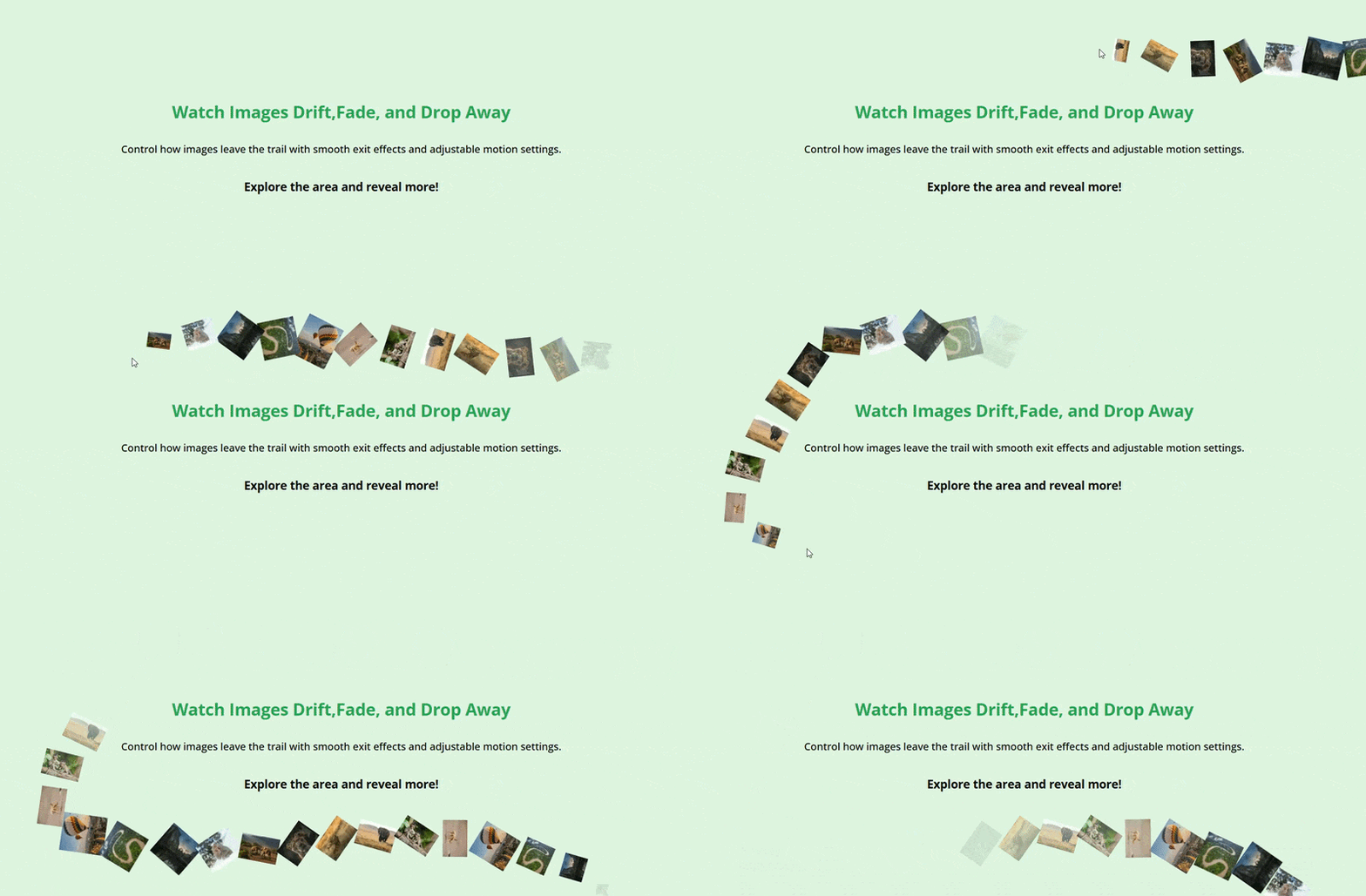
Switch on Image Trail on any Section, Row, or Column and a series of images trails behind the cursor as it moves across that area – the effect creative studios use on hero sections. Pick the images from your media library, then control how they behave: in order or at random, their width and opacity, how many can be on screen at once, and how far the cursor travels before the next image drops. Each image arrives with an elastic pop, fade, or zoom, and leaves by dropping away, fading, zooming out, or drifting off, with rotation, duration, and speed curve controls plus a border setting for the images themselves. You choose which devices it runs on – touch screens have no cursor to follow, so it stays off on phones by default.
Cursor Hover Effect for every module
Cursor Hover Effect replaces the pointer with a designed cursor while it is over any element on the page – every Divi module, plus Sections, Rows, and Columns. The cursor can carry text (“View”, “Drag”, “Play”), an icon, an image, or just a shape, styled with Divi’s font, background, border, and shadow controls.
The motion settings are what make it feel deliberate: follow smoothing lets the cursor glide after the pointer, magnetic pull draws it toward the element’s center, velocity stretch elongates it along its direction of travel, and continuous spin keeps its content turning. Five entrance styles bring it in, and blend modes – including Difference, which inverts whatever it passes over – keep it readable on any background. You can hide the system pointer over the element, or leave it in place where links and buttons live.

Who it is for
- Agencies and freelancers delivering client sites that need to look custom-built. The interaction layer is what separates a template from a commission, and every effect here is configured, not coded.
- Portfolios and creative studios – Image Reveal hover lists for project indexes, Image Trail on the hero, a “View” cursor over every piece, Parallax Cards for the work grid.
- Product and feature pages – Scroll Stack Cards to walk through features step by step, Text Reveal for the headline, Spotlight Cards for the pricing or feature grid.
- Listing and directory sites – real estate, travel, catalogs – where Parallax Cards’ badges, meta lists, and per-card links were designed to carry prices, locations, and specifications.
Specs
- Built in the Divi Builder. All five modules are native Divi modules with live preview in the Visual Builder, and both extensions add their settings directly to Divi’s own elements. Standard Divi design tabs throughout: fonts, backgrounds, borders, shadows, spacing, transforms, conditions, and responsive editing.
- Divi support. Built for Divi 5 – the modules register with Divi 5’s module library and the plugin requires the Divi 5 builder to be active. Works with the Divi theme and the Divi Builder plugin.
- Animation engine included. The GSAP animation library, with its ScrollTrigger and SplitText plugins, ships inside the plugin and is served from your own site. No third-party requests, nothing loaded from a CDN.
- Loads only where used. Scripts and styles are registered but only load on pages where a module or an enabled effect actually appears.
- Per-device control. Every module and extension has device-level switches, and the pointer-driven effects have defined touch behavior instead of breaking on phones.
FAQs
Which Divi versions does Divi Motion Extended support?
Do I need to code or install an animation library?
Will the animations slow my site down?
What happens on phones and tablets?
Can I add effects to Divi's own modules, or only to the new ones?
Can I control exactly when an animation plays?
Do the effects respect visitors who prefer reduced motion?
Is animated text still readable by search engines?
Give your Divi site a reason to be remembered
Five interaction modules, two extensions for the modules you already use, and every setting inside the Divi Builder. Nothing else on the Divi Marketplace does what Divi Motion Extended does.


Reviews