
Search Divi WooCommerce Extended Documentation
Search for answers or browse our knowledge base.
DWE Woo Brands Carousel
Learn how to use the DWE Woo Brands Carousel module in Divi WooCommerce Extended to display brand logos, titles, and product counts in an interactive slider.
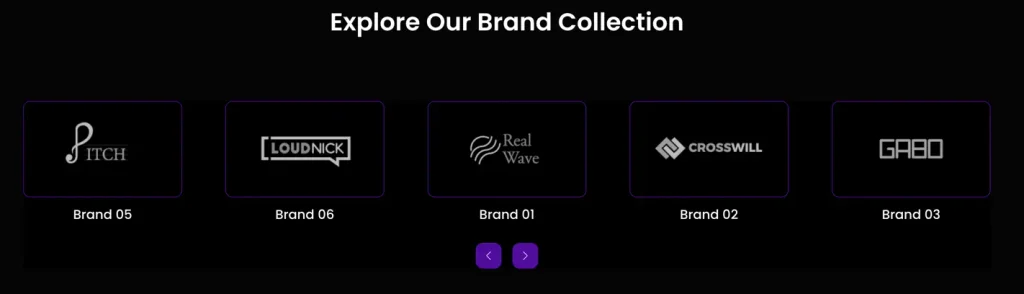
How to add module on page
To display brand logos in a slider on your site, follow these simple steps:
- Create/Edit a Page/Post with the Divi builder.
- Create/Edit a row.
- Click on Add New Module option; choose the DWE Woo Brands Carousel module.
Content settings
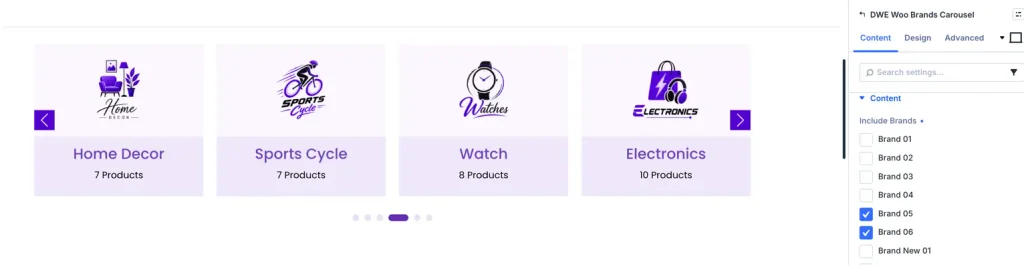
Select brands
Check the WooCommerce product brand names in the selection panel to include them in the slider.
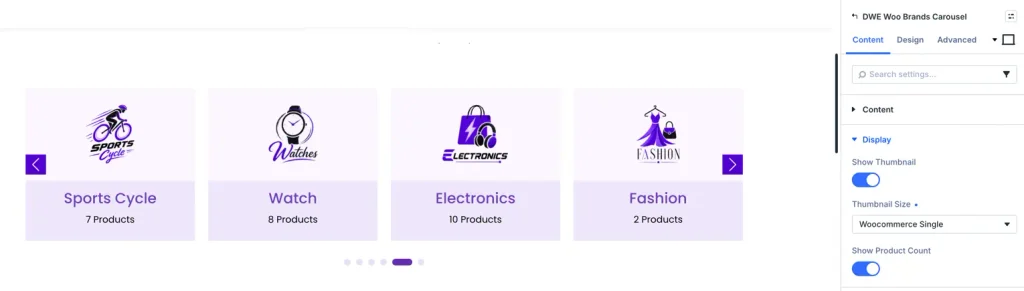
Brand display options
Toggle display parameters to show the Brand Name text below the logo, and the total Product Count badge for each brand.
Design settings
Slider settings
Configure columns per view, space gaps between logos, loop animation modes, autoplay speeds, and customize transition navigation arrows and pagination dot colors.
Brand logo borders
Customize the logo cards. Set border widths, colors, card backgrounds, hover effects, and padding properties specifically for the brand logos.
Pro Tip: Hide the Brand Name text and display only clean Brand Logos in a grayscale filter that turns colorful on hover for a premium brand showcase look.
Frequently asked questions
Where does the module pull brand logos from?
The module automatically pulls brand logos defined under your WooCommerce Brand taxonomy settings (under Products > Brands in WordPress).
Can I display product counts for each brand in the carousel?
Yes. Simply enable the “Product Count” toggle switch in the brand display options to display a product counter badge next to the brand details.
Does this carousel support loop autoplay?
Yes. You can enable automatic continuous looping and set transition speed delays inside the slider configuration panel.