
Search Divi Modal Popup Documentation
Search for answers or browse our knowledge base.
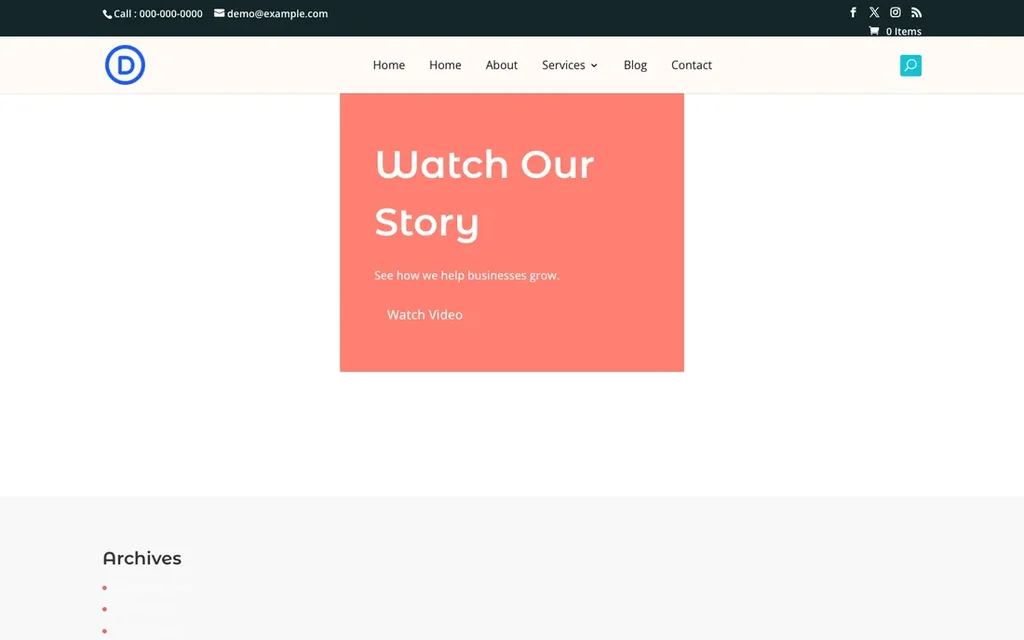
How do I open a YouTube video in a popup when a button in the Divi Hero module is clicked?
You can do this with the Divi Modal Popup module. Give the Hero button a CSS class, then tell the popup to open when an element with that class is clicked. No code is needed.
Step 1: Add a CSS class to the Hero button
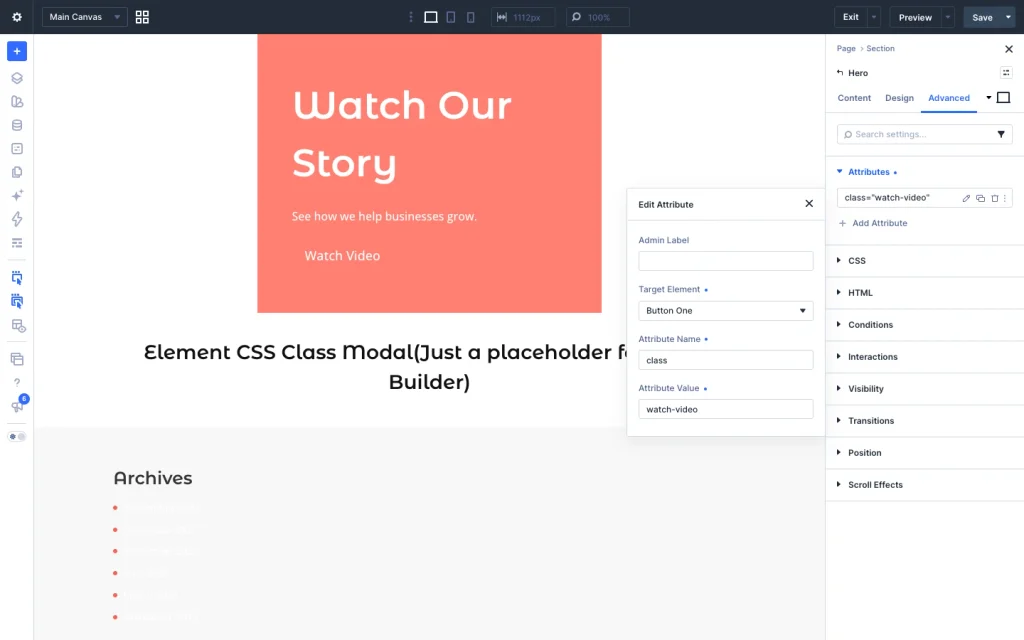
- Open the Hero module settings and go to the Advanced tab.
- Open Attributes, click Add Attribute and choose class.
- Set Target Element to Button One (or Button Two if you use the second button).
- In Attribute Value, enter
watch-video. - In the Content tab, set the button text (for example, “Watch Video”) and set the button link URL to
#.
Step 2: Add the Divi Modal Popup module
Add a Divi Modal Popup module anywhere on the same page, for example in a section below the Hero. In the Visual Builder it shows as a placeholder; on the live page nothing appears until the button is clicked.
Step 3: Connect the popup to the button
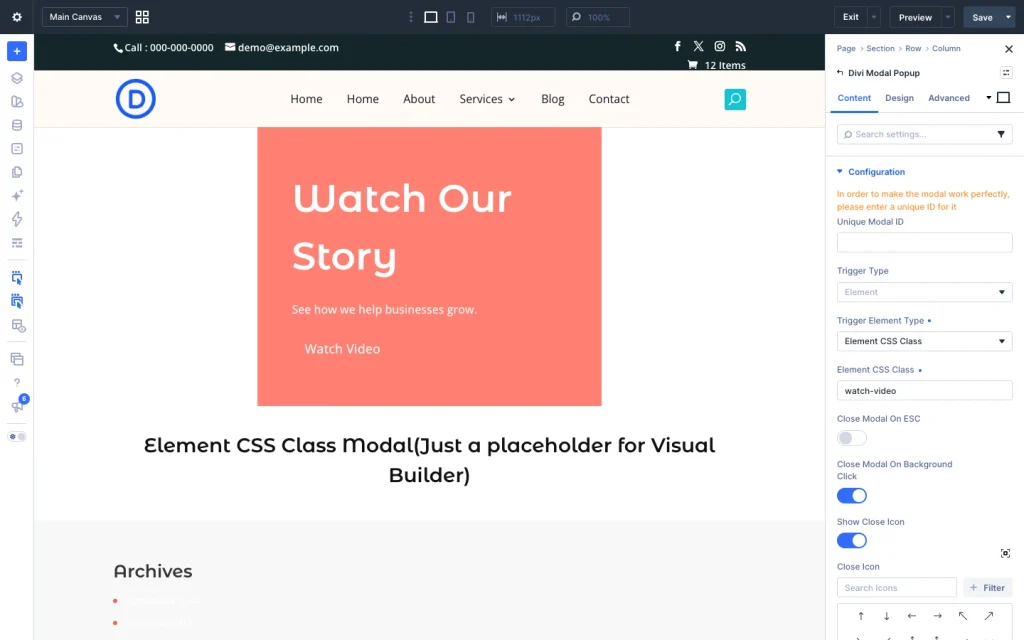
In the Modal Popup settings, go to Content → Configuration and set:
- Trigger Type: Element
- Trigger Element Type: Element CSS Class
- Element CSS Class:
watch-video
Important: enter the class name without a dot at the start (watch-video, not .watch-video).
Step 4: Add your YouTube video
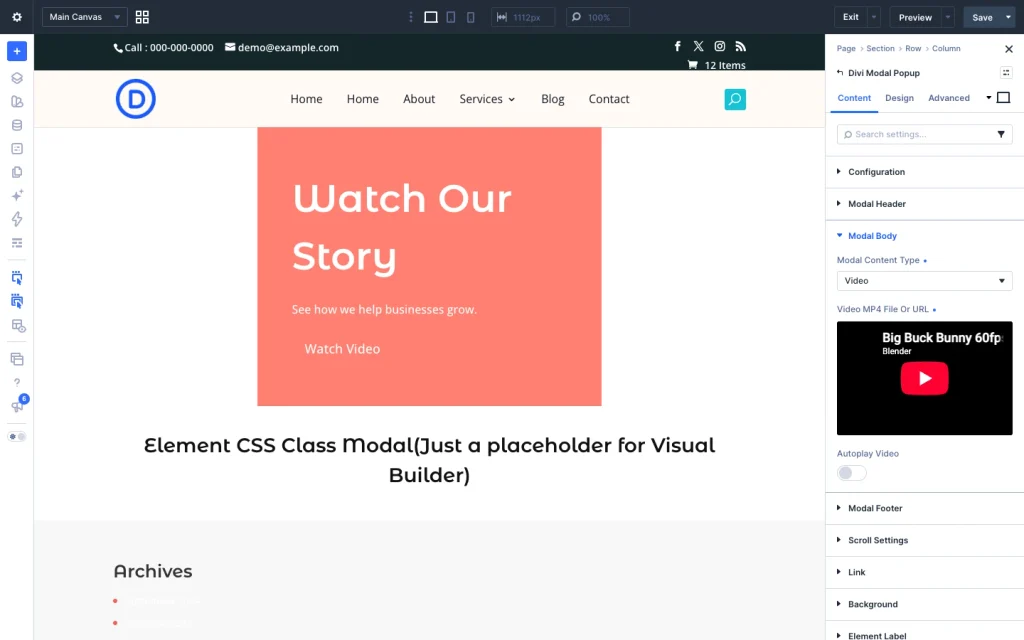
In Content → Modal Body:
- Modal Content Type: Video
- Video MP4 File Or URL: paste your YouTube link, for example
https://www.youtube.com/watch?v=XXXXXXX(shortyoutu.belinks also work) - Autoplay Video: turn on if the video should start playing as soon as the popup opens (optional)
For a clean, video-only popup, you can also turn off Modal Header and Modal Footer.
Step 5: Save and test
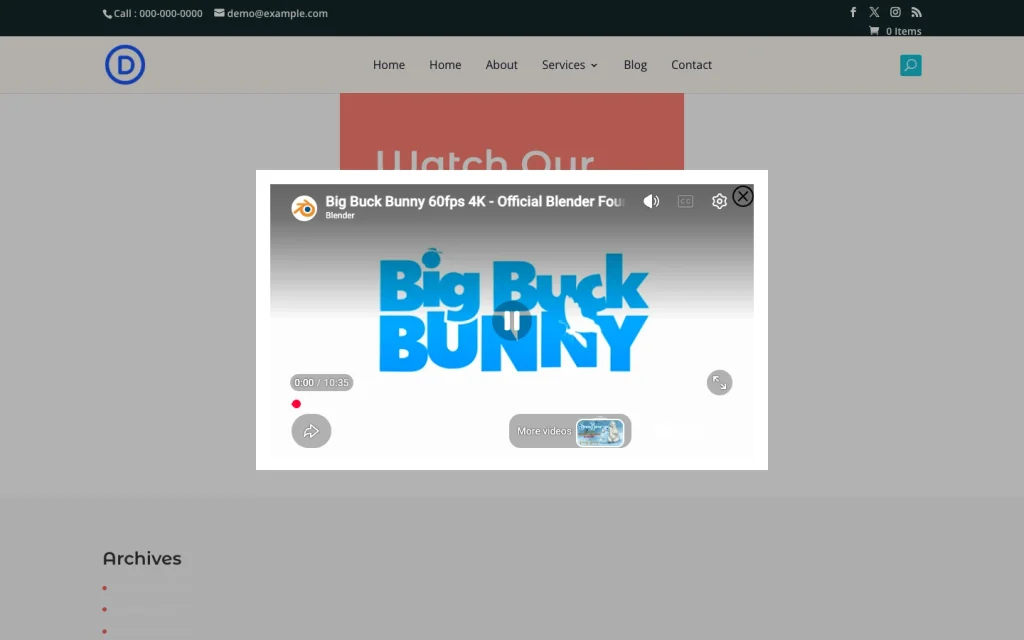
Save the page and view it on the frontend. Clicking the Hero button opens the YouTube video in the popup, and the video stops when the popup is closed.
The popup does not open. What should I check?
- The class in the popup’s Element CSS Class field matches the class on the button exactly, with no dot at the start and no extra spaces.
- The attribute’s Target Element is the button you click (Button One or Button Two), not the whole module.
- The Divi Modal Popup module is on the same page as the Hero module.
- You are testing on the frontend (or in Preview), not inside the Visual Builder.
- Clear your site and browser cache after saving.