How Can We Help?
Search for answers or browse our knowledge base.
How to install and use headers
All header layouts are included in the one-click install and you will get all the layouts in the library.
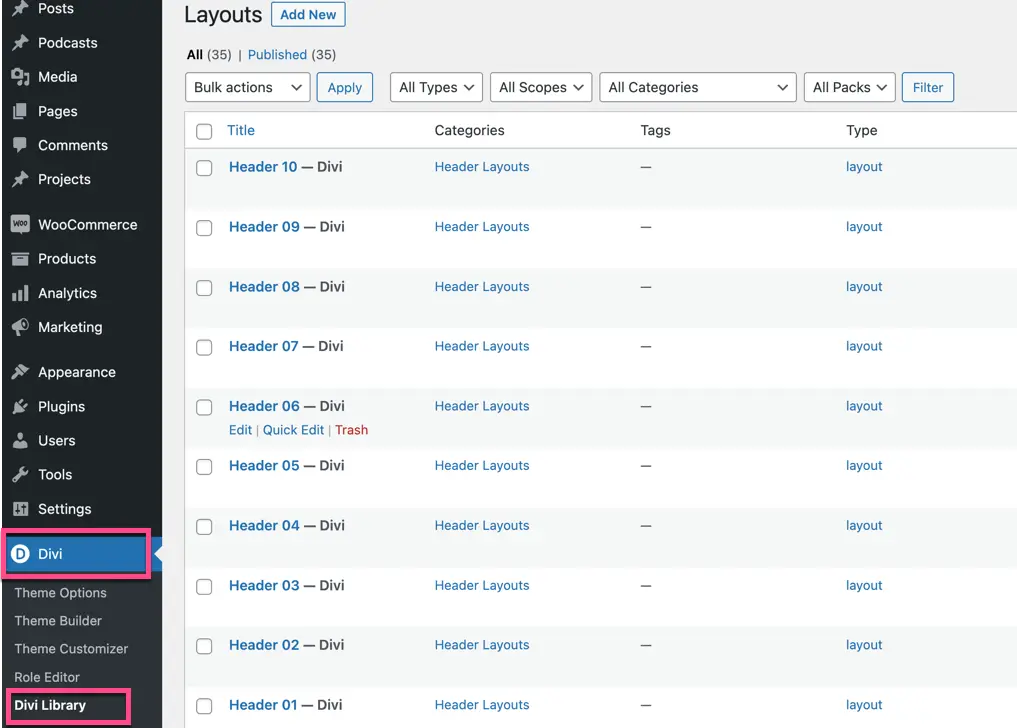
Check out the demo to see the layout number of the Header you like.
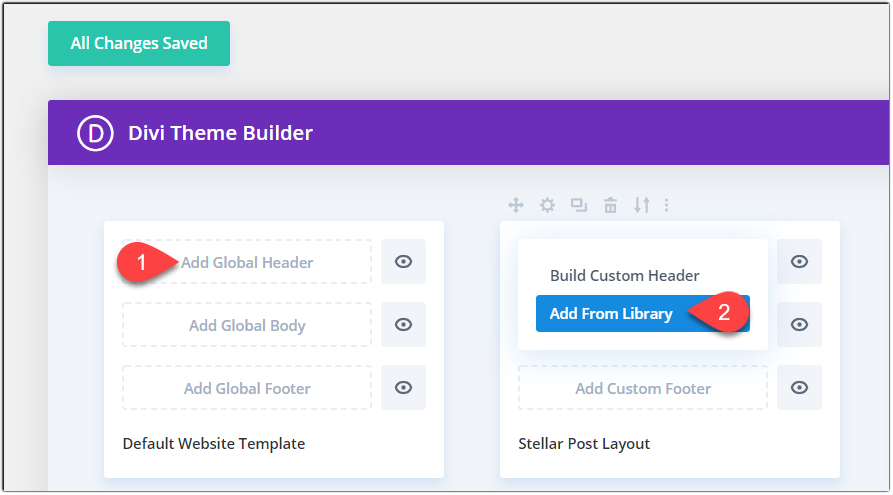
Steps to activate a header of your choice.
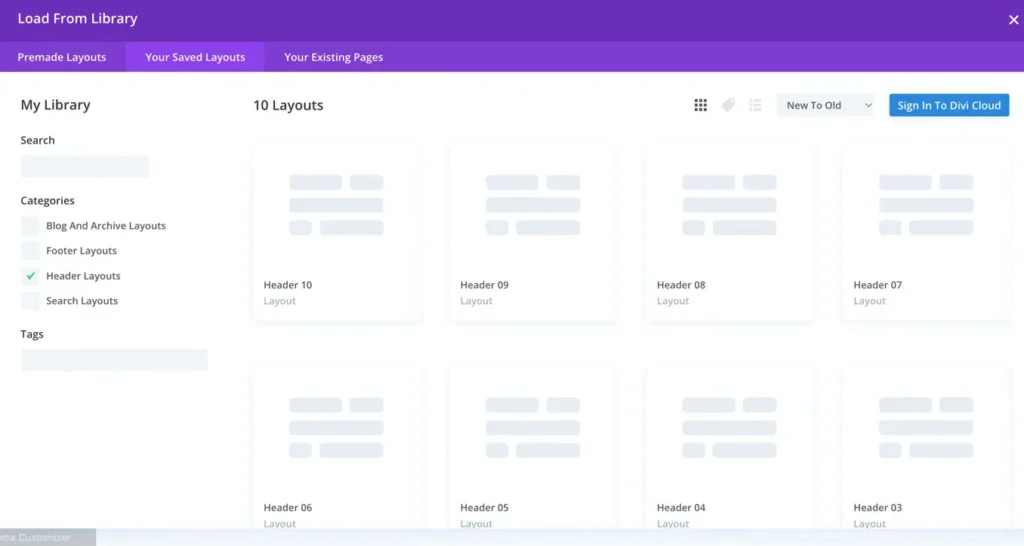
- Go to Divi >> Theme Builder >> Add Global Header >> Add From Library >> Your Saved Layout.
- Choose the category Header Layouts, select the desired Header, and click on save changes.